Dental practices run a unique front desk: fast check-ins, insurance balances, split payments, recurring payment plans, and a steady stream of patients who want to tap and go.
That’s exactly why EMV terminals for dental offices can’t be chosen the same way you’d pick a generic card machine for a retail counter. You need patient-friendly speed, strong security, clean counter aesthetics, and the flexibility to take payments chairside when the schedule is packed.
Modern EMV terminals for dental offices should accept chip (EMV), tap-to-pay (contactless), mobile wallets, and fallback magstripe when needed. They also need to work smoothly with your practice workflow—whether that’s a full POS-like setup, a payment-only flow through your management software, or a hybrid where you do both.
If you offer payment plans, you’ll also care about tokenization, secure vaulting, and easy customer receipts (digital or printed) so your team isn’t stuck re-keying transactions or chasing signatures.
This guide breaks down what to look for, which devices fit real dental workflows, how to avoid compliance headaches, and what the future looks like for EMV terminals for dental offices as “tap” becomes the default and security standards keep tightening.
What Makes Dental Payments Different From Retail Payments

A dental office isn’t just ringing up items—your payments are tied to appointments, treatment plans, insurance estimates, and patient identifiers. That means EMV terminals for dental offices have to support more than “accept card and print receipt.”
Your front desk may need to take partial payments today and schedule the remainder later. Some patients pay with an HSA/FSA card, some split between two cards, and others want to save a card securely for recurring charges.
Dental payments also happen in multiple locations. The most obvious point of sale is the front desk, but chairside payments are increasingly common because they reduce end-of-day collections and no-show balance issues.
That’s where portable and wireless EMV terminals for dental offices shine—especially if they include Wi-Fi/LTE connectivity and an integrated printer so staff can finish a transaction without walking back to the counter.
There’s also the privacy aspect. When payment data becomes linked with patient details (like name plus procedure context), operational risk increases, and you want to minimize what touches your local network and workstations.
Using encryption approaches such as point-to-point encryption (P2PE) can help reduce exposure by protecting card data from the moment it’s captured until it reaches a secure decryption environment.
Finally, dental patient experience matters. A smooth, modern checkout increases trust. Patients expect tap-to-pay and digital receipts. The right EMV terminals for dental offices can reinforce the feeling that your practice is modern, secure, and efficient—without the front desk feeling like an airline check-in line.
Core Buying Criteria for EMV Terminals for Dental Offices
When evaluating EMV terminals for dental offices, start with the non-negotiables: payment acceptance, security, connectivity, durability, and software compatibility.
The most basic requirement is full support for EMV chip transactions and contactless payments (taps and mobile wallets). Many current terminals also support magstripe as a fallback, but chip + contactless is the baseline for a future-proof setup.
Next, think about workflows. Do you mainly take payments at the front desk? If yes, a countertop device with a stable Ethernet/Wi-Fi connection and a patient-facing display is ideal. If you collect chairside or move between operatories, choose a handheld terminal with Wi-Fi and optional LTE, plus a battery that survives a full clinic day.
Security features should be a priority, not an afterthought. Look for terminals and processor options that support encryption and/or validated security programs. P2PE solutions, for example, are designed to cryptographically protect account data from acceptance to secure decryption—making stolen data far less useful in a breach scenario.
Then there’s integration. Many practices want their EMV terminals for dental offices to connect with their patient payment workflow—posting transactions cleanly, reducing manual entry, and helping with refunds or voids without a complicated process. Even if you don’t fully integrate today, pick a terminal ecosystem that can scale to integrated payments later.
Finally, consider the patient experience: readable screens, fast receipt options, simple tip disabling (for dental contexts), and minimal “extra prompts” that slow checkout. The best EMV terminals for dental offices reduce friction for both staff and patients.
Security and Compliance: What Dental Offices Should Prioritize
Security for EMV terminals for dental offices is about reducing risk and reducing scope. You want the smallest possible surface area where card data could be exposed, and you want operational practices that keep patient-related payment information handled appropriately.
A strong strategy typically includes: (1) encrypted card-present transactions, (2) tokenization for stored cards and payment plans, and (3) tight access controls on who can refund, key-enter, or export reports.
One of the most practical security upgrades for many offices is using a solution that supports point-to-point encryption (P2PE).
P2PE is designed to protect account data from the point a card is accepted until it reaches the secure decryption environment, so intercepted data is unreadable and far less valuable to attackers. This doesn’t replace good security hygiene, but it can materially reduce exposure.
Dental practices also need to think about what happens when payment details are linked with patient information. Once payment context mixes with identifiers and treatment details, the privacy stakes rise.
Healthcare payment guidance often emphasizes encryption, tokenization, access controls, and secure storage policies—especially when billing information is connected to patient context.
(In the U.S., this is often discussed through HIPAA-oriented payment processing practices, which focus on protecting patient-linked information.)
Operationally, your EMV terminals for dental offices should help you avoid bad habits—like writing down card numbers, storing card data in unsecured notes, or key-entering card numbers on shared workstations.
Use secure payment links or vaulting tools for card-on-file, and restrict manual entry permissions to trained staff only. With the right setup, you get faster checkout, fewer chargebacks, and a cleaner compliance posture.
Countertop vs Handheld: Choosing the Right Setup for a Dental Practice
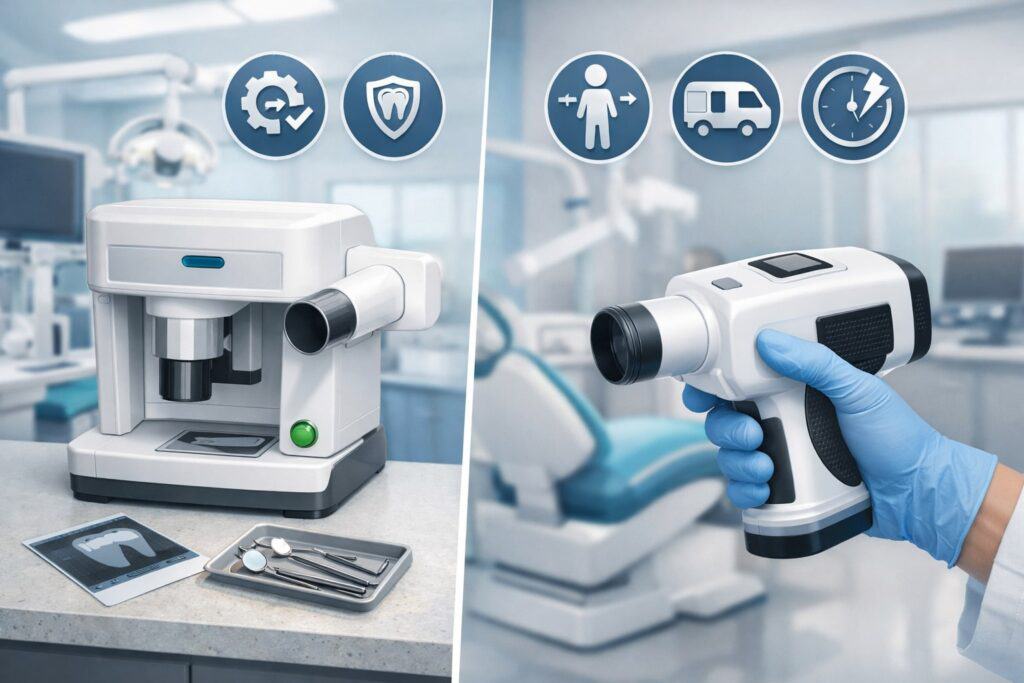
Most practices end up with a hybrid: at least one countertop device at the front desk plus one portable device for overflow or chairside payments.
Countertop EMV terminals for dental offices typically excel in stability—plugged power, reliable networking, and a consistent patient-facing experience. They’re perfect for high-volume checkout at the front, especially when your team is juggling phone calls and appointment scheduling.
Handheld EMV terminals for dental offices bring flexibility. They’re excellent for collecting balances right after treatment, taking deposits in consult rooms, or handling payments during busy times when the front desk is backed up.
The best handheld units have built-in receipt printing, strong Wi-Fi performance, and optional LTE so you’re not stuck if the signal in a certain operation is unreliable.
A common mistake is buying the smallest “mobile reader” and assuming it’s enough. In a dental workflow, you may need to adjust amounts, add a patient identifier for reconciliation, or handle split payments quickly.
That’s where smart terminals with a real screen and processor can outperform tiny card readers—because they support smoother flows and fewer “app crashes” during peak hours.
If you’re planning a remodel or a new location, design your payment footprint intentionally. Place countertop EMV terminals for dental offices where patients naturally pause, and keep handheld devices docked and charged where staff can grab them fast. The goal is to make payments feel like a natural part of checkout—not an awkward detour.
Best Handheld EMV Terminals for Dental Offices
Choosing handheld EMV terminals for dental offices is about mobility without chaos. You want a device that staff can confidently carry, connect, and complete a transaction on the first try—without fiddling with cables or re-pairing Bluetooth every day.
Clover Flex 4 (portable all-in-one)
Clover Flex is widely used in service businesses because it combines portability with an “all-in-one” design: screen, card acceptance, and printing in a single unit.
The current Flex 4 model supports EMV contact (chip), EMV contactless (tap), and magstripe, with connectivity options that include 4G/LTE, Wi-Fi, and Bluetooth—useful for practices that want to collect payments chairside or in consult rooms.
The built-in printer is a practical advantage for EMV terminals for dental offices because patients often want a paper receipt for reimbursement or recordkeeping, even if you also offer digital receipts.
Flex-style devices are especially helpful when your team does split payments or wants to take a deposit at the time of scheduling. Instead of returning to the desk, a staff member can complete the payment in the same conversation. That reduces follow-ups and helps collections stay consistent.
From an operations view, handheld smart terminals also reduce “handoff errors.” It’s easier to confirm the amount and finalize payment right where the plan is explained.
If you use add-on apps (appointments, basic inventory, or customer profiles), the smart terminal ecosystem can support those workflows too—though in dental, you’ll usually want to keep the flow streamlined and avoid retail-style prompts.
PAX A920 Pro / A920Pro (SmartPOS portability)
The PAX A920Pro is positioned as an Android smart payment terminal with a large screen, camera/scanner options, and a fast printer—designed for mobile payment use cases.
For EMV terminals for dental offices, this matters because portability is only useful if the device is fast and self-contained. A high-speed thermal printer and strong battery support help the device behave like a “roaming checkout station,” not just a card reader.
A920Pro-style devices are a fit for practices that want portability plus the option to run lightweight business apps (depending on your processor and setup).
For dental workflows, the real advantage is that staff can run transactions quickly while keeping the patient interaction focused—no juggling phone apps, no switching between multiple screens, and no “where’s the receipt printer?”
If your office also sells add-on products (whitening kits, electric toothbrushes, retainers, etc.), the combination of scanning capability and mobility can make checkout smoother. Even if you don’t scan items daily, the camera can help with certain workflows and supports a more modern “smart device” experience.
Ingenico Move/5000 (portable, security-forward classic)
Ingenico’s Move/5000 is a known portable terminal line with broad payment acceptance: EMV chip & PIN, contactless, magstripe, and support for digital wallets and QR-based payments, plus connectivity options like Wi-Fi and Bluetooth (and cellular options depending on configuration).
For EMV terminals for dental offices, the Move/5000 category is ideal when you want proven hardware that’s designed for being carried around, used frequently, and still managed securely.
Move/5000 devices are often selected when clinics want a straightforward payment terminal rather than a “mini tablet POS.” That can be an advantage if your top priority is reliability and consistent, simplified checkout. These units can also be deployed as a second device for peak hours, letting you run two payment stations without redesigning your counter area.
If your practice is expanding, portable units like this also scale nicely across multiple operatories and provider schedules. The point is simple: when patient flow speeds up, portable EMV terminals for dental offices keep collections from slowing down.
Best Countertop EMV Terminals for Dental Offices
Countertop EMV terminals for dental offices win on stability and patient-facing polish. They work best when you need fast, repeatable checkout at the front desk, with minimal connection issues and a consistent patient prompt experience.
Verifone T650p (countertop PIN pad style)
The Verifone T650p supports common payment methods including EMV chip, contactless, and magstripe—built for modern acceptance needs. A strong use case in dental is pairing a countertop device with a practice payment workflow that keeps the front desk line moving. Patients can tap or insert, and your staff can complete the process quickly.
Verifone-style countertop devices are frequently used as part of integrated or semi-integrated setups where the terminal is the secure card capture point. That’s a valuable architecture for EMV terminals for dental offices because it can reduce the exposure of payment data on office computers while still enabling efficient reconciliation and reporting.
If you’re comparing countertop units, focus on screen clarity, keypad comfort, and how well the device handles contactless payments without “double-tapping” confusion. In high-volume checkout, tiny delays add up. A stable countertop device is often the best investment you can make for front-desk efficiency.
Square Terminal (compact countertop + portability)
Square Terminal is positioned as an all-in-one device with a built-in receipt printer, designed to work best on a countertop while still being compact and moveable.
For EMV terminals for dental offices, the appeal is the simplicity: one device that handles checkout and receipts without extra peripherals. This can be useful for smaller practices or new locations that want an easy deployment and predictable front-desk flow.
Square Terminal typically fits clinics that want a simpler payment system and don’t need deep integration into practice management. It can also work as a backup terminal or secondary station during busy hours.
The built-in printer reduces cable clutter and counter space problems—important in a reception area where you’re also managing scanners, phones, and patient forms.
If you prefer a “plug in and run” approach, Square-like countertop devices are attractive. Just make sure the configuration is tuned for dental: disable tipping prompts (unless you intentionally want them), keep receipts clear, and train staff on refunds and partial payments so patient experience stays consistent.
Stripe Terminal WisePOS E (smart reader for integrated workflows)
WisePOS E is a smart reader option used with Stripe Terminal, supporting chip, swipe, and contactless payments. Product documentation highlights support for EMV chip and NFC contactless standards and features like over-the-air updates and PCI PTS compliance depending on version.
In a dental office context, Stripe Terminal setups are often chosen when you want a more software-driven payment flow that can integrate with a broader tech stack (for example, modern patient payment experiences, online + in-person unification, or custom workflows).
For EMV terminals for dental offices, a smart reader can be ideal when you want checkout to be tightly controlled by your software flow—reducing manual entry and improving reconciliation. It can also support hybrid use: countertop with a dock, and occasional handheld use when needed.
The deciding factor is usually your software ecosystem. If your practice uses platforms that already support a Stripe Terminal workflow, a WisePOS E setup can be a clean modern approach. If not, a more traditional terminal may reduce complexity.
Integration With Dental Software and Patient Payment Workflows
Integration is where many EMV terminals for dental offices either become a productivity superpower—or a daily frustration. The goal isn’t “integration for bragging rights.” The goal is fewer manual steps, fewer errors, and faster end-of-day closeout.
In practical terms, a good integrated or semi-integrated workflow can allow your staff to enter the amount in your payment screen, send it to the terminal, and confirm the result without retyping totals.
That reduces mistakes and speeds up checkout. It also supports better reporting: you can reconcile provider production, patient payments, refunds, and chargebacks without combing through terminal receipts.
However, not every practice needs deep integration on day one. Many practices do well with a clean terminal workflow plus accurate receipt labeling and a consistent reconciliation process.
If you’re not ready for integration, prioritize EMV terminals for dental offices that can upgrade later—either through a gateway, an integration partner, or a terminal ecosystem with developer support.
Also think about omnichannel payments. Patients increasingly want options: pay at checkout, pay on a secure link later, or pay through a portal. Even if your current setup is mostly card-present, choosing EMV terminals for dental offices that can align with online payment methods later can reduce a painful migration.
A smart approach is to map your payment journey first: deposits, copays, post-treatment balances, financing, and recurring plans. Then pick terminals and processing that support that journey with the least friction.
Cost Breakdown: What You’ll Pay and How to Avoid Hidden Fees
The sticker price of EMV terminals for dental offices is only one part of the total cost. Your real cost includes processing rates, monthly platform fees, gateway fees (if applicable), support plans, warranty coverage, and replacement cycles.
Start by separating these categories:
- Hardware cost: purchase or lease. Buying is often better long-term, but leasing sometimes makes sense if it includes replacement and support.
- Software/platform cost: some terminal ecosystems bundle reporting, invoicing, digital receipts, and business tools.
- Processing fees: based on card type, acceptance method, and your pricing model.
- Operational cost: staff time, training, troubleshooting, and downtime risk.
To avoid surprises, ask for a full fee schedule. Make sure you understand the difference between “qualified rates” marketing and your effective rate after card mix and downgrades. Also ask how refunds, chargebacks, and keyed transactions are priced—dental practices sometimes key-enter for phone payments or card-on-file adjustments, and that can change cost.
Finally, consider value—not just price. The best EMV terminals for dental offices reduce errors, shorten checkout time, and improve collections. If one device saves even a few minutes per hour at the front desk and reduces end-of-day issues, it can pay for itself faster than a cheaper terminal that causes daily friction.
Setup and Optimization Tips for Dental Front Desks
Even great EMV terminals for dental offices can feel clunky if they’re not configured for dental workflows. The most common optimization wins come from simplifying prompts and standardizing staff habits.
Start by cleaning up the patient prompt flow. Disable tipping prompts (unless your office has a reason to keep them). Keep signature prompts only when required. Make sure receipts clearly show practice name, phone number, and the last four digits so patients can recognize the transaction later.
Next, improve reliability. If you’re using Wi-Fi, confirm signal strength at the front desk and in operatories where you might take chairside payments.
For handheld EMV terminals for dental offices, consider LTE-capable models if Wi-Fi coverage is inconsistent. Devices like Clover Flex 4 include 4G/LTE connectivity options, which can be valuable in real-world clinic layouts.
Then train for speed. Staff should know how to do: sale, void, refund, split payment, and receipt resend. Create a one-page internal cheat sheet and keep it near the terminal dock. Most checkout delays are not caused by the device—they’re caused by uncertainty about which button to press under pressure.
Finally, set a policy for card-on-file and payment plans. Use secure tokenization or vaulting tools through your processor or platform. Avoid storing card data in notes or spreadsheets. If you collect balances after insurance, align your workflows so patients can approve and pay easily—either at checkout or through a secure follow-up channel.
Troubleshooting Common Issues With EMV Terminals for Dental Offices
Troubleshooting isn’t glamorous, but it’s essential for keeping collections consistent. With EMV terminals for dental offices, the most common problems fall into connectivity, declined transactions, and device management.
Connectivity issues are #1. If a terminal drops connection mid-transaction, your staff wastes time and patients lose confidence. Fixes usually include improving Wi-Fi coverage, switching countertop devices to Ethernet, or using LTE-capable handheld devices in weak-signal rooms.
For portable terminals like Ingenico Move/5000, connectivity options can include Wi-Fi and Bluetooth (and cellular configurations), which helps clinics adapt to their layout.
Declines can come from incorrect card insertion (chip not fully seated), contactless limits, or AVS issues on keyed entries. Train staff to retry the chip first, then contactless, then swipe as appropriate—while following your processor’s rules.
Make sure staff understand the difference between “do not honor,” “try again,” and “call issuer” style responses so they don’t accidentally escalate patient stress.
Device management issues include dead batteries, paper roll problems, and missed updates. Put handheld devices on a charging discipline: dock them between patients and overnight. Keep spare paper rolls near any device with an integrated printer.
And choose platforms that support over-the-air updates when possible—Stripe’s WisePOS E documentation notes over-the-air software updates as a device feature.
A well-run clinic treats payment devices like clinical tools: maintained, standardized, and ready at all times.
Future Trends: What’s Next for EMV Terminals in Dental Offices
The next few years will push EMV terminals for dental offices toward faster, more invisible payments and tighter security standards. Contactless will keep growing, and more patients will expect to tap their phone rather than insert a chip card. That will increase demand for terminals with strong NFC performance and modern software that can handle wallet-based flows cleanly.
Security standards are also evolving. The payment security ecosystem continues to update and refine encryption programs and requirements.
For example, PCI SSC has released updates to the P2PE standard (v3.2 noted as a minor revision while newer work continues), reflecting ongoing security evolution.
Dental practices benefit from staying aligned with processors and terminal options that keep up with these changes, because outdated devices can become a compliance and support risk.
Another trend is unified payments: practices want online, text-to-pay, portal payments, and in-person payments to reconcile in one place.
That creates momentum for terminal ecosystems that integrate with software workflows rather than living as isolated hardware. Smart readers like WisePOS E are often used in these unified flows when paired with a software-driven payment platform.
You’ll also see more “patient-friendly checkout” design: fewer prompts, clearer receipts, and more digital receipt options. The best EMV terminals for dental offices will feel less like old card machines and more like a seamless part of the visit—fast, secure, and easy.
FAQs
Q.1: Which EMV terminals for dental offices are best for chairside payments?
Answer: For chairside payments, prioritize portability, battery life, and reliable connectivity. Handheld EMV terminals for dental offices like Clover Flex 4 are built for mobility with Wi-Fi and LTE options, plus an internal receipt printer—so staff can complete payments without returning to the front desk.
PAX A920Pro-style devices also fit chairside use cases due to their smart terminal design and integrated printer. The best choice depends on whether you want a “smart POS terminal” experience or a simpler payment-only handheld.
Q.2: Do EMV terminals for dental offices need P2PE?
Answer: Not every practice must use P2PE, but it can be a strong security upgrade—especially if you want to reduce exposure and simplify your compliance posture. PCI SSC describes P2PE as cryptographically protecting account data from the point of acceptance to a secure decryption environment.
For dental practices, where operational security and patient trust are critical, choosing EMV terminals for dental offices that support robust encryption models is often worth it.
Q.3: Are countertop or handheld EMV terminals for dental offices better?
Answer: Most practices benefit from both. Countertop EMV terminals for dental offices are ideal for stable, fast front-desk checkout, while handheld devices help with chairside payments, overflow lines, and deposits in consult rooms.
A common “best practice” setup is one reliable countertop device plus one portable device as backup and mobility support. That way, patient flow stays smooth even on your busiest days.
Q.4: Can EMV terminals for dental offices support tap-to-pay and mobile wallets?
Answer: Yes—many modern devices support contactless payments, including tap-to-pay cards and mobile wallets. For example, Clover Flex 4 supports EMV contactless and EMV chip payments.
Stripe Terminal’s WisePOS E is described as accepting chip, swipe, and contactless payments. If “tap” is important for patient experience, make sure your chosen terminal has strong NFC performance and your processor enables wallet acceptance.
Q.5: What’s the easiest EMV terminal setup for a small dental practice?
Answer: If simplicity is the top priority, choose EMV terminals for dental offices that combine device + receipts + straightforward software setup. Square Terminal is positioned as an all-in-one POS device with a built-in receipt printer designed for countertop use while remaining compact and moveable.
For practices that want a more software-driven payment flow tied into modern platforms, WisePOS E via Stripe Terminal can be a strong option if your software ecosystem supports it.
Conclusion
The best EMV terminals for dental offices aren’t just the newest devices—they’re the devices that match your workflow, reduce friction for patients, and protect your practice with strong security. Start by deciding where payments happen (front desk, chairside, or both).
Then choose a combination of countertop stability and handheld flexibility that keeps checkout fast even on the busiest schedule days.
If you want a proven mobile all-in-one, Clover Flex 4 stands out with EMV chip, EMV contactless, and connectivity options like Wi-Fi and LTE, plus a built-in printer—ideal for practices that collect payments in multiple locations.
If you prefer a smart terminal experience with strong mobility and printer performance, PAX A920Pro-style devices are built for mobile acceptance and can fit chairside and front-desk workflows.
For reliable portable terminal design with broad payment acceptance, Ingenico Move/5000 is a strong category choice, especially for practices that value consistency and security-forward architecture.
Finally, align your setup with where payments are headed: more contactless, more unified online + in-person reconciliation, and ongoing security standard updates—like the continuing evolution of P2PE requirements.
When you choose EMV terminals for dental offices with future-ready acceptance, strong encryption posture, and workflow-fit ergonomics, you don’t just “take payments.” You build a smoother patient experience and a stronger collections system that supports your practice long term.