
Accepting credit cards in your dental practice is no longer just a convenience—it’s a patient expectation, a cash-flow tool, and (when set up correctly) a way to reduce billing friction from check-in to final statement. The goal isn’t simply to “take cards.”
The goal is to accept credit cards in your dental practice securely, predictably, and profitably, while giving patients modern ways to pay: chip, tap, mobile wallets, online portals, text-to-pay links, recurring payments for treatment plans, and card-on-file for follow-ups.
The best setups also support real-world dental workflows: pre-authorizations, estimates, partial payments, family accounts, split tender (HSA/FSA + card), refunds, chargeback-proof documentation, and faster deposits—without creating compliance headaches for your front desk.
This guide walks through the full, updated path: choosing the right merchant account, hardware and software options, fee structures, security and privacy basics, and how to optimize collections.
It also includes future trends that will shape how dental payments work over the next few years, so you can choose a system that won’t feel outdated quickly.
Why accepting credit cards improves revenue and patient experience

When you accept credit cards in your dental practice, you remove delays that typically happen with invoices, mailed statements, and “I’ll pay at the next visit.” Many dental offices lose time (and sometimes money) chasing balances that could have been collected at checkout or secured with a card-on-file authorization.
Credit cards also support higher-value case acceptance. Patients who can pay with rewards cards or split payments across a plan are often more willing to proceed with treatment. Even a simple option like tap-to-pay can reduce checkout time, which matters during peak hours when phones are ringing and the next patient is waiting.
From the practice’s side, faster collections improve cash flow, reduce aging receivables, and help you forecast payroll, labs, supplies, and equipment purchases more accurately. When your team can process a payment in seconds, it reduces administrative load and decreases awkward conversations about money.
Patient preferences are also shifting toward contactless and mobile wallet payments. The more “modern” your checkout feels, the more confident patients feel about your overall practice operations. And confidence impacts retention and referrals.
In short: if you want fewer unpaid balances, faster deposits, fewer billing follow-ups, and smoother patient interactions, it’s essential to accept credit cards in your dental practice with the right mix of in-person and digital payment options.
The core ways to accept credit cards in your dental practice
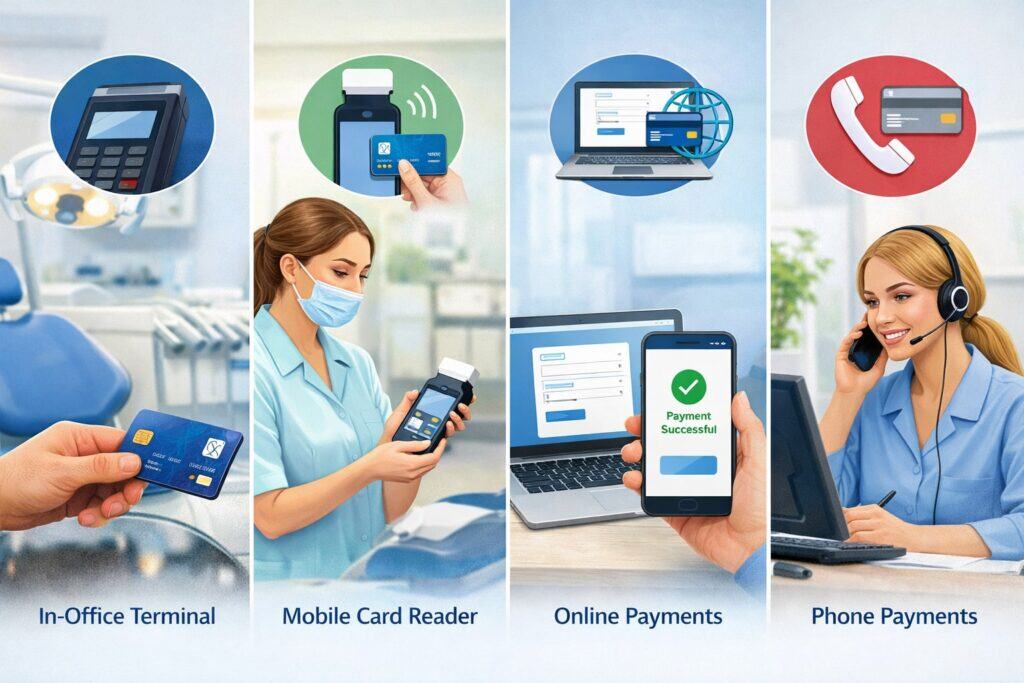
Most dental offices need multiple ways to accept credit cards in your dental practice, because patients pay at different moments: at the front desk, after treatment, from home, or over the phone.
In-person payments (countertop, wireless, and mobile)
In-person card acceptance should support EMV chip and contactless tap. A modern terminal also supports mobile wallets like Apple Pay and Google Pay. This is the “fastest” and usually the “lowest-risk” channel because the card is present.
Front-desk workflows improve when terminals can prompt for tip (if applicable), signature (rare now), and receipts via email/text. Wireless terminals help when you collect in operatories or move between rooms.
Online payments (patient portal and pay-by-link)
Online payments allow patients to pay from home. This can cut down on statements and phone collections. Many practices use “pay by link” (text/email) after insurance posts, or when patients want to pay later.
Card-not-present (phone payments)
Phone payments are still common for deposits or pre-treatment balances. They carry higher fraud risk than in-person, so you’ll want tools like AVS (address verification), CVV prompts, and good documentation.
Recurring payments for treatment plans
Recurring billing can be a big win for orthodontic-style plans, multi-visit treatment, or membership plans. The best systems securely store payment credentials (via tokenization) and automate receipts and retry logic.
A complete strategy to accept credit cards in your dental practice usually includes: one reliable in-person option + one online option + recurring capability.
Step 1: Choose the right payment setup: merchant account vs payment facilitator
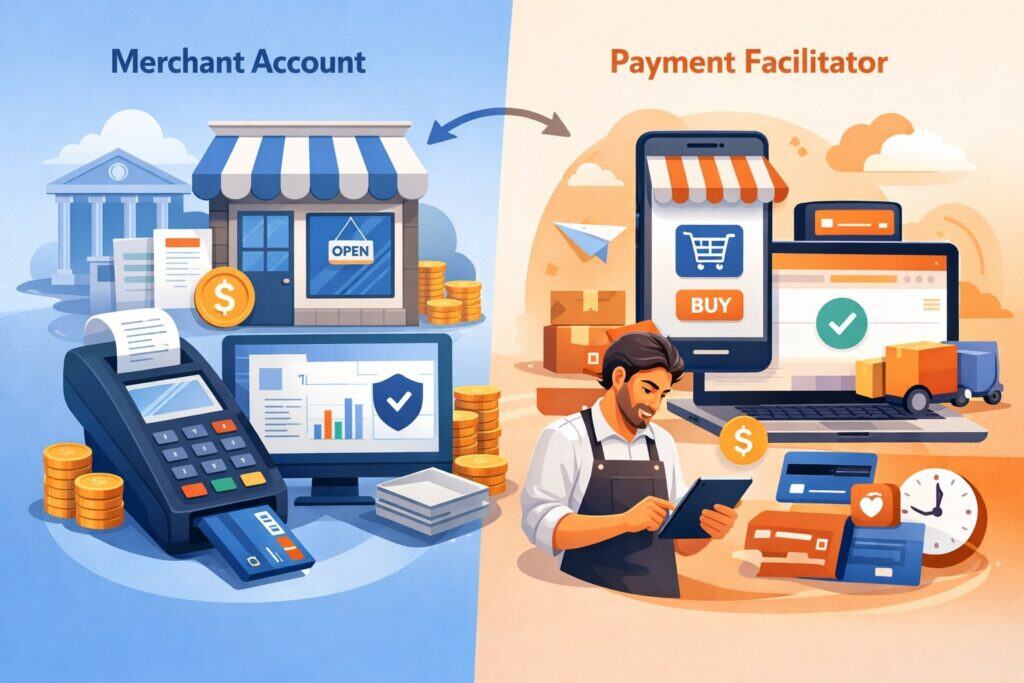
When you accept credit cards in your dental practice, the “account type” behind the scenes matters more than most people realize. There are two common models:
Merchant account (traditional acquiring)
A dedicated merchant account is underwritten for your practice. It often provides:
- More stable processing (fewer random holds)
- Better control of funding and risk settings
- Stronger support for integration and reporting
- More flexibility for medical-style workflows (prepayments, partial refunds, large tickets)
This is typically preferred for established practices or multi-location groups.
Payment facilitator (PayFac) / aggregated accounts
Some all-in-one apps onboard you quickly under a master account structure. It can be convenient, but you may see:
- More automated risk reviews
- Faster signup but less flexibility
- Account holds that are harder to appeal
Many dental practices start with simplicity, then switch as volume grows.
If you’re serious about optimizing collections long-term, a properly underwritten setup often makes it easier to accept credit cards in your dental practice without interruptions—especially as monthly volume increases.
Step 2: Understand fees and pricing so you don’t overpay

To accept credit cards in your dental practice profitably, you must understand what you’re paying. Payment processing fees are usually made of:
Interchange (set by card networks and issuers)
This is the base cost that varies by card type and how it’s processed (chip, tap, online, keyed, etc.). You can’t negotiate interchange.
Processor markup (what the provider adds)
This is where you can negotiate: percentage markup, per-transaction fees, monthly fees, gateway costs, statement fees, and add-ons.
Common pricing models you’ll see
- Interchange-plus: Often the most transparent. You pay interchange + a fixed markup. This is widely considered the cleanest way to compare providers.
- Tiered pricing: Transactions are bucketed into “qualified/mid/non-qualified.” It’s harder to audit and often costs more for many practices.
- Flat rate: Simple, predictable, but can be expensive once volume grows.
When reviewing quotes, look beyond the headline rate. Ask for the effective rate estimate based on your mix of in-person vs online payments, average ticket size, and monthly transaction count.
If your goal is to accept credit cards in your dental practice while controlling overhead, insist on a clear fee schedule and avoid vague “as low as…” pricing.
Step 3: Pick hardware that supports chip and contactless (and won’t age fast)
Your terminal choice affects patient experience, speed, and security. To accept credit cards in your dental practice today, you should prioritize:
EMV + contactless support (minimum standard)
EMV chips reduce counterfeit fraud liability compared to magstripe. Contactless improves speed and patient preference. EMV deployment continues to expand globally, and contactless usage keeps rising, which means older terminals feel outdated quickly.
Countertop vs wireless vs “tap on phone”
- Countertop: stable, ideal for a fixed check-out desk.
- Wireless: useful for collecting in different areas.
- Tap on phone: phones can act as terminals in some systems (useful for mobile teams or overflow), and adoption is growing.
Patient-friendly features
- Digital receipts (text/email)
- Clear surcharge/cash discount messaging if you use it
- Fast NFC reads for tap-to-pay
- ADA-friendly prompts (bigger text options on some devices)
A good rule: if you plan to accept credit cards in your dental practice for the next 3–5 years without replacing equipment, choose terminals that are firmware-updatable and widely supported.
Step 4: Decide how payments integrate with your dental software and workflows
The best way to accept credit cards in your dental practice is the way that matches how your team actually works—not how a generic retail store works.
Common integration levels
- Standalone terminal (no integration): Quick to set up, but staff must manually reconcile payments in your practice management system.
- Semi-integrated (recommended for many practices): Payment is initiated in your system, but card data is captured on a separate secure device. This reduces exposure and often speeds up posting.
- Fully integrated: Convenient, but be cautious: deep integrations can increase complexity and sometimes increase your “scope” for security compliance if not done correctly.
Dental workflow features to look for
- Pre-authorizations or “estimate holds” when appropriate
- Split tender (insurance + card, or multiple cards)
- Family accounts
- Refunds to original payment method
- Detailed receipts that reference procedures (without exposing sensitive details)
- Payment plans and scheduled charges
- Text-to-pay and online statement links
The smoother the workflow, the easier it is for your team to confidently accept credit cards in your dental practice without errors that create patient disputes later.
Step 5: Security and compliance basics you cannot skip
Security isn’t just “IT stuff.” When you accept credit cards in your dental practice, your reputation is tied to how safely you handle payments.
PCI DSS matters—especially after the newer requirements became mandatory
PCI DSS is the card-industry security standard. Version 4.0 introduced updates, and a set of “future-dated” requirements became mandatory after the transition period—many changes fully took effect by March 31, 2025, with PCI DSS v4.0.1 published as a limited revision (clarifications, no new requirements).
Practical takeaway: reduce your PCI scope by using:
- EMV/contactless terminals
- Tokenization (so you don’t store card numbers)
- Hosted payment pages/portals (so card entry happens in a secure environment)
Privacy expectations in healthcare settings
Payment information itself is not the same as clinical information, but patients expect discretion. Avoid printing unnecessary data, avoid emailing sensitive details, and train staff to keep screens and receipts private.
Some guidance notes that many covered entities don’t need a special “HIPAA payment processor” for basic card acceptance if the payment tools are provided by financial institutions or their partners, but you still must manage patient information carefully in communications and records.
If you want to accept credit cards in your dental practice safely, aim for minimum data exposure + clear staff procedures.
Step 6: Handling surcharges, cash discounts, and convenience fees the right way
Many practices look for ways to offset processing costs. You can do this in some areas, but you must follow card-network rules and local rules.
Surcharging (adding a fee for credit cards)
Visa and Mastercard allow surcharging in many places, but it comes with limits and disclosure/notification requirements. Visa’s merchant guidance explains that surcharging is generally permitted in many states/territories, with specific limitations and conditions.
Mastercard states the surcharge is capped in relation to your cost of acceptance and includes rules around how the cap is calculated.
Small-business legal guidance also commonly highlights key requirements like advance notice and clear disclosure at entry, point of sale, and on receipts.
Cash discounting (discount for cash instead of fee for cards)
Some practices prefer a posted “cash price” and a higher “card price” approach. It can be simpler for patient messaging, but you still need correct signage and receipts.
Convenience fees
Often used for specific channels (like online or phone payments) if rules are met. These have very specific definitions, so do not assume you can apply them universally.
Because the rules are detailed and can change, if you plan to accept credit cards in your dental practice with any extra fees, use network documentation and your provider’s compliance checklist—not guesswork.
Step 7: Reduce chargebacks and disputes with smarter dental documentation
Chargebacks happen when patients dispute a transaction. To accept credit cards in your dental practice with fewer disputes, build your defense before a dispute happens.
What commonly triggers dental payment disputes
- Patient didn’t understand the estimate vs final amount
- Insurance paid differently than expected
- Deposits and cancellation policies weren’t clearly communicated
- Family member used a card and later disputes authorization
- “Card on file” charges felt surprising
Best practices that actually help
- Provide written financial policy (paper + digital)
- Use treatment estimates with “may change” language
- Use signed authorization for card-on-file and future charges
- Include cancellation and missed appointment fees in writing
- Itemize receipts in a patient-friendly way (without exposing clinical details unnecessarily)
- Train staff to narrate payments: “Today’s payment is for ___; remaining balance will be ___ after insurance posts.”
If you want to accept credit cards in your dental practice confidently, think of documentation as part of your payment system—not paperwork.
Step 8: Build a “front desk payment flow” that feels easy (and collects more)
Payment performance is often a workflow issue, not a technology issue. A modern approach to accept credit cards in your dental practice includes scripting and consistency.
A high-performing flow looks like this
- Before the visit: confirm insurance, share estimate range, collect deposit if needed.
- At check-in: confirm patient contact info, offer digital receipts, confirm payment preference.
- After treatment: show the patient their balance with a simple explanation and collect immediately when possible.
- If a patient can’t pay in full: offer split tender, payment plan, or scheduled payments.
- After insurance posts: send a text/email pay link with a clear due date and support contact.
Why this increases collections
Patients pay faster when:
- The amount is explained clearly
- The process is quick
- They can pay how they want (tap, mobile wallet, link, recurring)
The easier it is to accept credit cards in your dental practice at every stage, the fewer balances drift into “collections mode.”
Step 9: Online payments, text-to-pay, and patient portals that patients actually use
Digital payment options are now a competitive advantage. When you accept credit cards in your dental practice online, you reduce phone time and make it easier for patients to pay promptly.
What to prioritize
- Mobile-friendly payment pages
- Saved payment methods (tokenized) for repeat patients
- Auto-posting or easy reconciliation to patient ledgers
- Automatic receipts and confirmations
- Reminder messages for unpaid balances
How to prevent online payment problems
- Ensure your payment pages are hosted and secure (reduces your PCI exposure)
- Use patient identity verification steps (DOB check, invoice number, or secure link)
- Avoid putting sensitive details in plain-text emails
- Make refunds and adjustments easy so staff don’t avoid resolving issues
A well-designed digital system makes it simpler to accept credit cards in your dental practice without increasing staff workload.
Step 10: Payment plans, memberships, and recurring billing for predictable revenue
Many practices are expanding payment options beyond one-time transactions. If you accept credit cards in your dental practice for recurring charges, you can stabilize monthly cash flow.
Common recurring use cases
- Multi-visit treatment plans
- Subscription-style membership plans (cleanings + discounts)
- Financing “light” options (in-house monthly payments)
What your recurring setup must include
- Written authorization for stored credentials and future charges
- Transparent schedule (dates, amounts, duration)
- Automated receipts
- Retry logic for failed payments and patient notifications
- Easy cancellation workflows
Tokenization is key. Tokenization means your system stores a secure “token,” not the full card number, reducing risk and simplifying compliance. This is one of the most practical ways to accept credit cards in your dental practice while protecting patients and the business.
Future trends: how dental credit card acceptance will evolve
If you’re choosing a provider now, it helps to plan for what’s coming next. Here’s what is likely to shape how you accept credit cards in your dental practice over the next few years:
More contactless and mobile wallet dominance
Contactless usage continues rising, and patients increasingly expect tap-to-pay. Many businesses are seeing contactless become the default behavior, especially for everyday transactions.
“Tap to pay” on mobile devices for staff flexibility
More payment platforms are enabling phones to act as terminals. This can be useful for overflow checkout, events, or multi-location teams.
More automation in collections
Expect more systems to offer smart reminders, automated retries, and better patient communication workflows so balances are paid without staff chasing.
Tighter, more continuous security expectations
PCI DSS v4.0+ pushes stronger ongoing security habits, not just annual checklists, and that direction will likely continue.
Faster funding and real-time settlement options
Many providers are competing on deposit speed. Same-day or instant funding is becoming more common, especially for businesses that want tighter cash management.
If you want a setup that lasts, choose tools that help you accept credit cards in your dental practice across channels (in-person + online + recurring) while staying adaptable.
FAQs
Q.1: What do I need to start accepting credit cards in my dental practice?
Answer: To accept credit cards in your dental practice, you typically need: (1) a merchant account or payment platform, (2) a terminal that supports chip and contactless, and (3) a way to accept online payments if you want patients to pay remotely.
You’ll also need a business bank account for deposits, basic business verification documents, and clear payment policies for staff.
Beyond the basics, you should decide whether payments will integrate with your practice management system. Integration can reduce manual posting errors and save staff time. Also plan for recurring payments if you offer treatment plans or memberships.
Finally, make sure your setup reduces PCI scope by using tokenization and hosted payment pages. This makes it easier to accept credit cards in your dental practice without storing sensitive card data yourself.
Q.2: Is it safe to store patient cards on file for treatment plans?
Answer: Yes, it can be safe to accept credit cards in your dental practice using card-on-file if your system uses tokenization and you collect proper written authorization. You should avoid storing raw card numbers in your own systems or written notes.
Instead, store tokens through a compliant payment platform so your staff can charge future payments without seeing full card details.
You also need clear policies: what charges will occur, when they will occur, and how patients can update or cancel. Many disputes come from surprise charges, so communication is as important as security.
Q.3: Can my dental practice add a surcharge for credit card payments?
Answer: In many areas, surcharging is allowed under card network rules, but it comes with strict requirements, including limits and disclosures.
Visa provides merchant guidance describing where surcharging is generally permitted and the need to follow specific conditions. Mastercard also caps surcharges in relation to your cost of acceptance and provides rules on how the cap is calculated.
Because local rules differ, many practices choose cash discounting or simply optimize pricing and workflows instead. If you do surcharge, use your provider’s compliance process and signage templates so you accept credit cards in your dental practice without triggering penalties.
Q.4: What’s the difference between EMV, contactless, and keyed-in transactions?
Answer: EMV is chip-card insertion. Contactless is tap-to-pay using NFC (card or mobile wallet). Keyed-in is manually entering the card number, typically for phone payments. Keyed-in transactions usually have higher risk and higher costs than chip or tap.
To accept credit cards in your dental practice efficiently, push transactions toward chip/tap whenever possible. For phone payments, use AVS and CVV checks and document authorization to reduce disputes.
Q.5: How can I lower credit card processing costs without hurting patient experience?
Answer: Start with pricing transparency: request interchange-plus and audit monthly statements. Then reduce expensive transaction types by encouraging chip/tap and online portal payments instead of keyed-in.
Operationally, reduce refunds and disputes by improving estimated communication and card-on-file authorizations. Also consider whether you truly need premium add-ons that inflate costs.
Many practices find that the best “cost reduction” is improving collection speed: when you accept credit cards in your dental practice at the right moments, you reduce billing time, statements, and write-offs.
Conclusion
To accept credit cards in your dental practice in a way that improves cash flow and patient satisfaction, think bigger than hardware. The winning setup combines the right account model, modern chip/tap capability, online and text-to-pay options, tokenized card-on-file workflows, and staff-friendly posting and reporting.
Just as importantly, success depends on consistent front-desk processes: clear estimates, clear financial policies, patient-friendly explanations, and proper documentation. That’s how you reduce disputes, avoid awkward billing follow-ups, and make payments feel like a natural part of a professional care experience.
Finally, choose a provider that can evolve with trends—more contactless, more digital collections, faster funding, and stronger security expectations under PCI DSS. With the right approach, you’ll accept credit cards in your dental practice smoothly today and stay ready for what payments will look like tomorrow.