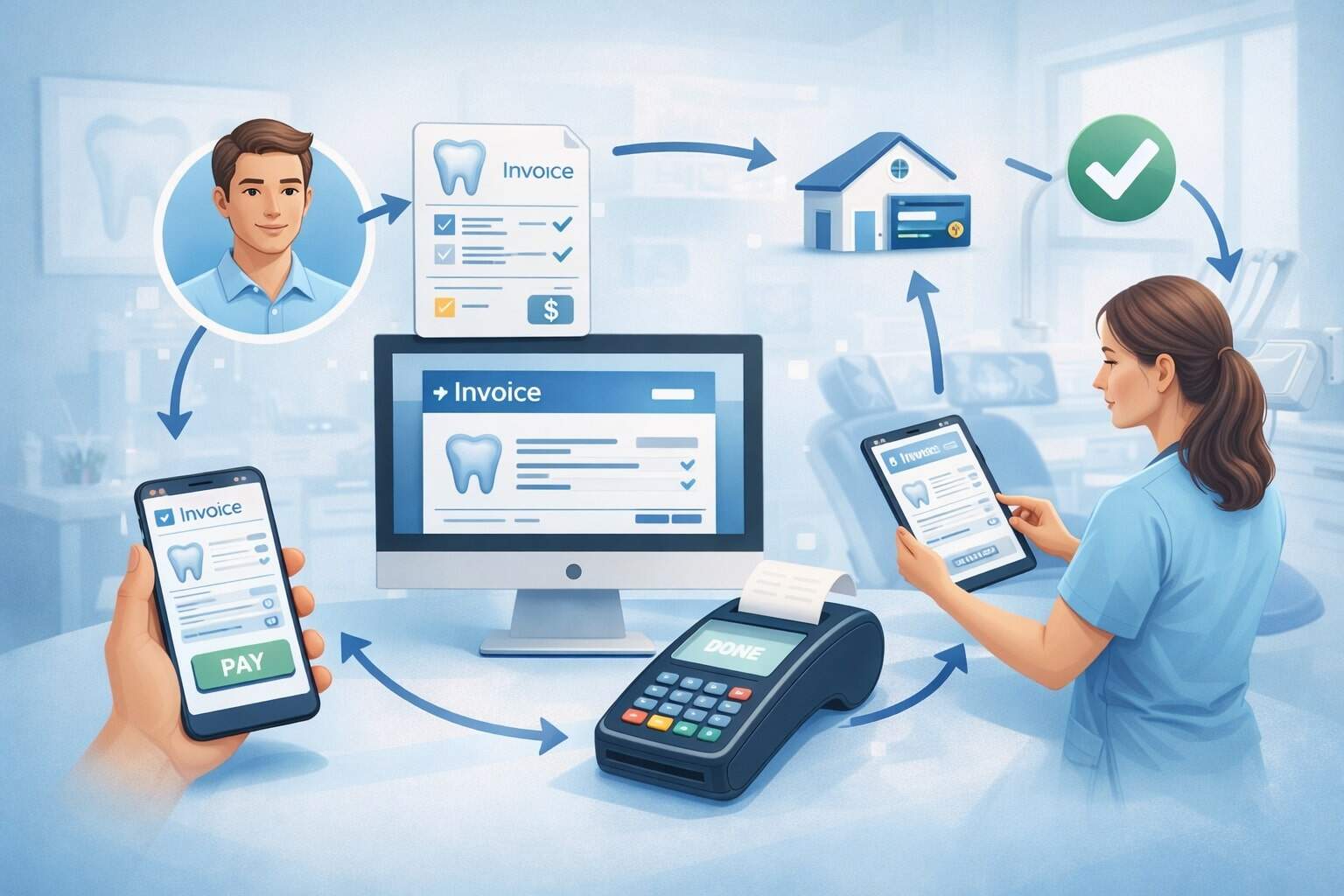
Online patient invoicing is no longer just a “nice-to-have” for clinics, dental offices, therapy practices, labs, and specialty providers. It’s quickly becoming the default way patients expect to receive, understand, and pay their bills.
When online patient invoicing is designed well, it reduces billing calls, speeds up payments, improves cash flow, and strengthens patient trust.
But when online patient invoicing is rushed—or bolted onto an outdated billing workflow—patients get confused, payments lag, disputes increase, and staff spend more time fixing issues than preventing them.
This guide walks through patient invoicing step by step, from the first patient touchpoint to the final payment reconciliation, with practical best practices and compliance considerations.
Modern rules around estimates and transparency also affect patient invoicing online. For example, requirements tied to Good Faith Estimates and patient-provider dispute processes can shape how you present expected charges to uninsured or self-pay patients.
Price transparency enforcement has also tightened in recent years, and regulators have emphasized making cost information more usable for consumers.
If your goal is fewer billing headaches and faster collections, online patient invoicing needs to be clear, secure, compliant, and patient-friendly—without sacrificing accuracy.
What Online Patient Invoicing Means (And What It’s Not)
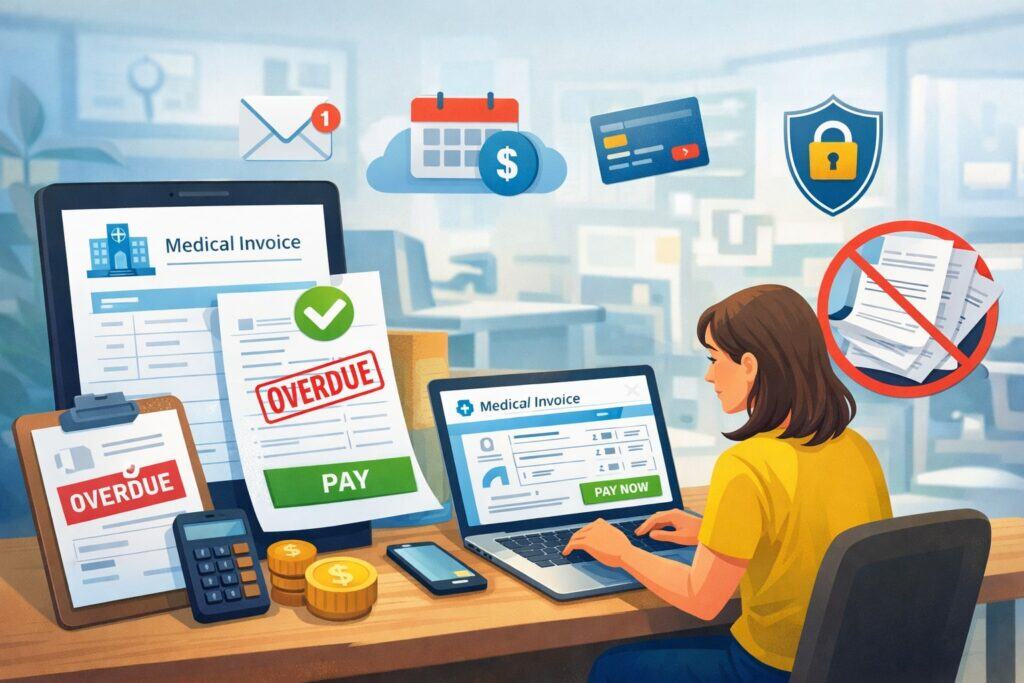
Online patient invoicing is the digital delivery of a patient bill—usually by email or text link—paired with a secure online payment experience and clear documentation of what the patient is being charged for.
In a strong patient invoicing online workflow, the patient can open an invoice on any device, review line items, view insurance adjustments (if applicable), choose a payment method, and receive a receipt instantly.
Online patient invoicing is not the same thing as a generic payment link. A payment link can collect money, but patient invoicing online also communicates context: what the charge is for, which date of service it relates to, what has already been billed to insurance, what discounts were applied, and how to ask questions. That context is what reduces disputes and increases payment speed.
Online patient invoicing also differs from paper statements scanned into PDFs. Patients usually cannot interact with those bills, and they often trigger calls because patients can’t tell what they’re paying for. A modern patient invoicing online system provides a structured invoice view, not just a document.
The best online patient invoicing experiences share three traits:
- Clarity: plain-language descriptions, consistent formatting, and no surprise totals.
- Convenience: one-click access, multiple payment options, and mobile-friendly design.
- Confidence: strong security and privacy controls appropriate for protected data, plus accurate records.
Security expectations are rising as well. Federal regulators have been pushing stronger cybersecurity protections for electronic health information, including multi-factor authentication and encryption expectations in proposed updates. That matters because online patient invoicing touches patient identity, account access, and payment data.
Why Online Patient Invoicing Improves Collections and Patient Satisfaction

Online patient invoicing improves collections because it reduces friction. Every extra step—finding a statement, calling for clarification, mailing a check, waiting for business hours—adds delay and increases the chance of non-payment. Online patient invoicing removes those steps and gives patients a simple path to pay.
It also improves patient satisfaction because it supports transparency. Patients don’t only want a total—they want a reason. If your patient invoicing online clearly separates provider charges, adjustments, insurance payments, and patient responsibility, it feels fair and understandable. That perceived fairness is often the difference between fast payment and a billing complaint.
Another reason patient invoicing online helps is speed. When patients get an invoice by text or email within a short window after insurance processing, the visit is still “fresh,” and they’re more likely to act. If you wait weeks, the invoice becomes background noise.
Online patient invoicing can also lower operational costs. Paper statements, envelopes, postage, and returned mail add up. Digital statements reduce that burden and can shift staff time from printing and stuffing to higher-value tasks like denials management or patient support.
Finally, patient invoicing online aligns with the wider direction of healthcare payments: more digital engagement, more automation, and more patient-centric financial experiences. Industry reporting for 2026 emphasizes ongoing momentum toward modern payment experiences and operational efficiency.
Step 1: Map Your Billing Workflow Before You Turn On Online Patient Invoicing

Before launching online patient invoicing, you need to map your current workflow end-to-end. Many practices fail here because they assume patient invoicing online is a “button” inside their software. In reality, online patient invoicing works best when it’s integrated into your real billing cycle.
Start by documenting:
- How patient demographics are captured (front desk, online intake, call center).
- How insurance is verified and eligibility is confirmed.
- How charges are created (codes, fees, bundles, supplies).
- How claims are submitted and how EOB/ERA is posted.
- How patient responsibility is calculated.
- When statements are sent and how follow-ups occur.
- Where payments are posted and how refunds/credits are managed.
Once you map it, identify delays. If you’re taking too long to post ERAs, online patient invoicing won’t fix that. If your fee descriptions are inconsistent, patient invoicing online will broadcast confusion faster. Fixing upstream problems is part of building successful online patient invoicing.
Also map exceptions: payment plans, secondary insurance, workers’ comp, accident-related care, and recurring services. Online patient invoicing must handle these without requiring staff to “hack” invoices manually.
A good rule: don’t automate chaos. Make the billing flow accurate and repeatable first, then add patient invoicing online to accelerate it.
Step 2: Build “Clean Data” Foundations (Patient Details, Consent, and Contactability)

Online patient invoicing depends on getting messages to the right person quickly. That sounds obvious, but bad data is a top cause of patient invoicing online failure.
Focus on three data pillars:
Patient identity and contact information
Confirm mobile number and email address at every visit. Use standardized formatting, validation rules, and a “preferred contact” field. Online patient invoicing delivery rates increase when patients choose their channel.
Consent and communication preferences
If you send patient invoicing online links via text or email, record consent and opt-out preferences in your system. Use a clear script at check-in: “Would you like to receive your bill and receipts digitally?” That small habit reduces delivery issues later.
Insurance and self-pay status accuracy
Online patient invoicing gets complicated when a patient is marked insured but is actually self-pay, or vice versa. Clean status flags matter, especially because estimate requirements can apply differently for uninsured/self-pay patients.
Good Faith Estimate expectations for uninsured/self-pay patients are a major reason to be precise here. Providers may need to furnish estimates and support dispute pathways tied to the estimate in certain circumstances.
Even if you’re not legally required to do something in every scenario, aligning patient invoicing online with estimate-based transparency reduces conflict.
Clean data isn’t glamorous, but it’s the base layer that makes online patient invoicing reliable.
Step 3: Set Up Transparent Estimates and Pre-Service Financial Conversations
A high-performing online patient invoicing program starts before the patient is treated. When patients understand expected costs upfront, invoices feel consistent instead of surprising.
For uninsured or self-pay patients, estimate requirements and patient-provider dispute concepts are increasingly part of best practice. Government guidance emphasizes Good Faith Estimates and the related dispute resolution process for applicable situations.
Even for insured patients, you can provide an estimated patient responsibility based on eligibility and plan details. Make it clear it’s an estimate and that final patient responsibility can change after adjudication.
Practical tips to connect estimates to online patient invoicing:
- Use the same service descriptions on estimates and invoices.
- If your estimate includes a range, explain why.
- Note what’s not included (labs, pathology, anesthesia, imaging reads).
- Document the date the estimate was provided and how it was delivered.
- Train staff to explain estimates in plain language.
Online patient invoicing becomes easier when the invoice feels like a confirmation of what the patient already expected.
This is also where future-facing practices are heading: more consumer-friendly cost tools, more usable pricing data, and more “shopping-style” experiences. Regulators have noted the need to improve how pricing data is organized and accessed.
Over time, expect patient invoicing online and pre-service estimates to merge into a single continuous financial journey for patients.
Step 4: Choose the Right Online Patient Invoicing Technology Stack
Online patient invoicing can be powered by your practice management system, your EHR’s patient portal, a revenue cycle platform, or a specialized invoicing and payments provider. The “right” stack depends on how you run your practice.
Key capabilities to prioritize for online patient invoicing:
Mobile-first invoice view
Most patients open invoices on phones. Your patient invoicing online page should load fast, format cleanly, and make payment obvious.
Multiple payment options
Card, ACH/bank transfer, HSA/FSA cards, and digital wallets (where supported) reduce friction. Online patient invoicing works best when the patient can choose.
Patient identity verification
Invoices should not expose sensitive data. Use tokenized links, limited data display, and optional additional verification for higher-risk scenarios.
Integrations
Your online patient invoicing platform should integrate with your PMS/EHR/RCM systems for automatic posting and reconciliation. Manual posting is where errors and delays multiply.
Accessibility and language
Online patient invoicing should support accessible design and, when needed, multilingual communication. Billing clarity should not depend on English fluency.
Also evaluate vendor security posture. Proposed cybersecurity strengthening for protected electronic information has raised expectations around controls like multi-factor authentication and encryption. Strong security reduces breach risk and supports patient trust in patient invoicing online.
Step 5: Design Invoice Content That Patients Can Understand (Line Items, Codes, and Plain Language)
Online patient invoicing fails when it looks like an internal billing worksheet. Patients don’t live in CPT, modifiers, and denial codes. Your goal is to translate, not dump.
A patient-friendly online patient invoicing format usually includes:
- Date(s) of service
- Provider/location
- Summary of services in plain language
- Optional codes (available, but not the main focus)
- Total charges
- Adjustments/discounts
- Insurance payments (if any)
- Patient responsibility
- Payments already made
- Amount due and due date
- How to ask questions
Write service descriptions like a human. For example:
- Instead of “99213,” say “Office visit (established patient).”
- Instead of “XR CHEST 2V,” say “Chest X-ray (2 views).”
Online patient invoicing should also show “why” the patient owes money:
- Deductible not met
- Coinsurance portion
- Copay
- Non-covered service
- Out-of-network portion (where applicable)
If you support price transparency pages, keep invoice descriptions consistent with your published service names. Enforcement around transparency has increased, and regulators have issued penalties for noncompliance in this area. You don’t want your patient invoicing online to contradict your public information.
Step 6: Deliver Online Patient Invoicing Through the Right Channels (Text, Email, Portal)
Delivery strategy matters as much as the invoice itself. The best online patient invoicing content in the world is useless if patients never see it.
Text message delivery
Text tends to get higher open rates. Use short messages, a clear sender name, and a secure link. Avoid including sensitive details in the text itself. Online patient invoicing via text is great for speed, reminders, and payment plans.
Email delivery
Email is good for longer explanations and attaching receipts. Your patient invoicing online email should have a clear subject line, a short summary, and a visible “View & Pay” button.
Patient portal delivery
Portals can work well for engaged patients, but many patients don’t log in regularly. If you rely only on portal messaging, patient invoicing online may be slower.
Best practice: use multi-channel delivery with patient preference controls. For example, send online patient invoicing by text first, then email fallback, then portal posting for recordkeeping.
Also plan for deliverability:
- Use verified sender domains for email.
- Rotate phone numbers responsibly for texting.
- Monitor bounce rates and opt-outs.
- Provide easy ways to update contact info.
Online patient invoicing is a communication system, not just billing.
Step 7: Make Paying Easy (One-Click Pay, Digital Wallets, and Payment Plans)
Online patient invoicing should make payment feel effortless, but still secure. If patients have to create accounts, reset passwords, and click through multiple pages, many will abandon.
What “easy” patient invoicing online payment looks like:
One-click invoice access
Patients click the link and land directly on their invoice. If identity verification is needed, make it simple (e.g., ZIP code + date of birth) and avoid over-collection.
Payment choice
Offer cards and bank transfer where possible. Patients often prefer bank transfer for larger balances. Online patient invoicing should also accept HSA/FSA cards when relevant.
Payment plans
A major advantage of patient invoicing online is automated payment plans. Let patients choose terms within your rules (minimum payment, max months, autopay). Confirm plan details in writing and provide receipts per payment.
Transparent fees and policies
If there are convenience fees (where legally allowed), disclose them clearly. If there are late fees, disclose them. Online patient invoicing should reduce “gotchas,” not create them.
This area will keep evolving. Payment experiences in healthcare are trending toward consumer-grade convenience, automation, and personalization. Future-focused patient invoicing online will increasingly include smart prompts like “Pay in full and save X%” or “Split into 4 payments,” based on balance size and patient history.
Step 8: Automate Reminders Without Annoying Patients
Online patient invoicing improves collections, but only if you follow up. Reminders work—when they’re respectful and well-timed.
A common online patient invoicing reminder cadence:
- Day 0: invoice delivered
- Day 3: first reminder (gentle)
- Day 10: second reminder (includes support options)
- Day 20: third reminder (payment plan offer)
- Day 30+: collections policy path (only if appropriate)
Every reminder should include:
- Invoice link
- Amount due
- Simple help option (“Questions? Reply or call…”)
- Optional payment plan link
Avoid aggressive language. Your online patient invoicing tone should be professional and helpful, not threatening. Also avoid sending messages at odd hours. Send during daylight and early evening.
Segment reminders. For example:
- Don’t remind patients who are already in an active payment plan.
- Don’t remind patients if the balance is under a small threshold (if your policy is to write it off).
- Use softer messaging for first-time patients.
Online patient invoicing automation reduces staff effort, but personalization reduces patient frustration. The goal is “nudge,” not “nag.”
Step 9: Reconcile Payments and Post Automatically to Reduce Errors
Online patient invoicing must connect to accounting and patient ledgers. Otherwise, you’ll collect money but lose time fixing posting issues.
Strong online patient invoicing reconciliation includes:
- Automatic payment posting to the correct patient and encounter
- Clear handling of partial payments and overpayments
- Instant receipt generation
- Refund and void workflows
- Daily settlement reports that match deposits
- Chargeback and dispute tracking
If you accept multiple payment types, ensure your online patient invoicing reports separate them properly. Card settlements, ACH deposits, and wallet transactions can have different timelines.
You should also define how to handle:
- Family balances (one payer for multiple patients)
- Split payments (two cards)
- Secondary payer scenarios
Security also matters here because reconciliation involves access to sensitive billing and payment records. Proposed HIPAA Security Rule changes have emphasized more structured controls and stronger safeguards for electronic protected information. Even if final rules shift, online patient invoicing should be built with “assume stricter security” in mind.
Step 10: Reduce Disputes With Clear Policies, Documentation, and Patient Support
Online patient invoicing is not only a payment tool. It’s also a dispute prevention tool—if you design it that way.
Include patient-friendly support paths inside online patient invoicing:
- “Request itemized bill” option
- “Ask a billing question” form
- “Report an insurance update” link
- Secure messaging option if available
- Clear phone hours and expected response time
Also include policies:
- Refund policy
- Payment plan terms
- Financial assistance screening (if applicable)
- Collections escalation timeline
When disputes happen, speed matters. Online patient invoicing should let staff see:
- When the invoice was delivered and opened
- Reminder history
- Payment attempts
- Notes on prior conversations
- Estimate history (where applicable)
Good Faith Estimate and dispute resolution concepts are particularly relevant for uninsured/self-pay patients. Government resources describe the provider’s role in estimates and the patient-provider dispute process.
Aligning online patient invoicing with those expectations—clear estimates, documented communications, and accessible support—reduces friction.
As price transparency rules become more enforced and more visible, online patient invoicing disputes may increasingly focus on “why does this differ from what I saw online?”
CMS has expanded and refined transparency requirements in recent cycles, and enforcement has continued. Consistency is the best defense.
Step 11: Security, Privacy, and Compliance Essentials for Online Patient Invoicing
Online patient invoicing touches sensitive information: personal identifiers, appointment details, and payment data. That means your program must be designed for privacy and security from day one.
Key protections for online patient invoicing:
Limit what you show by default
Don’t display diagnosis details or overly specific clinical notes. Keep invoice data billing-focused and minimal.
Secure links and sessions
Use expiring links, tokenization, and timeouts. Prevent link forwarding from exposing invoice access.
Strong authentication for staff
Staff portals used to manage online patient invoicing should require strong passwords and multi-factor authentication.
Encryption
Encrypt data in transit and at rest. Proposed Security Rule changes have emphasized encryption and stronger baseline controls as part of modern cybersecurity expectations.
Vendor management
If a third party supports your online patient invoicing, evaluate their security practices, incident response, and subcontractor controls.
Audit trails
Keep logs of invoice creation, edits, delivery, opening, payment attempts, and posting.
Security expectations are rising due to increased cyber threats and regulatory attention. A proposed strengthening of the HIPAA Security Rule has highlighted areas like inventories, risk analysis rigor, access controls, and testing.
Even if details evolve, online patient invoicing should be built as if stronger controls are the new normal.
Step 12: Metrics to Track and How to Continuously Improve Online Patient Invoicing
If you don’t measure online patient invoicing performance, you can’t improve it. Start with a small set of metrics that connect to cash flow and patient experience.
Core online patient invoicing metrics:
- Delivery rate (text/email success)
- Open rate (invoice viewed)
- Click-to-pay conversion
- Days to payment (average)
- Payment plan adoption rate
- Dispute rate (billing questions per 100 invoices)
- Write-off rate after invoicing
- Cost per collected dollar (including labor and vendor fees)
Also track patient sentiment. If online patient invoicing reduces calls but increases negative reviews, you have a messaging or clarity issue.
Use A/B testing where possible:
- Different subject lines
- Different reminder timing
- Different invoice layouts
- “Pay in full” vs “split payments” prompts
Link online patient invoicing improvements to upstream improvements too—like faster ERA posting, cleaner coding, and better point-of-service estimates.
Industry trends suggest more automation and analytics in revenue cycle operations, with patient-centric strategies becoming central. The next generation of online patient invoicing will likely be data-driven: predicting who needs a payment plan, which channel works best, and when a reminder is most effective.
Future Predictions: Where Online Patient Invoicing Is Headed Next
Online patient invoicing is evolving quickly, and the next few years will likely change what “best practice” looks like.
AI-powered billing clarity
Expect online patient invoicing pages to include AI-driven explanations like “Why you owe this amount” and interactive Q&A. This will reduce calls and speed up payments, especially for complex insurance scenarios.
Real-time and bank-based payments
As faster payment rails and bank-based payments expand, online patient invoicing will move toward more instant settlement options. That could reduce card costs for practices and support larger-balance payments.
More transparency-driven billing journeys
Regulators and industry leaders continue pushing for more usable transparency data and consumer-friendly cost tools. Over time, online patient invoicing will likely blend with pre-service estimates and “shop and schedule” experiences, especially for elective services.
Stronger cybersecurity baselines
With proposed Security Rule updates emphasizing more explicit security controls, organizations will invest more in access control, encryption, testing, and vendor oversight. Online patient invoicing vendors that can prove strong controls will gain trust.
Personalization and financial guidance
Expect online patient invoicing to offer personalized choices: discounts for early payment, recommended payment plans, or financial assistance screening triggers—based on balance size and patient history.
The practices that win will be those that treat online patient invoicing as part of patient experience, not just accounts receivable.
FAQs
Q.1: What is the best way to start online patient invoicing without disrupting my current billing?
Answer: The safest way to start online patient invoicing is to pilot it with one department, one provider group, or one service line first. Choose a segment with predictable billing patterns—like office visits, therapy sessions, or routine imaging—so online patient invoicing can be tested on clean, consistent scenarios.
During the pilot, keep paper statements available as a fallback, but encourage digital delivery by confirming email and mobile numbers at every visit.
You should also run parallel testing for reconciliation. Online patient invoicing must post payments correctly and match deposits to invoices without manual effort. If you find mismatches early, fix them before rolling online patient invoicing across the entire practice.
Finally, train staff on patient questions. The first 30 days of online patient invoicing will generate new types of questions, and fast, confident answers build trust.
Q.2: Is online patient invoicing compliant if I send invoices by text message?
Answer: Online patient invoicing can be compliant via text when it avoids exposing sensitive data in the message itself and uses secure links to a protected invoice page.
The text should be short and generic, such as “Your statement is ready—view and pay securely here.” The online patient invoicing page should use tokenized links, session timeouts, and minimal displayed information.
Security expectations for electronic patient information are increasing, and proposed updates have emphasized stronger cybersecurity practices like encryption and multi-factor authentication.
The practical takeaway: treat online patient invoicing links and staff systems as security-sensitive, keep audit trails, and choose vendors with strong controls.
Q.3: How often should I send reminders in an online patient invoicing workflow?
Answer: A common online patient invoicing reminder schedule is 3–4 reminders over 30 days, with spacing that feels helpful rather than aggressive.
Many practices start with a reminder around day 3, another around day 10, and another around day 20, then follow a defined policy after day 30. The best cadence depends on your specialty, average balances, and patient demographics.
Online patient invoicing reminders should always include a simple way to ask questions and a payment plan option for larger balances. Segment reminders so you don’t message patients in active payment plans or those with pending insurance updates.
The goal is to reduce friction and increase clarity—online patient invoicing should feel like customer service, not collections.
Q.4: Should online patient invoicing show CPT codes and modifiers?
Answer: Online patient invoicing can include CPT codes, but they should not be the primary way you communicate. Most patients will not understand codes, and code-heavy invoices often increase confusion. A better approach is to show plain-language service descriptions and offer codes as an optional “details” section for patients who want them.
This also supports transparency expectations: patients want usable information, not just raw data. Price transparency efforts have faced criticism when data is technically available but practically unusable for consumers. Online patient invoicing should prioritize clarity first, then details.
Q.5: How does online patient invoicing relate to Good Faith Estimates for self-pay patients?
Answer: Online patient invoicing should align with your estimate process so patients feel continuity from “expected cost” to “final bill.”
For uninsured or self-pay patients, Good Faith Estimate expectations and patient-provider dispute pathways can influence how you communicate charges and document conversations. Official resources describe provider responsibilities for estimates and the patient-provider dispute resolution process.
A practical best practice is to use the same service descriptions on estimates and invoices, store estimated delivery documentation, and make it easy for patients to ask questions. When online patient invoicing reflects the estimated journey, you reduce disputes and build trust.
Conclusion
Online patient invoicing works best when it’s treated as a complete patient financial experience—from data collection and estimates to invoice clarity, secure delivery, and easy payment.
The step-by-step approach matters: clean your workflow first, build strong data and consent practices, design invoices for humans, automate reminders thoughtfully, and reconcile payments accurately.
Online patient invoicing is also becoming more connected to transparency and security expectations. Guidance around Good Faith Estimates and dispute processes highlights why clear communication and documentation matter.
Price transparency enforcement and evolving expectations around usable cost information reinforce the importance of clarity and consistency. And rising cybersecurity expectations—including proposed stronger requirements—mean online patient invoicing must be built with robust safeguards.