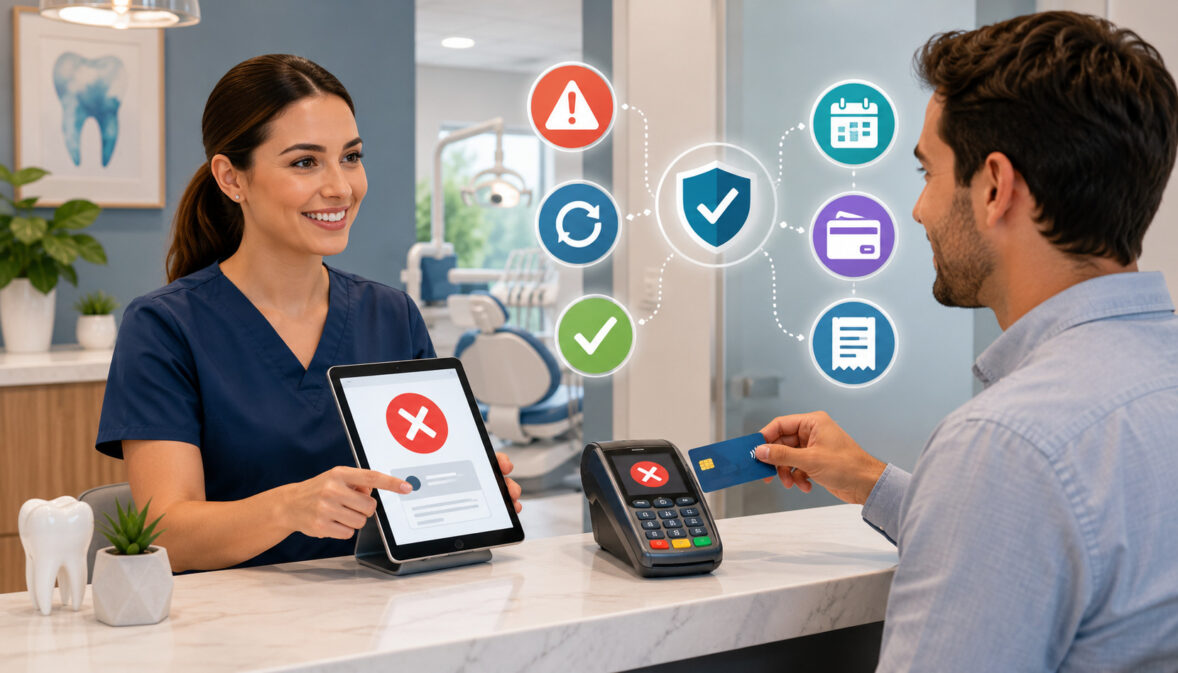
Dental office payment declines can happen during an ordinary hygiene checkout, an online invoice payment, an orthodontic installment, a cosmetic treatment deposit, or an automated membership charge.
Although a declined transaction may appear to be a small technical problem, it can quickly affect patient experience, front desk efficiency, billing accuracy, collections, and cash flow.
A failed transaction can also create an uncomfortable moment. The patient may feel embarrassed, while the staff member may be unsure whether to retry the card, request another payment method, or ask the patient to contact the card issuer. Without a consistent response procedure, different employees may handle similar declines in very different ways.
Payment declines in dental offices are not always caused by insufficient funds. An expired card, incorrect billing address, CVV mismatch, spending limit, card replacement, issuer fraud alert, payment gateway timeout, duplicate transaction filter, or outdated card-on-file credential may be responsible.
Online and recurring payments introduce additional possibilities, including expired payment links, restrictive fraud filters, and unrecognized billing descriptors.
Dental practices can reduce these problems by explaining balances before checkout, offering multiple payment methods, maintaining secure payment technology, sending reminders before scheduled charges, and training staff to communicate respectfully.
Secure card handling is equally important. The PCI Security Standards Council explains that payment security standards apply to organizations that store, process, or transmit cardholder data, while federal health privacy guidance emphasizes appropriate safeguards for protected health information.
Practices should obtain professional guidance when applying payment-security or healthcare-privacy requirements to their specific systems and workflows.
This guide explains why dental payment declines happen, how staff should respond, and how practices can build responsible prevention and recovery workflows.
What Are Dental Office Payment Declines?
Dental office payment declines are unsuccessful payment attempts in which a transaction is not approved. The rejection may originate from the patient’s card issuer, the payment processor, a payment gateway, the terminal, or an automated fraud-prevention system.
A decline does not automatically mean that the patient lacks money or is unwilling to pay. The issuing bank may have detected unusual activity, the payment amount may exceed a daily limit, the card details may have been entered incorrectly, or the payment system may be temporarily unavailable.
Declines can occur through nearly every payment channel used by a dental practice:
- A chip, swipe, or contactless transaction at the front desk
- A manually keyed transaction in a virtual terminal
- A payment made through an online patient portal
- A secure payment link sent by text or email
- A stored card charged for a payment plan
- An automated dental membership payment
- A deposit for a high-cost procedure
- A remote payment collected by an authorized billing employee
The correct response depends on where the decline occurred and what information the payment system provides. Staff should use the general decline category to choose a next step without making assumptions about the patient’s finances.
How a Dental Payment Decline Happens
A dental transaction begins when the office submits a payment request. At the front desk, that may happen when the employee enters the amount and the patient inserts, taps, or swipes a card. Online, the patient may enter payment information into a portal or follow a secure payment link.
The terminal or payment gateway sends the transaction through the payment processor and card network to the card issuer. The issuer evaluates the request using available account information, card status, transaction amount, security controls, and risk signals.
The issuer then returns an approval or decline response. Some responses are specific, such as “expired card” or “invalid account number.” Others are less descriptive, such as “do not honor,” because issuers generally do not disclose detailed account information to the merchant.
If approved, the payment is authorized and later included in settlement. If declined, the office has not successfully collected the amount. The patient ledger should not show the unsuccessful attempt as completed revenue.
Payment Declines vs. Payment Disputes
A payment decline and a payment dispute occur at different stages of the transaction lifecycle.
A decline normally occurs before the payment is approved. The office requests authorization, but the transaction does not proceed. No completed card payment should be posted to the account unless another attempt is approved.
A dispute usually occurs after a payment has been authorized, captured, and settled. The cardholder later questions the transaction through the card issuer. The issue may involve an unfamiliar billing descriptor, dissatisfaction, duplicate billing, an incorrect amount, an authorization concern, or another disagreement.
The two situations require different workflows. Dental office declined payments call for immediate troubleshooting, an alternative payment method, or follow-up. Disputes require transaction records, receipts, authorization documentation, patient communication, and a response through the applicable dispute process.
Clear treatment estimates, recognizable billing descriptors, detailed receipts, and accurate patient ledgers can help reduce confusion in both situations.
Common Reasons Dental Payments Decline
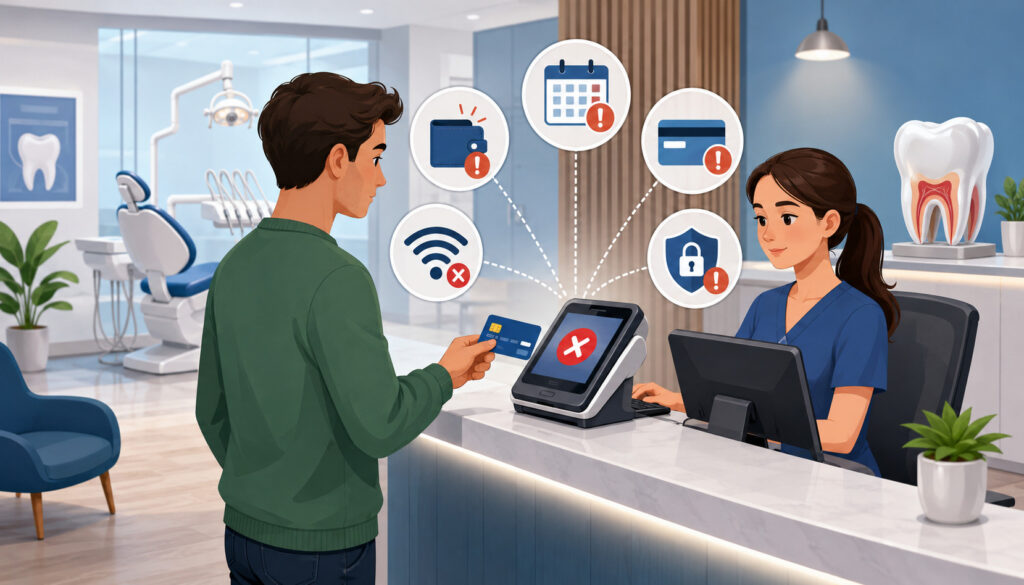
Dental payment declines may be related to the patient’s account, the card information, the transaction amount, the payment channel, or the office’s technology. Identifying the likely category helps staff respond without repeatedly submitting the same unsuccessful payment.
Common causes include:
- Insufficient available funds
- An expired or replaced card
- An incorrect card number or expiration date
- A CVV mismatch
- An AVS or billing address mismatch
- A locked or temporarily restricted card
- A daily purchase or transaction limit
- A fraud alert placed by the card issuer
- A card that is not enabled for online transactions
- A lost, stolen, or closed card account
- An expired card-on-file credential
- An overly restrictive fraud filter
- A duplicate transaction block
- A payment gateway or processor interruption
- A terminal, network, or internet problem
- An amount entered incorrectly
- An expired or invalid payment link
Some decline codes are intentionally general. Staff should not try to diagnose a patient’s bank account based on a vague issuer message. When the reason is unclear, the patient may need to contact the card issuer.
Patient-Related Decline Reasons
Patient-related causes often involve account status or outdated payment information. A person may have recently received a replacement card but forgotten that an older card remains attached to a dental payment plan. A patient may also have moved without updating the billing address used for online card verification.
Spending limits are especially relevant when collecting treatment deposits or large cosmetic and restorative balances. A patient may have sufficient funds or credit but still be unable to complete a high-value transaction because the amount exceeds a daily limit or triggers an issuer review.
Cards may also be locked through a banking app, restricted to certain transaction types, or temporarily blocked after unusual activity. An issuer may view a remote or recurring dental charge differently from a card-present transaction.
Staff should respond by offering practical alternatives rather than speculating. The patient may use another card, divide the balance according to office policy, contact the issuer, or complete payment later through a secure channel.
System-Related Decline Reasons
A transaction may fail even when the card and account are valid. An EMV terminal can lose connectivity, a payment gateway may time out, or an internet interruption may prevent the authorization request from completing.
Fraud-prevention settings can also reject legitimate payments. A payment portal may decline a transaction because the billing address does not match exactly, several attempts were made in a short period, or the amount falls outside the office’s normal transaction pattern.
Duplicate transaction filters are useful for preventing accidental double charges, but they may block a legitimate second payment for the same amount. For example, family members receiving care on the same day may each owe an identical balance.
Outdated software, incorrect terminal configuration, staff entry errors, or expired payment links can create additional failed dental payments. When several patients experience similar declines, the office should investigate the system rather than assuming that each patient has an account problem.
Soft Declines vs. Hard Declines in Dental Payment Processing
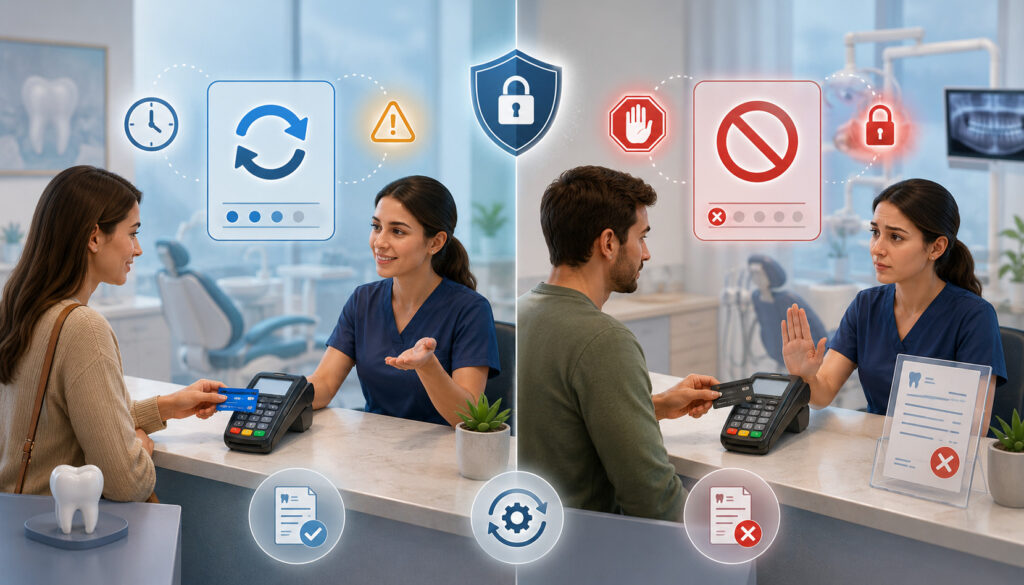
Understanding the difference between soft and hard declines helps dental teams avoid unnecessary retries.
A soft decline is generally temporary or potentially correctable. The payment may succeed after the patient confirms the transaction with the issuer, corrects information, waits for a temporary restriction to clear, or tries again at an appropriate time.
A hard decline generally indicates that the card or account cannot be used for the transaction. Retrying the same information without a meaningful correction is unlikely to help. The patient will usually need another payment method or updated card information.
Not every processor uses identical terminology, and decline codes can vary. A written procedure should therefore connect the office’s actual system messages with approved staff actions.
Soft Declines Dental Offices May Be Able to Resolve
Possible soft decline situations include:
- Temporary insufficient funds
- An issuer system that is unavailable
- A processor or gateway timeout
- A daily transaction limit
- Suspected unusual activity
- A temporary card restriction
- A transaction requiring issuer confirmation
- Incorrect billing information that can be corrected
- A temporary internet or terminal problem
A controlled retry may be reasonable when a technical issue has been resolved or the patient confirms that the issuer has removed a restriction. The office should establish when employees are permitted to retry and how many attempts are appropriate.
For recurring billing, an automated retry schedule may recover some soft declines. However, repeated attempts should follow the patient’s authorization, office policy, processor rules, and applicable professional guidance.
A failed payment notice should explain the next step without exposing sensitive information. It may invite the patient to update the payment method through a secure portal or contact the billing team.
Hard Declines That Need a Different Payment Method
Hard decline examples may include:
- Closed account
- Lost or stolen card
- Invalid account or card number
- Expired card
- Permanently blocked card
- Revoked authorization
- Restricted card type
- A response indicating that the merchant should not retry
When a hard decline occurs, repeatedly submitting the same card can create frustration and may trigger additional fraud controls. The better response is to ask whether the patient would like to use another payment method.
For card-on-file billing, the office should send a secure update request. Employees should not ask patients to send complete card details through ordinary email, text messages, or unsecured forms.
When the exact meaning of a response is unclear, staff can consult the processor’s decline-code guidance. They should not promise that a retry will work or claim to know why the issuer rejected the transaction.
Dental Payment Declines Compared by Payment Channel
Decline patterns differ across front desk terminals, portals, payment links, virtual terminals, and recurring billing systems. This comparison can help employees choose a suitable response.
| Payment Channel | Common Decline Reason | Best Response | Prevention Tip |
| Front desk card payment | Insufficient funds, spending limit, or issuer decline | Politely offer another payment method or allow the patient to contact the issuer | Offer several accepted payment methods |
| Contactless payment | Tap failure, issuer block, or device problem | Retry using the chip or another card when appropriate | Maintain updated, reliable terminals |
| Online payment portal | Billing address error, CVV mismatch, or fraud filter | Ask the patient to verify information through the secure portal | Provide clear checkout instructions |
| Payment link | Expired link, incorrect amount, or card mismatch | Generate a fresh secure link after confirming the balance | Establish clear link-expiration rules |
| Virtual terminal | Incorrect keyed card information | Reconfirm permitted details through an approved process | Train authorized staff on manual entry |
| Recurring billing | Expired, replaced, or restricted stored card | Send a secure card-update request and follow the retry procedure | Use tokenized storage and account-updater tools where available |
| Payment plan | Missed scheduled payment or revoked authorization | Follow the documented failed-payment workflow | Send reminders before scheduled charges |
| Treatment deposit | High amount or issuer spending limit | Offer another approved method or allow issuer contact | Explain deposit amounts before the visit |
How to Use the Table in Daily Dental Billing
The table can serve as the foundation for a front desk decision guide. Employees can first identify the payment channel and then compare the decline message with the most likely causes.
A failed contactless transaction, for example, may be resolved by inserting the chip. That response would not be appropriate for an expired online payment link. Similarly, a recurring payment failure usually requires account follow-up rather than an immediate front desk conversation.
The guide should be adapted to the office’s actual terminals, portals, practice management system, and processor messages. Staff should know which situations can be resolved internally and which should be escalated to a manager, billing coordinator, technical support team, or payment provider.
Documenting the outcome helps prevent duplicate follow-up. A brief patient ledger note can indicate that a secure link was sent, another method was requested, or the patient plans to contact the issuer.
Why Decline Response Should Vary by Channel
Card-present transactions allow the terminal to read a chip or contactless credential directly. Online, telephone, and manually keyed payments are card-not-present transactions and may receive different fraud screening.
Online dental payment declines are often connected with AVS, CVV, browser, link, or fraud-filter issues. Front desk declines may be more closely associated with issuer restrictions, chip errors, or transaction limits.
Recurring charges add an authorization and timing component. The patient may no longer recognize the descriptor, may have replaced the stored card, or may have expected the charge on a different date.
Each channel also creates different privacy concerns. A decline at a crowded reception desk should be discussed discreetly. A remote payment request should use an approved portal or secure link rather than informal card collection.
Dental teams can review the differences between card-present and card-not-present dental payments to better understand why terminal, online, recurring, and manually entered transactions may require different decline-response procedures.
How Payment Declines Affect Dental Office Workflows
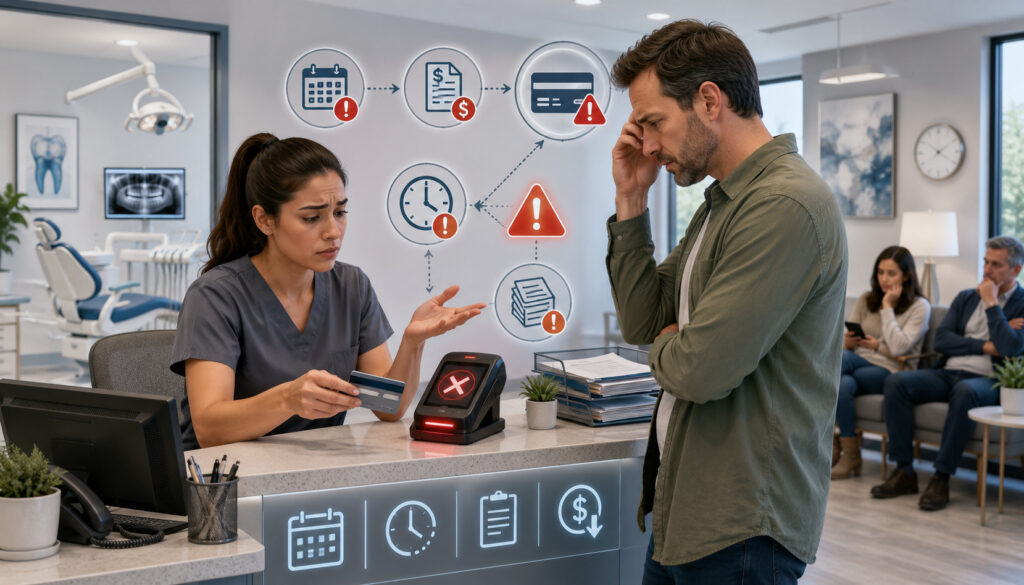
A decline is not limited to one failed transaction. It can affect checkout, appointment flow, patient ledgers, treatment balances, scheduled payments, reconciliation, and staff responsibilities.
At the front desk, an unresolved decline can delay the next patient’s check-in or checkout. In the billing department, it may create additional calls, messages, ledger notes, and payment-link activity.
Dental payment plan declines can become more complicated when no one owns the follow-up process. A missed installment may remain unnoticed until several scheduled payments have failed. The patient may then face an unexpectedly large outstanding balance.
Declines can also distort reporting if unsuccessful attempts are posted as completed payments or if duplicate entries remain in the patient ledger. Accurate reconciliation is therefore an important part of decline management.
Front Desk Checkout Delays
Dental checkout often occurs in a shared reception area while phones are ringing, appointments are being scheduled, and other patients are waiting. A declined payment can interrupt that flow, particularly when staff lack a prepared response.
Employees may feel pressure to resolve the matter immediately. That pressure can lead to repeated retries, visible discussion of the balance, or statements that embarrass the patient.
A better workflow gives the employee a small number of approved choices. The employee may discreetly ask whether the patient wants to try the card once more, use another method, receive a secure payment link, or speak with a billing coordinator.
The office should also decide how unresolved balances affect future appointments, deposits, or treatment scheduling. Those decisions should follow written policies and appropriate professional review rather than being improvised at the desk.
Billing and Collection Follow-Up
Declined dental payments frequently create additional work after the patient leaves. The billing team may need to verify the ledger, send a failed payment notice, replace an expired link, update a payment plan record, or record the patient’s requested follow-up method.
A well-designed workflow assigns ownership. For example, the front desk may document the initial decline, while the billing coordinator reviews unresolved items at a set time each day.
Follow-up should distinguish between a single technical failure and a genuinely overdue balance. The office should not send collection-style messaging immediately after a payment gateway timeout or mistaken card entry.
Reconciliation should confirm that any later successful payment appears in the settlement report and patient ledger. This closes the task and prevents staff from contacting a patient who has already paid.
How Staff Should Respond to Declined Dental Payments
A consistent response protects patient dignity and helps staff resolve the situation efficiently.
A practical workflow is:
- Read the decline message without announcing it publicly.
- Remain calm and use neutral wording.
- Confirm the amount and payment channel.
- Retry only when the procedure allows it.
- Offer another accepted payment method.
- Provide a secure payment link when appropriate.
- Update card-on-file information only through an approved system.
- Document the general outcome without recording sensitive card data.
- Follow the office’s balance and failed-payment policy.
- Reconcile the account when payment is completed.
Staff should avoid guessing why the card was declined. Only the card issuer may have the full reason, and even a specific-looking message may not tell the whole story.
What to Say When a Payment Declines
Good wording is brief, private, and solution-oriented.
An employee might say:
“The payment did not go through. Sometimes that happens for several reasons. Would you like to try the card again or use another payment method?”
For an online or recurring failure, the message could say:
“We were unable to process the scheduled payment. Please use the secure link to review or update your payment method, or contact our billing team if you need assistance.”
These statements avoid mentioning insufficient funds, financial hardship, or blame. They also give the patient a clear next action.
When other people are nearby, the employee can lower their voice or offer to discuss the account in a more private location. The objective is to resolve the payment while preserving trust.
What Staff Should Not Do
Employees should not:
- Announce that a card was declined in front of other patients
- Say that the patient has no money or available credit
- Ask the patient to reveal bank-account details
- Photograph a payment card
- Write down full card information
- Request card details through ordinary email or text
- Repeatedly force the same transaction
- Change payment dates or plan terms without authority
- Post a failed attempt as an approved payment
- Threaten or pressure the patient
- Share unnecessary treatment or billing information
Card information should be handled only through approved payment tools. PCI guidance emphasizes reducing unnecessary storage and protecting any cardholder data that is stored.
Preventing Dental Payment Declines Before Checkout
Prevention begins before the employee presses the payment button. Clear balances, accurate records, secure technology, and advance communication can reduce avoidable failures.
Patients should understand what they may owe, which payment methods are accepted, and whether a deposit is required. Estimates should be described as estimates when insurance or treatment changes could affect the final balance.
The practice should also review whether its terminals, payment portal, and dental office payment processing workflow support the ways patients prefer to pay. The availability of chip, contactless, online, and remote payment options can provide alternatives when one method fails.
Clear Payment Expectations Before the Visit
Unexpected balances can contribute to patient payment declines. A patient who expects a small co-pay may not be prepared for a larger deductible, deposit, or remaining treatment balance.
Before the appointment, the office can provide:
- A treatment estimate
- The expected patient portion
- Applicable deposit information
- Accepted payment methods
- Payment-plan terms
- The date of a scheduled charge
- Instructions for online payment
- A contact method for billing questions
The office should distinguish estimates from guaranteed amounts. Insurance processing, treatment changes, and account adjustments may alter the balance.
Clear communication is especially important for orthodontic, implant, oral surgery, and cosmetic dentistry arrangements. When patients know the amount and timing in advance, they can prepare an appropriate payment method or contact the office before checkout.
Securely Updating Payment Information
Expired and replaced cards are common causes of dental recurring payment declines. Practices can reduce these failures by inviting patients to review stored payment methods before an upcoming charge.
Updates should occur through a secure patient portal, hosted payment page, approved terminal, or other authorized system. Employees should not ask patients to send complete card numbers or security codes through ordinary messages.
Tokenization can allow the payment system to store a substitute token rather than exposing the full card number in everyday office workflows. Encryption helps protect data during transmission and storage, depending on the system design.
Access should be limited according to employee responsibilities. A front desk employee may need to process a payment without being able to view or export sensitive payment information.
Preventing Declines in Recurring Dental Payments
Recurring billing is used for orthodontic plans, dental membership programs, long-term treatment arrangements, and scheduled balances. These workflows are convenient, but they require careful authorization, communication, card maintenance, and failed-payment handling.
Before recurring billing begins, the patient should receive clear information about the amount, frequency, payment method, duration, cancellation process, and what happens after a failed charge. Practices should have their recurring billing agreements and procedures reviewed by appropriate legal, accounting, compliance, and contract professionals.
Advance reminders may help patients recognize the charge and ensure that the chosen account is ready. Clear receipts can also reduce confusion after payment.
Practices managing scheduled installments can learn more about automated billing systems for dental offices, including how recurring payments, patient notices, billing records, and payment follow-up can fit into a coordinated workflow.
Card Expiration and Card-on-File Issues
Stored cards can fail because they expire, are replaced, are reported lost, or receive a new account number. A card may also become restricted for recurring or card-not-present transactions.
Account updater services may automatically refresh certain eligible card credentials, depending on the card issuer, network, processor, and service configuration. They can reduce some failures, but they will not update every card.
Practices should still provide a secure way for patients to review payment methods. A reminder sent before expiration or before a scheduled charge may prevent the failure from occurring.
The office should also confirm that the stored card is connected to a current authorization. A working token does not replace the need for appropriate patient consent and accurate billing terms.
Retry Logic and Failed Payment Notices
Retry logic determines whether and when a recurring transaction is attempted again. An effective policy should distinguish potentially temporary soft declines from hard declines that require updated information.
Repeated charges without communication can confuse patients and may trigger fraud controls. Instead, the office can use a limited retry schedule supported by clear authorization and patient notices.
A failed payment notice should include:
- The date of the unsuccessful payment
- The general amount due
- A secure update or payment link
- A billing contact method
- The next planned step, when appropriate
- Information about applicable payment-plan procedures
The notice should not contain full card information or unnecessary treatment details. It should be supportive rather than accusatory.
Online Dental Payment Declines and How to Reduce Them
Patients may pay through a portal, online invoice, website form, or secure link. These methods make payment convenient, but card-not-present transactions may face stricter verification and fraud screening.
Online dental payment declines may result from an incorrect billing address, CVV error, expired card, typing mistake, expired payment link, browser problem, duplicate filter, or issuer restriction.
The practice should test its payment pages from a patient’s perspective. Confusing balance descriptions, unclear required fields, or poor mobile formatting can increase entry mistakes and abandoned payments.
Educational guidance on online patient invoicing and dental billing payments can help offices evaluate their workflows, but specific configuration decisions should be reviewed with the payment provider and relevant professionals.
Making Online Payment Instructions Clear
Online payment instructions should tell the patient what is being paid, when it is due, and what confirmation to expect.
Helpful information includes:
- Patient or account identification instructions
- The amount due
- Whether partial payments are accepted
- The payment deadline
- Accepted payment methods
- Billing-address requirements
- Receipt delivery details
- A support contact for payment problems
A structured online patient invoicing process can help practices present balances, due dates, payment instructions, and confirmation details more clearly, reducing mistakes that may contribute to online payment failures.
The page should avoid requesting unnecessary information. Patients should not have to enter treatment details into an unstructured payment note when the account can be identified more securely.
After submission, the portal should clearly state whether the payment was approved, declined, or still processing. Ambiguous confirmation screens can cause duplicate attempts.
Secure Payment Links and Portal Access
A payment link should lead to an approved, encrypted payment page. It should not ask the patient to reply with card details.
Practices should establish rules for generating, sending, expiring, and replacing links. Old links may display outdated balances or fail after their expiration period.
Portal access should include suitable authentication and staff permissions. Employees should be able to assist patients without seeing information beyond what their duties require.
The office should also verify its domain, link wording, and billing descriptor so patients can recognize legitimate payment requests. Unexpected or unfamiliar messages may be ignored or reported as suspicious.
Fraud Filters, AVS, CVV, and Decline Prevention
Fraud controls help dental practices reduce unauthorized card use, but settings that are too restrictive may reject valid patients.
Address Verification Service, or AVS, compares billing-address information with issuer records. CVV verification checks the card security code supplied during a card-not-present transaction. Other controls may evaluate transaction frequency, duplicate amounts, location, device characteristics, or unusual values.
A high-cost treatment deposit may look unusual when compared with the practice’s routine co-pays. That does not mean fraud controls should be removed. Instead, settings should reflect the practice’s real transaction patterns and risk tolerance.
AVS and CVV Mismatch Declines
AVS mismatches can occur because a patient recently moved, uses a mailing address that differs from the issuer’s record, or formats an apartment number differently. CVV mismatches may result from a typing error or use of an outdated card.
Staff can ask the patient to verify the information through the secure checkout process. They should not request that the patient send a picture of the card or security code by message.
The office should understand whether its system declines all mismatches or allows selected results for review. Settings vary by gateway and processor.
Because accepting mismatched information may increase risk, configuration decisions should be made with the payment provider and appropriate risk or compliance professionals.
Balancing Fraud Prevention and Patient Convenience
The goal is not to approve every transaction. It is to reduce preventable false declines while maintaining appropriate protection.
Practices can review:
- AVS response settings
- CVV rules
- Duplicate-payment controls
- Velocity limits
- High-ticket transaction thresholds
- Geographic restrictions
- Recurring payment settings
- Manual review procedures
- Employee override permissions
- Decline reporting
Trends matter. If many legitimate patients fail at the same portal step, the office should investigate. If fraud attempts are increasing, stronger controls may be needed.
Changes should be tested carefully and documented. An employee should not disable a fraud control simply to force one payment through.
Payment Security and Privacy During Decline Handling
Payment failures may require staff to discuss balances, update payment methods, or review patient accounts. These actions involve both payment security and patient privacy.
PCI DSS provides technical and operational requirements for protecting cardholder data. HHS guidance explains that healthcare providers may use protected information for payment activities while remaining responsible for applicable privacy safeguards. Specific obligations depend on the practice, systems, relationships, and circumstances, so professional review is important.
A secure decline workflow should minimize sensitive data, limit access, and avoid unnecessary public discussion.
Protecting Card Data During Failed Payments
Dental offices should not retain card information in handwritten notes, spreadsheets, ordinary email, general patient notes, or photographs.
Sensitive authentication data, such as a card security code, should not be retained after authorization. Staff should use approved terminals, hosted payment pages, tokenized card-on-file features, and secure virtual terminals.
The practice should also control:
- Employee logins
- Password and authentication procedures
- Remote access
- Device updates
- User permissions
- Receipt content
- Data exports
- Vendor access
- Incident reporting
The PCI Security Standards Council provides official PCI DSS resources for organizations that accept cards. Those resources are educational and should be applied with qualified professional assistance where needed.
Protecting Patient Privacy at the Front Desk
A patient’s balance, treatment, payment-plan status, and insurance information should not be discussed loudly in a public waiting area.
When a payment declines, staff can lower their voice, avoid stating the full balance unnecessarily, and offer a more private conversation. Computer screens and printed documents should not be visible to unrelated patients.
HHS explains that billing information held by many covered healthcare providers can be protected health information and that covered entities should use appropriate safeguards and limit access according to the applicable requirements.
Privacy-conscious communication is not only a compliance concern. It also shows respect during a moment that may already feel uncomfortable.
Dental Payment Decline Recovery Workflow
A written recovery workflow keeps small payment problems from becoming large account problems.
The process can include:
- Identify the decline message. Record the general category, not sensitive card data.
- Stay neutral and professional. Do not assume the cause.
- Confirm whether a retry is appropriate. Follow the office’s retry rules.
- Offer another payment method. Explain available options.
- Send a secure payment link when needed. Confirm the balance first.
- Update card-on-file securely. Use an approved portal or terminal.
- Document the failed attempt. Note date, amount, channel, and next step.
- Review the patient ledger. Confirm the balance remains accurate.
- Follow the failed-payment policy. Assign follow-up ownership.
- Send reminders when appropriate. Keep messages clear and respectful.
- Reconcile after payment. Confirm the approved transaction and close the task.
Documenting Declined Payment Attempts
A useful note may include:
- Date and approximate time
- Amount attempted
- Payment channel
- General decline type
- Whether a retry occurred
- Alternative method offered
- Secure link sent
- Patient communication
- Agreed next step
- Employee initials or system user
- Resolution date
The note should not include the full card number, CVV, card image, banking password, or other unnecessary sensitive information.
Documentation supports continuity. If the patient calls later, another authorized employee can understand what occurred without asking the patient to repeat the entire story.
Records should be retained according to the practice’s approved record-retention, accounting, privacy, and contractual policies.
Following Up Without Damaging Patient Trust
Follow-up should be timely but proportionate. A single technical decline does not justify aggressive messaging.
The first communication can simply state that the payment was unsuccessful and provide a secure way to complete it. Later notices may refer to payment-plan terms or balance policies as appropriate.
Consistency matters. Patients should not receive conflicting messages from the front desk, billing department, and automated system.
The office should also stop reminders promptly after payment. Contacting a patient about a balance that has already been paid can undermine confidence in the practice’s billing accuracy.
Reporting and Reconciliation for Declined Payments
Decline reporting helps the practice understand whether failures are isolated or part of a recurring problem.
Useful reports may include:
- Failed transaction reports
- Approved transaction reports
- Recurring billing failures
- Payment-plan exceptions
- Online portal errors
- Refund activity
- Settlement reports
- Chargeback reports
- Outstanding patient balances
- Terminal or gateway error logs
Reports should be compared with patient ledgers and bank deposits. This confirms that approved payments were posted correctly and declined attempts were not recorded as collected funds.
Separating Failed Attempts From Approved Payments
An authorization decline is not revenue. The patient ledger should continue to show the amount due unless another payment succeeds or the balance is adjusted through an approved process.
A processor dashboard may display both approved and declined attempts. Staff should not assume that every line represents a settled payment.
Settlement reports show which captured transactions moved into the deposit process. The bank deposit may be reduced by refunds, fees, adjustments, or other activity, depending on the arrangement.
Daily reconciliation allows the office to detect duplicate posting, missing payments, incorrect amounts, and unresolved failed transactions before they become harder to investigate.
Tracking Decline Patterns Over Time
A monthly or quarterly review can reveal patterns such as:
- Frequent expired cards in membership plans
- AVS failures through the online portal
- Manual-entry errors by particular workflows
- High-ticket issuer declines
- Terminal connectivity problems
- Duplicate-filter false positives
- Confusing payment links
- Recurring charges submitted on unexpected dates
- Patients failing to recognize the billing descriptor
The practice can then address the underlying issue. That may involve staff training, clearer instructions, revised reminders, updated equipment, portal changes, or consultation with the payment provider.
Only necessary data should be included in internal reports, and access should be limited according to role.
Best Practices to Prevent Dental Office Payment Declines
Practices cannot eliminate every issuer decline, but they can prevent many avoidable failures.
Recommended practices include:
- Offer multiple payment methods.
- Explain the balance before checkout.
- Provide treatment and deposit information in advance.
- Use secure payment portals and links.
- Maintain updated EMV and contactless terminals.
- Train employees on decline messages.
- Use tokenized card-on-file tools.
- Send reminders before recurring charges.
- Monitor upcoming card expirations where supported.
- Use clear payment-plan agreements.
- Avoid manual card-data storage.
- Review fraud-filter settings.
- Reconcile payment reports daily.
- Document failed-payment follow-up.
- Protect privacy during payment conversations.
- Review decline patterns regularly.
- Keep patient contact details current.
- Use recognizable billing descriptors.
- Test online payment pages.
- Define escalation and retry procedures.
Creating a Written Declined Payment Procedure
A written procedure should address in-office, online, recurring, and manually keyed declines.
It can define:
- Approved patient wording
- Permitted retry situations
- Maximum retry attempts
- Alternative payment options
- Secure payment-link procedures
- Card-on-file update steps
- Documentation standards
- Follow-up ownership
- Manager escalation
- Technical support escalation
- Reconciliation responsibilities
- Privacy and security restrictions
The procedure should match the office’s technology and agreements. Generic templates may not reflect the actual decline messages or system functions.
Review the procedure whenever the practice changes terminals, gateways, portals, billing software, recurring payment tools, or payment-plan policies.
Training Front Desk and Billing Teams
Employees should understand both the technical and human sides of a decline.
Training can use realistic scenarios, such as:
- A card declining at a crowded front desk
- A patient entering the wrong billing address online
- An expired card on an orthodontic plan
- A duplicate filter blocking two family payments
- A high treatment deposit triggering issuer review
- A recurring member not recognizing the descriptor
- A terminal losing connection during checkout
Staff should practice neutral wording, safe card handling, documentation, and escalation.
Access should match responsibilities. Only employees who need virtual-terminal or refund capabilities should receive them, and activity should be traceable to individual user accounts.
Common Mistakes to Avoid With Declined Dental Payments
The most damaging mistakes are often procedural rather than technical.
Common problems include embarrassing the patient, retrying too many times, collecting card details insecurely, failing to document follow-up, ignoring recurring failures, sending unclear links, and posting declined transactions incorrectly.
Another mistake is treating every failure as a collections issue. Some declines are caused by system outages, data-entry mistakes, or temporary issuer controls.
Practices should also avoid making unsupported promises. Staff cannot guarantee that a second attempt will be approved or that an issuer will remove a restriction.
Repeatedly Retrying a Declined Card Without Context
Multiple attempts can trigger issuer fraud controls, create duplicate authorizations, or confuse the patient.
A retry should have a reason. The patient may have corrected a typing error, unlocked the card, confirmed the transaction with the issuer, or switched from contactless to chip.
When nothing has changed, another attempt is unlikely to produce a different result. Staff should offer another method or allow the patient to contact the issuer.
The office should define a maximum number of staff-initiated retries. Automated recurring retries should also follow documented rules and patient authorization.
Not Following Up on Recurring Payment Failures
Ignoring a failed recurring charge can allow the unpaid balance to grow. Several missed installments may eventually create confusion about membership status, treatment-plan progress, or cancellation.
The system should produce an exception report or alert. A designated employee should review it at a consistent interval.
Follow-up should explain the missed charge and provide a secure resolution path. It should also reflect the applicable authorization and payment-plan terms.
Once the payment method is updated, the office should confirm whether the original charge will be retried, rescheduled, or handled another way under policy.
Dental Office Payment Decline Prevention Checklist
| Checklist Area | What to Review | Why It Matters |
| Payment methods | Cards, online payments, links, contactless options, and payment plans | Gives patients alternatives |
| Balance communication | Amount, estimate, deposit, and due date | Reduces surprise and confusion |
| Card-on-file | Tokenized storage and secure updates | Helps prevent recurring failures |
| Payment terminal | EMV, contactless, connectivity, and updates | Reduces technical problems |
| Online payments | Secure checkout and clear instructions | Reduces entry errors |
| Fraud filters | AVS, CVV, duplicate, velocity, and amount controls | Balances security and approval rates |
| Staff training | Decline response, privacy, and escalation | Protects patient trust |
| Documentation | General decline notes and follow-up actions | Supports continuity |
| Reconciliation | Approved, declined, refunded, and settled payments | Keeps ledgers accurate |
| Reminders | Upcoming recurring and payment-plan charges | Helps patients prepare |
| Reporting | Channel and decline trends | Identifies recurring weaknesses |
| Permissions | Terminal, portal, refund, and virtual-terminal access | Limits unnecessary exposure |
How to Use the Checklist Before Improving Payment Workflows
Begin by reviewing one payment channel at a time. The front desk terminal, online portal, recurring billing system, and virtual terminal may each have different weaknesses.
Ask employees where they encounter delays or confusion. Their observations may reveal that decline codes are unclear, payment links expire too quickly, or no one reviews recurring failures.
Compare those observations with reports. A workflow problem supported by transaction data should receive priority.
After changes are made, monitor whether declines, repeated attempts, patient complaints, or reconciliation errors decrease. Improvement should be measured rather than assumed.
Records to Keep After Payment Declines
Appropriate records may include:
- General decline notes
- Follow-up dates
- Patient communication
- Secure card-update confirmation
- Current payment authorization
- Payment-plan correspondence
- Successful payment receipts
- Ledger adjustments
- Settlement and reconciliation reports
- Staff escalation notes
Record content and retention should follow approved privacy, accounting, contractual, and operational policies.
Avoid retaining information merely because the system allows it. Data minimization can reduce exposure and make records easier to manage.
How to Choose Dental Payment Processing That Helps Reduce Declines
A payment system should be evaluated on reliability, security, reporting, usability, and patient experience—not only on the advertised transaction rate.
Useful capabilities may include:
- EMV and contactless terminals
- Secure online payment links
- A mobile-friendly patient portal
- Recurring billing
- Tokenized card-on-file storage
- Account updater support
- Configurable retry rules
- AVS and CVV controls
- Duplicate transaction management
- Detailed decline reporting
- Settlement reconciliation
- Refund controls
- User permissions
- Audit logs
- Chargeback documentation
- Responsive technical support
Practices reviewing dental credit card processing should ask how the technology handles both approved and unsuccessful transactions. A feature list is less useful than a demonstration of the real front desk and billing workflow.
Questions to Ask Before Choosing Payment Processing
Ask prospective providers:
- What decline details are available to staff?
- Can reports separate soft and hard decline categories?
- Are account updater services supported?
- How are stored cards tokenized?
- Can patients update payment methods securely?
- How are recurring retries configured?
- Can advance charge reminders be sent?
- How do AVS and CVV settings work?
- Can duplicate controls be customized?
- How long do payment links remain active?
- Are portals mobile-friendly?
- What happens during an internet interruption?
- Can staff permissions be limited by role?
- Are refunds and voids logged by user?
- How are approved payments reconciled with settlements?
- What PCI-related tools or documentation are provided?
- How quickly is technical support available?
- How are exports and integrations secured?
- Can the billing descriptor be configured appropriately?
- What happens if the practice changes providers?
Responses should be documented in the agreement or supporting materials when they affect the practice’s decision.
Comparing Reliability, Security, and Patient Experience
Low pricing does not compensate for frequent outages, unclear reporting, weak user controls, or difficult patient checkout.
Reliability includes terminal connectivity, portal availability, accurate settlements, and responsive support. Security includes tokenization, encryption, access controls, validated technology, and appropriate card-data handling.
Patient experience includes clear payment pages, recognizable communications, multiple payment choices, useful receipts, and respectful recovery when a transaction fails.
The strongest dental practice payment processing workflow is one that employees can use consistently, patients can understand, and managers can reconcile accurately.
Frequently Asked Questions
What are dental office payment declines?
Dental office payment declines are payment attempts that are not approved by the issuer, processor, gateway, terminal, or fraud-control system.
They can occur during front desk checkout, online payments, payment links, virtual-terminal transactions, recurring billing, treatment deposits, and payment plans. A decline means that the attempted card payment was not successfully completed.
Why do dental payments decline?
Dental payments may decline because of insufficient available funds, expired cards, incorrect card details, billing-address mismatches, CVV errors, spending limits, issuer restrictions, fraud alerts, blocked online payments, or replaced cards.
Technical failures, restrictive fraud settings, duplicate transaction controls, expired links, and payment gateway interruptions can also cause declines.
How should dental staff respond when a patient payment declines?
Staff should remain calm, speak discreetly, and use neutral wording. They can ask whether the patient wants to retry when permitted, use another payment method, contact the issuer, or receive a secure payment link.
The employee should document the general outcome without recording sensitive card data and follow the office’s written balance procedure.
What is the difference between a soft decline and a hard decline?
A soft decline may be temporary or correctable. Examples include a processor timeout, temporary restriction, daily limit, or incorrect billing information.
A hard decline usually requires a different card or updated payment method. Examples may include a closed account, stolen card, invalid number, or permanently blocked card.
How can dental offices prevent recurring payment declines?
Practices can provide advance reminders, monitor card expirations where possible, use tokenized card-on-file tools, offer secure card updates, and use account updater services when supported.
They should also establish clear authorization, retry, cancellation, and failed-payment procedures and have those procedures professionally reviewed.
How can online dental payment declines be reduced?
Clear instructions can reduce card-entry mistakes and billing-address confusion. Payment pages should identify the balance, due date, accepted methods, required fields, and expected receipt.
Practices should also use secure mobile-friendly portals, review AVS and CVV settings, test payment links, and monitor false declines caused by fraud filters.
What records should dental offices keep for declined payments?
Useful records include the date, amount, payment channel, general decline type, patient communication, next step, resolution, and reconciliation status.
The office should not store full card numbers, CVV codes, card photographs, banking passwords, or other unnecessary sensitive data in patient notes.
What payment processing features help reduce dental payment declines?
Helpful features include reliable EMV terminals, contactless acceptance, secure payment links, mobile-friendly portals, tokenization, recurring billing controls, account updater services, flexible fraud settings, and detailed decline reports.
Role-based permissions, audit logs, settlement reporting, and responsive technical support also help staff manage unsuccessful transactions safely and efficiently.
Conclusion
Dental office payment declines are a normal operational challenge, but they should not be handled casually or inconsistently. A failed payment may result from an account restriction, outdated card, entry error, fraud filter, technical interruption, or another issue that does not reflect the patient’s willingness to pay.
The strongest response combines clear procedures, respectful patient communication, secure payment tools, and accurate records. Staff should know how to read general decline messages, determine whether a retry is appropriate, offer another method, send a secure payment link, document the outcome, and protect privacy throughout the conversation.
Practices can prevent dental payment declines by explaining balances before checkout, offering multiple payment methods, maintaining reliable terminals, improving online instructions, updating stored credentials securely, sending recurring-charge reminders, and reviewing fraud controls.
Regular reconciliation and decline-pattern reporting can reveal problems before they affect a larger number of accounts.
No workflow can prevent every issuer decline. However, thoughtful preparation can reduce avoidable failures, limit administrative work, keep patient ledgers accurate, and make difficult payment conversations more respectful.
Payment security, healthcare privacy, accounting, recurring authorization, collections, and contract requirements can vary according to the practice and its systems. Dental offices should seek qualified legal, healthcare privacy, accounting, compliance, and payment-contract guidance before making decisions about specific obligations or policies.