By Adamaa Grover January 25, 2026
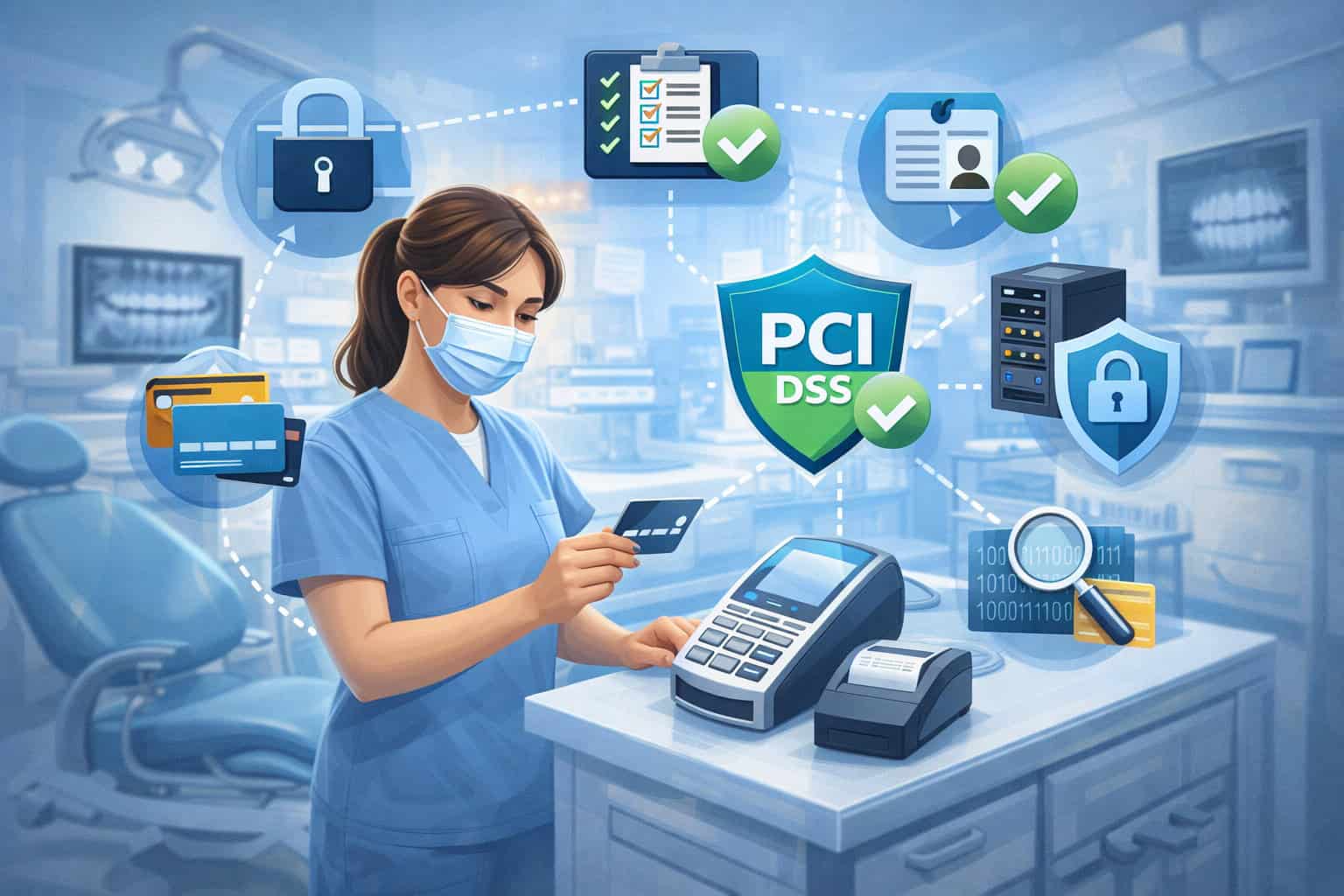
Dental practices process a steady mix of in-person payments, phone payments, online portals, recurring payment plans, and card-on-file transactions. That variety is exactly why PCI DSS requirements for dental practices deserve a dedicated, real-world guide rather than generic compliance checklists.
PCI DSS (Payment Card Industry Data Security Standard) applies to any organization that stores, processes, or transmits cardholder data.
A dental practice may be small, but the payment environment can be surprisingly complex: practice management software integrations, third-party patient financing, clearinghouse connections, remote access for IT, Wi-Fi networks, front desk terminals, and staff turnover.
Each of those introduces risk—and PCI DSS requirements are designed to reduce that risk in ways that are practical and auditable.
The most important update for owners and office managers: PCI DSS v4.x is the current standard, and the “future-dated” controls that were previously treated as best practices became effective March 31, 2025. PCI SSC has also issued ongoing guidance such as Targeted Risk Analysis (TRA) support materials and updated tools in its document library.
This article breaks down PCI DSS requirements for dental practices in plain language, with clear implementation steps, evidence you’ll need for validation, and planning tips that keep your practice efficient (and your payment flow fast).
You’ll also see future predictions that matter to dental offices, including stronger authentication trends, increased service provider scrutiny, and more “secure-by-design” payment options.
Understanding PCI DSS v4.x and What Changed for Dental Practices

PCI DSS v4.0 was introduced to modernize payment security and align it with today’s threats. PCI DSS v4.0.1 was later published as a limited revision with clarifications and minor updates, not a brand-new overhaul.
For dental practices, the big change is not that “everything is different.” The big change is that PCI DSS v4.x pushes practices toward stronger access control, better monitoring, more consistent vulnerability management, and more accountability for third parties—the exact areas where small healthcare offices often have gaps.
A key timeline point: PCI SSC communications emphasize that the newer v4.x requirements include a set of “future-dated” items that became effective on March 31, 2025.
That matters because many dental practices historically relied on “good enough” controls like shared logins at the front desk, weak remote access rules, and informal vendor management. PCI DSS v4.x is less forgiving of those patterns.
You’ll also see increased emphasis on concepts like Targeted Risk Analysis (TRA). PCI DSS v4.x uses TRA when an organization wants flexibility in control frequency or uses certain customized approaches.
Even if your dental practice stays in a standard self-assessment path, understanding TRA helps because it signals how PCI DSS expects you to justify security decisions going forward.
Why Dental Practices Have Unique PCI DSS Risk

It’s common to assume a dental office is low-risk because it’s not a retail store or an online marketplace. But dental practices handle card payments in ways that can quietly expand PCI scope. Here are the patterns that create risk and drive PCI DSS requirements for dental practices:
Front desk workflows often lead to accidental storage. Staff may write card numbers on paper during phone calls, store screenshots, keep “backup” spreadsheets, or type data into practice notes. Even well-meaning processes can violate PCI DSS storage rules and create breach exposure.
Card-not-present (CNP) payments are common in dentistry—especially for deposits, missed-appointment fees, pre-authorizations, and payment plans.
CNP environments are targeted by fraud and are more likely to be processed through phone or online channels, which requires stronger security habits and better vendor controls.
Integrated systems add complexity. A dental practice might use a practice management platform, a payment gateway, a terminal provider, a patient communication tool, and a financing partner. Each integration creates a pathway that might touch cardholder data, and that expands the number of systems you must protect (or intentionally remove from scope).
IT realities in small offices amplify risk: shared computers, local admin rights, weak patching routines, and outsourced IT that uses remote access tools. PCI DSS requirements for dental practices frequently come down to tightening those basics.
Finally, dental practices handle sensitive patient information in parallel (including health-related data). That makes incident response and reputation risk higher.
PCI DSS is not the same as healthcare privacy rules, but in a real breach event, both worlds collide. You want a payment setup that is simple, defensible, and built to minimize the chance that card data ever lives on your systems.
PCI DSS Scope for Dental Practices: How to Define What’s “In” and “Out”
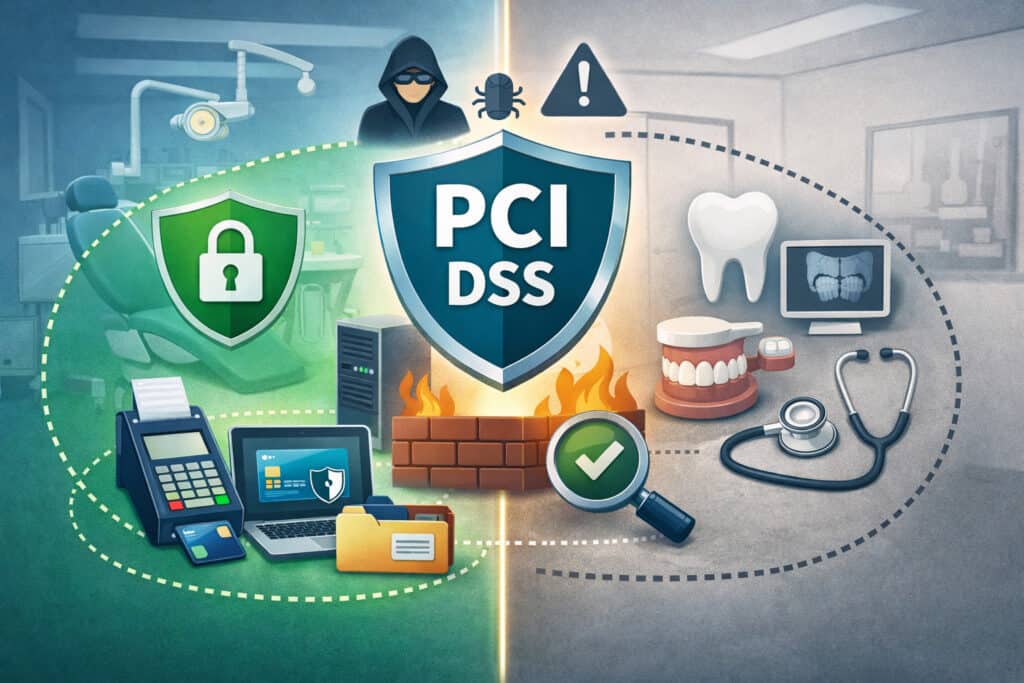
If you want PCI compliance to be realistic, you must start with scope. In PCI DSS language, scope includes every system, person, and process that stores, processes, or transmits cardholder data—and anything connected to those systems in a way that could impact security.
In a dental practice, scope often includes:
- Payment terminals at the front desk (and the network they connect to)
- Workstations used for virtual terminals or payment portals
- Practice management software integrations if card data passes through them
- Any device used to take payments over the phone
- Your office network if payment devices share it
- Wi-Fi, routers, firewalls, and remote access tools used by IT
Where dental practices get into trouble is “accidental scope.” For example, if staff take a card number during a phone call and type it into a local note app or save it in your system, you’ve now created storage.
Storage triggers a heavier set of PCI DSS requirements for dental practices, especially around encryption, retention, and access controls.
The goal for most dental practices should be scope reduction:
- Use hosted payment pages for online payments.
- Use P2PE or secure terminals for in-person payments.
- Use tokenization for card-on-file needs so the practice stores tokens, not PANs.
- Avoid storing card data in your practice management system unless it is explicitly designed and validated for that function.
When scope is minimized, compliance becomes easier, cheaper, and far more resilient. This is one of the highest-ROI strategies in PCI DSS requirements for dental practices.
Merchant Levels and Validation Options: SAQ, AOC, and When You Need a QSA

Most dental practices validate compliance through a Self-Assessment Questionnaire (SAQ) and an Attestation of Compliance (AOC), rather than a full onsite audit. Which SAQ you use depends on how you accept payments and whether your systems touch card data.
Common scenarios:
- Terminal-only environments (no electronic storage, no payment data on office computers) often qualify for simpler SAQs.
- E-commerce/portal payments may qualify for SAQs designed for hosted pages if card data is outsourced properly.
- Virtual terminal or integrated software can push you into a more complex SAQ because your workstations and network are in scope.
PCI SSC maintains updated documents and templates in its document library, and industry guidance continues to evolve. In practice, you’ll usually learn your SAQ type from your processor, acquiring bank, or compliance program portal.
The key is to ensure your actual workflow matches the SAQ assumptions. If you claim “terminal-only” but your staff also key payments into a browser on a shared PC, your validation may be inaccurate.
A QSA (Qualified Security Assessor) is typically required only for larger environments or when mandated by your acquiring bank, brand program, or risk situation. Still, dental practices sometimes hire a QSA for “right-sizing” scope, cleaning up a complex environment, or responding to an incident.
For PCI DSS requirements for dental practices, validation is not just paperwork. It’s proof that your environment is designed to keep card data safe, day after day.
The 12 PCI DSS Requirement Areas, Translated for Dental Practices
PCI DSS is organized into 12 high-level requirement areas. Dental teams don’t need to memorize every sub-requirement, but you do need to understand what “good” looks like in a clinic setting. PCI DSS v4.x also increases emphasis on security maturity and ongoing maintenance rather than one-time setup.
What follows is a dental-practice translation of the requirement areas—focused on what actually changes behavior and reduces risk.
Network Security Controls: Firewalls, Segmentation, and “Don’t Mix Everything Together”
A common dental office mistake is putting everything on one flat network: front desk PCs, staff laptops, guest Wi-Fi, printers, security cameras, and payment terminals all share the same router. That makes payment devices more exposed and expands the number of systems that could impact card security.
PCI DSS requirements for dental practices expect you to control network traffic into and out of the payment environment. That usually means:
- A properly configured firewall/router (not default credentials)
- Restricted inbound connections
- Only necessary outbound connections for payment devices
- Documented network configuration and periodic review
Segmentation is the most practical step for dental clinics. Put payment devices on their own VLAN or dedicated network, isolate them from staff browsing and guest Wi-Fi, and limit which internal devices can talk to them. Segmentation reduces scope and makes evidence easier.
Even small practices can do this without an enterprise firewall. Many modern business-grade routers support VLANs and separate SSIDs. The key is documentation and verification—showing that segmentation is real, not assumed.
If your IT vendor manages your network, PCI DSS requirements for dental practices still place responsibility on you to ensure controls exist and are maintained. Vendor support is helpful, but compliance accountability stays with the merchant.
Secure Configurations and Hardening: Stop Using Default Settings Everywhere
PCI DSS repeatedly returns to one principle: default configurations are dangerous. Dental practices often run into issues like default router logins, old Wi-Fi encryption settings, or shared Windows accounts at the front desk.
Hardening in a dental practice includes:
- Unique admin passwords on routers, firewalls, switches, and Wi-Fi access points
- Secure Wi-Fi encryption and no shared “staff” passwords that never change
- Removal of unnecessary services/software on payment-adjacent PCs
- Disabling local admin rights for daily users where possible
- Locking down remote access tools (especially if IT uses them)
This is one of the areas where PCI DSS v4.x expectations feel “more real.” Security controls must be operationally meaningful. If your front desk PC is used for payment processing and also for unrestricted web browsing and personal email, you’re increasing malware risk—one of the top causes of payment data compromise.
For PCI DSS requirements for dental practices, hardening is less about perfection and more about reducing obvious paths for attackers.
Protecting Cardholder Data: Storage, Tokenization, Encryption, and Retention
If you remember one thing about PCI DSS requirements for dental practices, make it this:
Do not store cardholder data unless you truly must
Many practices store card numbers “for convenience” for payment plans, missed appointment fees, or recurring transactions. PCI DSS allows limited storage in tightly controlled ways, but it increases scope dramatically and raises the bar for encryption, key management, access control, monitoring, and retention policies.
The safer model is:
- Use a payment provider’s tokenization so you store a token, not a PAN.
- Use hosted forms and secure portals so card data goes directly to the provider.
- Use P2PE terminals for in-person payments so encrypted data flows out of your environment.
PCI DSS v4.x continues to emphasize strong protections and clear intent around keeping PAN unreadable and minimizing data exposure.
Dental practices also need a strict rule against informal storage: no spreadsheets, no card numbers in patient notes, no photos of cards, no “sticky note” backups. If your team takes phone payments, use a process that never writes down the PAN and never stores it.
Retention is another overlooked point. If you do store anything (even tokens and related references), define how long it is kept and who can access it. Clear retention policies are part of PCI DSS requirements for dental practices because older data increases breach impact.
Strong Access Control: Unique IDs, Least Privilege, and Ending Shared Logins
Dental offices are busy, and shared logins can feel convenient—especially for front desk turnover. But shared accounts destroy accountability and make it impossible to prove who accessed payment systems.
PCI DSS requirements for dental practices generally require:
- Unique user IDs for systems in scope
- Access based on job role (“least privilege”)
- Rapid removal of access when staff leave or change roles
- Periodic access reviews
PCI DSS v4.x pushes more consistent control discipline. In practical terms, a dental practice should:
- Create individual logins for payment portals and practice software
- Avoid “FrontDesk” shared accounts
- Ensure your IT vendor does not reuse the same admin password across clients
- Use password managers and secure onboarding/offboarding checklists
If your staff use a virtual terminal in a browser, treat that workstation as part of scope. Limit who can log in, and lock the screen when stepping away. A lot of real payment breaches begin with an unlocked PC at a reception desk.
Strong access control is one of the simplest, cheapest wins in PCI DSS requirements for dental practices—and one of the most frequently missed.
Multi-Factor Authentication and Safer Logins: Where Dental Practices Must Level Up
PCI DSS v4.x places a heavier emphasis on strong authentication—especially for administrative access and remote access into the cardholder data environment.
In a dental practice, this usually means:
- MFA on payment portals and cloud dashboards
- MFA on remote access tools used by IT
- MFA on email accounts if they’re used for payment communications (important in real-world fraud)
- Strong password policies and anti-phishing training
If your IT vendor logs in remotely to manage systems in scope, insist on MFA and unique accounts. If your payment provider supports MFA, enable it. If your practice management platform supports MFA, enable it—especially for staff with payment privileges.
This is also where future predictions matter: over the next few years, dental practices should expect passwordless authentication (passkeys) and stronger verification requirements to become standard in payment-related tools. The long-term direction is clear: credentials alone are not enough, and compliance will increasingly assume MFA is normal.
Vulnerability Management: Patching, Anti-Malware, and Secure Software Practices
Dental practices often rely on a mix of modern cloud tools and older local systems. Some clinics still run legacy operating systems because of imaging software or vendor constraints. That’s risky. Vulnerability management under PCI DSS requirements for dental practices includes:
- Keeping operating systems and browsers supported and patched
- Keeping practice applications updated
- Anti-malware on systems commonly targeted (especially Windows workstations)
- Secure configuration for endpoints used in payment workflows
- Limiting local admin rights to reduce malware impact
PCI DSS v4.x also elevates expectations around consistent and timely vulnerability handling. The exact patch cadence depends on your environment and risk, but the theme is consistent: known vulnerabilities should not remain open indefinitely.
If you use web applications tied to payments (like an online payment portal), ensure your vendors handle application security and that you have documentation. For any custom or semi-custom workflows (rare in dental, but possible with integrations), ensure changes are tracked and reviewed.
A dental practice doesn’t need a full security operations center. But you do need a documented process, evidence of patching, and a clear owner for vulnerability management tasks.
Logging and Monitoring: What You Need to Track (Without Drowning in Noise)
Logging can sound technical, but the goal is simple: if something suspicious happens in your payment environment, you want visibility. PCI DSS requirements for dental practices typically expect logging of access, administrative actions, and security events for systems in scope.
Dental-friendly logging steps:
- Enable logging on payment portals and keep audit trails
- Ensure Windows/Mac endpoints keep security logs
- Use managed firewall/router logs where possible
- Have your IT vendor provide monthly or quarterly summaries of critical events
PCI DSS v4.x reinforces the idea that security is not “set and forget.” That doesn’t mean your office manager has to read logs every day. It means you have a plan:
- What is logged
- Where logs are kept
- How long they are retained
- Who reviews what, and how often
- What triggers escalation
If your environment is mostly outsourced via P2PE terminals and hosted payment pages, your logging burden is lower. That’s another reason scope reduction matters so much in PCI DSS requirements for dental practices.
Regular Testing: Scans, Wireless Controls, and Verifying Your Segmentation
Testing is how you prove your security controls aren’t imaginary. PCI validation programs often require:
- External vulnerability scans (through an ASV) if your environment applies
- Internal vulnerability scanning based on scope
- Wireless reviews to ensure unauthorized access points aren’t present
- Evidence that segmentation works (if you rely on segmentation to reduce scope)
The exact testing needed depends on how your dental practice processes payments. Terminal-only environments can be simpler. But if you have payment systems on your office network, testing becomes more important.
PCI SSC also publishes supporting guidance and tools that help organizations interpret requirements and build evidence.
A practical approach:
- Schedule your compliance tasks across the year, not at the last minute.
- Coordinate scans and documentation with your IT vendor.
- Re-test after meaningful changes (new router, new terminals, new software integration).
In a dental office, changes happen frequently—new front desk staff, new laptops, new Wi-Fi passwords, software updates. Testing helps ensure those changes don’t quietly break your PCI posture.
Policies, Training, and Documentation: The “Small Practice Advantage” If You Do It Right
Policies sound corporate, but for PCI DSS requirements for dental practices they should be short, usable, and real. A good dental PCI policy set usually includes:
- A payment handling policy (especially for phone payments)
- A “no storage of card data” rule (and what to do instead)
- An access control policy (unique users, no shared passwords)
- An incident response plan (what happens if you suspect compromise)
- A vendor management policy (what you require from service providers)
Training is where dental practices can outperform bigger organizations. You have fewer staff, so you can train everyone consistently and build a culture of safe habits:
- Never write down card numbers
- Verify callers before taking payments
- Recognize phishing attempts
- Lock screens
- Report suspicious activity immediately
PCI DSS v4.x emphasizes operational maturity, and documentation is part of proving it. The good news is you don’t need a binder full of jargon. You need policies people follow—and evidence they were trained.
Managing Service Providers: Dental Integrations, IT Vendors, and Payment Partners
Modern dental practices depend on service providers: payment processors, gateways, terminal providers, managed IT, cloud platforms, and practice management systems. PCI DSS requirements for dental practices require that you manage these providers—not by micromanaging them, but by confirming they meet their obligations.
Practical vendor management steps:
- Maintain a list of service providers that affect payment security
- Request their compliance documentation (often an AOC or similar confirmation)
- Confirm responsibilities in writing: who handles what, and where scope boundaries are
- Review vendor access: remote support tools, admin accounts, and change controls
- Ensure vendors notify you of incidents that could affect your practice
The provider relationship matters most when your IT vendor has remote access to systems in scope, or when your practice management software integrates with payments. It’s easy for responsibility to become vague. PCI expects clarity.
PCI SSC updates and supporting documents reinforce that vendor relationships are part of maintaining a secure ecosystem.
In 2026 and beyond, this area will only become more important. Payment ecosystems are increasingly interconnected, and compliance programs are becoming more demanding about third-party oversight.
Common Dental Payment Scenarios and the Right PCI-Safe Workflow
Dental practices don’t just “take cards.” They take cards in very specific scenarios. Here’s how PCI DSS requirements for dental practices apply to the situations you see every week.
In-Office Card-Present Payments at the Front Desk
The simplest compliant approach is a secure EMV terminal with encryption or P2PE, connected in a way that keeps office PCs out of the card flow. Staff should never key card details into local apps “because the terminal is busy.”
Your checklist:
- Use validated terminals
- Separate payment network where possible
- Lock down the terminal physically
- Train staff on what to do when the terminal fails (call provider—don’t improvise)
Phone Payments and Mail/Phone Orders
Phone payments are high risk because they tempt staff into writing the PAN down. PCI DSS requirements for dental practices in this area are largely procedural:
- Use a secure virtual terminal or call center tool
- Never store the PAN
- Keep the payment workflow separate from patient notes
- Apply CNP best practices to reduce fraud exposure
Online Payments Through a Patient Portal
The best model is a hosted payment page where card details go directly to the payment provider. That helps keep your website and office systems out of scope. Make sure the portal is configured correctly, and do not embed insecure payment fields.
Card-on-File for Payment Plans
This is where tokenization matters most. Use tokenized storage via your provider so your practice never stores PAN data. Define staff permissions for who can initiate charges, and log those actions.
Dental practices love convenience, but PCI loves minimization. This is exactly why PCI DSS requirements for dental practices often start with architecture decisions, not just paperwork.
Incident Response for Dental Practices: What to Do If You Suspect a Problem
A realistic incident response plan is essential. It should cover:
- Who to contact (processor, IT vendor, leadership)
- How to isolate affected systems (disconnect from network, preserve evidence)
- How to rotate credentials safely
- How to document timeline and actions
- How to communicate internally
PCI DSS v4.x expects incident response planning as part of operating a secure payment environment.
Dental-specific incident triggers include:
- Unusual chargeback spikes
- Terminal behavior changes
- Antivirus alerts on front desk PCs used for payments
- Unauthorized remote access sessions
- Staff receiving suspicious “payment refund” emails
The most important cultural element: staff must feel safe reporting mistakes quickly. A fast response reduces harm.
Penalties, Costs, and the Business Impact of Non-Compliance
PCI DSS compliance is enforced through payment ecosystem contracts. The consequences of failing PCI DSS requirements for dental practices can include:
- Higher processing fees or non-compliance fees
- Fines passed through from the acquiring channel
- Mandatory forensic investigations after suspected compromise
- Increased scrutiny from payment partners
- Reputational harm and patient trust loss
The exact dollar impact varies by situation, but the operational disruption is often the biggest cost. Dental practices rely on predictable cash flow; payment interruptions are painful.
It’s also worth noting that compliance is not just about avoiding penalties. A well-designed PCI program reduces fraud risk, decreases breach likelihood, and makes vendor relationships smoother.
Many practices find that once scope is reduced and processes are standardized, compliance becomes routine rather than stressful.
Future Predictions: Where PCI DSS Requirements for Dental Practices Are Headed
Several trends are shaping how dental practices should plan for payment security over the next few years:
- More “secure-by-default” payment architectures: Expect more providers to push P2PE, tokenization, and hosted payment experiences because they reduce merchant risk and simplify compliance.
- Stronger authentication everywhere: MFA is already a major expectation; passkeys and device-based authentication will likely become common, especially for admin portals and remote access.
- More service provider accountability: Dental practices will increasingly be expected to demonstrate that vendors are compliant, monitored, and properly controlled—especially for remote IT and integrated systems.
- Continuous compliance mindset: PCI DSS v4.x encourages ongoing security operations rather than once-a-year validation.
- Higher scrutiny of CNP workflows: Because dental practices frequently process card-not-present transactions, fraud tools and verification practices will continue to evolve, and clinics should expect more emphasis on secure CNP handling.
The practical takeaway: set your practice up so card data rarely touches your systems. That strategy ages well regardless of how standards evolve.
FAQs
Q.1: What are PCI DSS requirements for dental practices in simple terms?
Answer: PCI DSS requirements for dental practices are the security rules you must follow when you accept card payments—covering how you handle payment data, secure devices and networks, control access, manage vendors, and respond to incidents. The goal is to prevent card data theft and fraud.
Q.2: Does a small dental office really need PCI compliance?
Answer: Yes. Size doesn’t remove the obligation. If your dental practice processes card payments, you must follow PCI DSS requirements. Most small offices validate compliance via an SAQ and AOC.
Q.3: Are PCI DSS and healthcare privacy rules the same thing?
Answer: No. PCI DSS focuses on payment card data security. Healthcare privacy rules focus on patient health information. A dental practice often must address both, but meeting one does not automatically satisfy the other.
Q.4: What’s the easiest way to reduce PCI scope in a dental practice?
Answer: Use P2PE/secure terminals for in-office payments, hosted payment pages for online payments, and tokenization for card-on-file. Avoid storing PAN data in office systems whenever possible.
Q.5: Do we need to do PCI scans?
Answer: It depends on your environment and validation path. If your systems are in scope and connected in certain ways, external scanning may apply. Your compliance program or provider will typically tell you what’s required.
Q.6: What changed in PCI DSS v4.x that dental practices should care about?
Answer: PCI DSS v4.x increases expectations for stronger authentication, better operational security discipline, and clearer vendor accountability. Future-dated requirements became effective March 31, 2025, which raised the baseline for many organizations.
Q.7: Can we keep card numbers “just in case” for payment plans?
Answer: Storing card numbers increases your PCI burden significantly and creates breach risk. Use tokenization instead. If you truly must store PAN data (rare for dental practices), you’ll need strong encryption, strict access controls, and rigorous policies.
Q.8: How often should we train staff on payment security?
Answer: At least annually, and also during onboarding. Training should cover your phone payment process, no-storage rules, phishing awareness, and how to report suspicious activity.
Conclusion
The fastest way to succeed with PCI DSS requirements for dental practices is to stop treating compliance like paperwork and start treating it like workflow design.
Build your payment environment so the practice does not store card data, and so office computers do not touch raw card details. Use secure terminals, hosted payment pages, and tokenization.
Then reinforce the environment with the basics: segmented networks, hardened devices, unique logins, MFA, routine patching, and clear vendor accountability.
PCI DSS v4.x continues to push merchants toward stronger daily security habits—especially around authentication, monitoring, and service provider management.
The practices that will do best over the next few years are the ones that simplify scope, document responsibilities, and train staff on real-life payment scenarios like phone payments and card-on-file plans.