Payment security in a dental office is not just an “IT problem.” It’s a daily operations issue that touches patient trust, front-desk efficiency, collections, and your ability to run a smooth schedule. Patients hand over sensitive information at moments when they may already feel vulnerable—during treatment planning, while discussing finances, or at checkout.
When payments are handled securely and consistently, patients feel respected and protected. When the process is sloppy, even if nothing “bad” happens, it can quietly erode confidence and lead to complaints, disputes, and avoidable stress for your team.
Security also matters because payment incidents get expensive fast. A single compromised terminal, a phishing email that tricks a staff member, or card data saved in the wrong place can lead to fees, downtime, rework, patient notifications, chargebacks, and reputational damage.
Most offices don’t have time to become security experts, and you shouldn’t need to. What you do need is a practical, repeatable dental payment security checklist that fits real front-desk workflows and makes the secure way the easy way.
This guide is written for practice owners, office managers, administrators, and anyone responsible for collecting payments or managing systems that touch payment data.
You’ll get clear definitions, a map of common payment channels and risks, and step-by-step actions you can implement without turning your office into a tech lab. The goal isn’t perfection—it’s a strong baseline that reduces risk while keeping patient billing fast, friendly, and accurate.
What “Payment Security” Really Includes in a Dental Office
Payment security is the combination of technology, behavior, and policies that protect cardholder data and reduce fraud while keeping checkout and billing efficient. Many offices assume payment security equals “we have a card terminal,” but that’s only one piece.
True payment security covers what happens before, during, and after a payment—whether the card is tapped at the front desk, keyed in over the phone, paid through a link, or billed as part of a recurring plan.
At a high level, payment security includes:
- Where payment data enters your office (terminals, virtual terminal, payment portal, payment links, mobile devices).
- How payment data moves (encryption, point-to-point encryption (P2PE), secure networks, tokenization).
- Who can access payment tools (role-based access, MFA, least privilege, audit logs).
- What gets stored and where (stored credentials, tokens, receipts, notes, emails, texts).
- How vendors handle your data (processor security, software integrations, vendor risk management).
- How your team behaves under pressure (scripts, training, phishing prevention, incident response).
- How you prove you’re doing the right things (policies, checklists, monitoring, and periodic audits).
A practical payment security checklist for dental offices should protect patients while also protecting your team from confusing rules. If people don’t know what to do when a patient emails a card number, they’ll make up a workaround. The right approach is to define the workflow in advance: what to accept, what to refuse, what to delete, and where to document.
Common Dental Payment Channels and Where Risk Shows Up
Most dental offices use multiple payment channels, and each channel has its own risk profile. Understanding those differences helps you apply the right controls in the right places, instead of treating everything like a terminal transaction.
This section is your map: where payment data flows, how mistakes happen, and what “good” looks like in day-to-day operations.
The most common channels include:
- Front-desk EMV and contactless terminal payments
- Phone payments keyed into a virtual terminal
- Online payment links and patient portals
- Recurring payment plans using tokenization and stored credentials
- Integrations between payment tools and practice management or accounting systems
The biggest risk isn’t usually “a hacker breaking in through a movie-style breach.” It’s ordinary workflow shortcuts: writing card details on paper, saving them in notes, sharing logins, leaving terminals unattended, using old routers, or letting too many vendors “connect” without clear ownership.
Security controls should match the channel:
- Terminal transactions rely heavily on P2PE, EMV, and device tamper checks.
- Keyed transactions rely on restricted access, strong authentication, AVS, and CVV handling rules.
- Online payments rely on hosted pages, secure links, permissions, and avoiding card data storage.
- Recurring billing relies on tokenization, stored credential rules, and audit trails.
- Integrations rely on vendor accountability, access controls, and data minimization.
Front-Desk EMV and Contactless Terminals
Front-desk card-present payments are often your lowest-risk transactions when done correctly—especially when using EMV chip and contactless tap.
Modern EMV terminals are designed to reduce counterfeit card fraud, and contactless payments can be both fast and secure when processed through supported hardware. The risk here usually comes from physical device issues and human habits, not the EMV technology itself.
Common risks in terminal workflows include:
- Device tampering (a compromised terminal or a skimmer-style overlay).
- Outdated terminal firmware that misses critical security updates.
- Unapproved hardware swaps when a “replacement terminal” arrives without verification.
- Poor placement where patients can’t see the terminal or staff can’t monitor it.
- Receipt handling mistakes, like printing or retaining sensitive data unnecessarily.
Your goal is to ensure terminals are approved, encrypted, and monitored. If your processor supports point-to-point encryption (P2PE), the terminal encrypts card data immediately at the device and keeps it protected as it travels through the system. That reduces the chance that cardholder data appears in your internal network or workstations.
Daily security habits matter too. Staff should know how to visually inspect terminals, what “normal” looks like, and what to do if anything seems off. Even a small change—an added cable, a broken seal, a terminal that looks different—should trigger a pause and verification.
Phone and Keyed Payments Using Virtual Terminals
Phone payments can be convenient for patients, but they carry a different risk profile because they are card-not-present transactions and typically involve staff keying details into a virtual terminal.
This increases exposure to social engineering, miskeyed data, and accidental storage of sensitive information. It also increases the chance of disputes because there’s no chip interaction.
Strong controls for keyed payments include:
- Strict role-based access so only trained staff can key payments.
- MFA on the virtual terminal login, especially for manager-level accounts.
- Clear CVV handling rules: CVV should never be stored, written down, or kept in notes.
- AVS checks when available to reduce fraud for keyed transactions.
- Call scripting that avoids repeating card details aloud and keeps the interaction professional.
Keyed workflows often create “shadow records.” For example, staff might jot card numbers on paper during a call and then forget to shred them, or a patient might email card details and staff might copy/paste into a note for “later.”
That’s exactly what your dental payment data protection checklist should prevent with clear, simple rules: accept card details only through approved tools, and never keep them in email, texts, or practice notes.
Virtual terminals should also be accessed only from office-managed devices, on secure networks. Avoid logging in from personal devices or public Wi-Fi. Even well-meaning staff can introduce risk when trying to be helpful after hours.
Online Payment Links and Patient Portals
Online payments reduce front-desk congestion and can dramatically improve collections, especially for treatment plans and balances due. But online payments must be implemented carefully.
The safest setup is usually a hosted payment page or secure portal provided by your payment processor or trusted software platform, where card data is handled directly by compliant systems instead of your office storing or transmitting card details.
Common risks with online payments include:
- Sending insecure payment requests via standard email links without proper controls.
- Using manual “invoice” workflows that encourage patients to reply with card data.
- Over-permissioned staff accounts that allow too many people to modify links, refunds, or settlement settings.
- Weak patient identity checks when sending links, leading to misapplied payments.
- Confusing payment descriptions that trigger disputes and chargebacks.
A secure online payment program should include:
- Payment links that expire or are tied to an invoice reference.
- Clear patient-facing descriptors and receipts.
- Proper access control and audit logs for staff actions.
- A policy for how to handle patients who message card details instead of using the link.
Online payments should also be aligned with your retention rules. Your office should not store full card numbers, and you should avoid collecting card details in forms unless the form is designed for secure, tokenized capture by an approved provider.
Recurring Payments and Payment Plans With Tokenization
Payment plans are helpful for patients and stabilizing revenue, but they must be designed around tokenization and stored credential rules.
Tokenization replaces a card number with a token that can be used for future charges without storing the actual cardholder data in your systems. This is one of the most important tools in secure payment processing for dental practices.
Risks in recurring billing typically come from:
- Storing card details in spreadsheets, notes, or practice software fields not intended for card data.
- Using the same login for everyone who manages plans.
- Unclear consent and documentation for recurring charges.
- Poor processes for card updates when cards expire or are replaced.
- Charging without adequate patient communication, leading to disputes.
A good recurring billing process includes:
- Written consent and a clear schedule.
- Tokenized storage handled by the processor or approved platform.
- Restricted access to create, modify, or cancel recurring plans.
- Automatic receipts and clear descriptors.
- A consistent approach for failed payments and retries.
Stored credentials should be handled carefully. Even when tokenized, you still have responsibility for who can use the token and for documenting patient authorization. Your office should be able to show who created the plan, when consent was collected, and what changes were made.
Integrations With Practice Management and Accounting Tools
Integrations can save hours of work by automatically posting payments, reconciling deposits, and linking transactions to patient accounts. They can also introduce risk if you don’t control access or you don’t understand what data moves between systems.
A dental practice payment security guide should always include a review of integrations because they often become “set it and forget it” connections that no one revisits.
Typical risks include:
- Integrations that use shared credentials or a single admin account.
- Overly broad permissions that allow one system to access more data than needed.
- Lack of audit logs for changes, refunds, or voids.
- Vendors pointing fingers after an incident because responsibilities weren’t defined.
A healthy approach to integrations includes:
- A documented list of connected systems and what data flows between them.
- Named owners for each integration (not “everyone”).
- Role-based access for posting, editing, refunding, and exporting transactions.
- A regular review of permissions, users, and logs.
You don’t need to eliminate integrations. You need to manage them like a critical business process: define ownership, lock down access, and verify the flow quarterly.
Dental Payment Security Checklist: Policies and Training That Work at the Front Desk
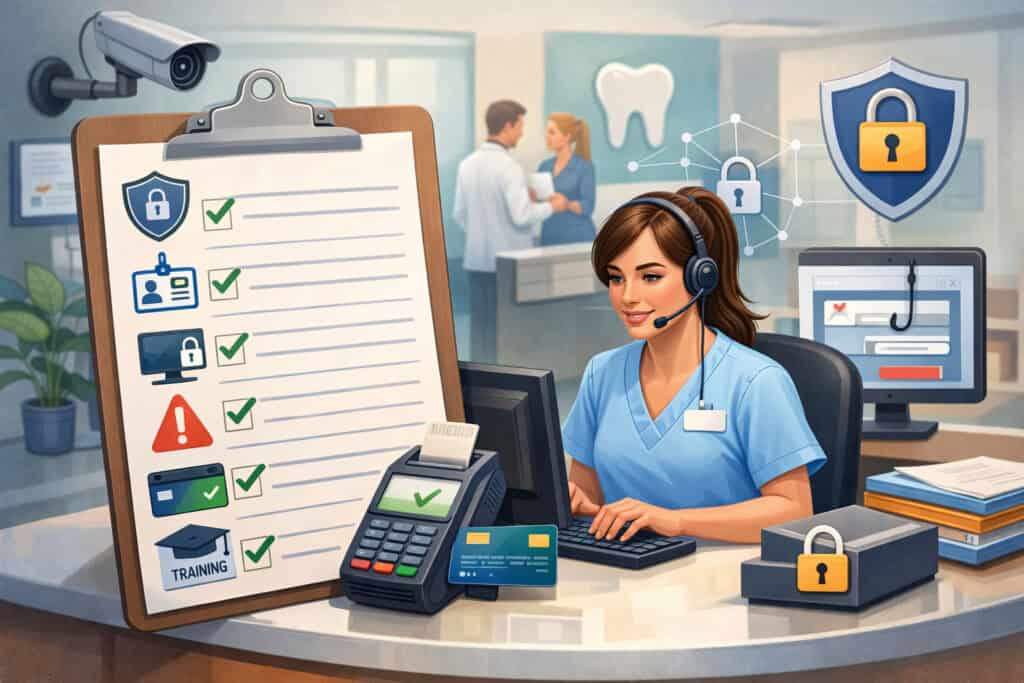
Policies fail when they read like legal documents and don’t match how the front desk actually functions. The goal of policies and training is to reduce “in-the-moment” decisions by giving staff simple rules and scripts. When a patient is upset, the phone is ringing, and the line is long, your team should not be improvising security decisions.
Start with a small set of high-impact policies:
- Accepted channels policy: where payment info is allowed (terminal, virtual terminal, secure link/portal) and where it is not allowed (email, text, chat apps, paper notes).
- No storage policy: what cardholder data must never be stored (full PAN, CVV, magstripe data) and what limited data is acceptable (last four digits and token references, when needed).
- Authorization policy: how to document consent for recurring billing and payment plans.
- Access policy: unique logins, MFA requirements, and role-based access.
- Incident escalation policy: who to notify and what steps to take if something seems suspicious.
Training should be short, recurring, and role-specific. Everyone needs baseline awareness, but the person who keys phone payments needs deeper training than someone who only checks patients out at a terminal.
Use scripts to remove awkwardness. For example:
- If a patient emails card details:
- “For your security, we can’t accept card information by email. I’m going to delete that message from our system and send you a secure payment link instead.”
- If a patient wants to text card details:
- “I can text you a secure link, but please don’t text card numbers. The link is the safest way to pay.”
- If a patient insists on giving card details while you’re not ready:
- “I’m ready now—please begin with the card number when I confirm the screen is open.”
Train on phishing, too. Many payment-related incidents start with a fake invoice email, a “processor support” call, or a spoofed message asking for credentials. Staff should feel empowered to slow down and verify.
Policies for Email, Paper, and “Patient-Sent Card Info”
The most common preventable mistake in dental offices is accidentally accepting card information through an unapproved channel. Patients often believe they’re being helpful by emailing a card number or sending it in a message. Your team must be trained to respond consistently, quickly, and without shame or blame.
Your policy should clearly state:
- Card details must only be accepted through approved tools:
- EMV/contactless terminal
- Virtual terminal (keyed entry)
- Secure hosted payment link or portal
- Card details must not be accepted or stored in:
- Email threads
- Text messages
- Appointment notes
- Scanned documents
- Photos
- Paper slips “for later”
When a patient sends card details in email, your response should be immediate and standardized:
- Stop the workflow and do not forward the message.
- Notify the designated manager according to your escalation process.
- Remove the card details according to your office’s secure deletion process.
- Document that the patient was redirected to a secure channel.
Paper is another silent risk. Paper is easy, fast, and dangerous when it contains sensitive data. If your office uses paper forms for financial policies, ensure those forms are designed to avoid full card numbers and never request CVV.
If a patient writes sensitive data anyway, staff should know how to handle it: secure storage temporarily and secure disposal promptly.
Staff Training, Phishing Prevention, and Front-Desk Habits
A well-trained team is your strongest control. Training does not need to be complicated, but it must be frequent enough to shape habits. One annual training is not enough because workflows evolve, staff turnover happens, and “quick fixes” creep in during busy seasons.
A practical training program includes:
- A short onboarding module for any staff who touch payments.
- Quarterly refreshers (15–20 minutes) focused on real scenarios.
- Quick reference guides at the point of work: near terminals and in the billing area.
- Phishing drills or “spot the scam” discussions using anonymized examples.
Phishing prevention is not just about clicking links. It’s about verification habits:
- Verify any request to change bank details, processor settings, or refund instructions.
- Treat urgent “support” calls about terminals with caution—verify through known contacts.
- Never share passwords or MFA codes, even with “IT” or “vendor support” over the phone.
- Use separate admin accounts only when necessary.
Front-desk habits matter, too:
- Lock the screen when stepping away.
- Avoid leaving patient account screens visible.
- Keep terminals and receipts in controlled areas.
- Don’t use personal devices for payment tools.
Dental Payment Security Checklist: Terminals and Devices
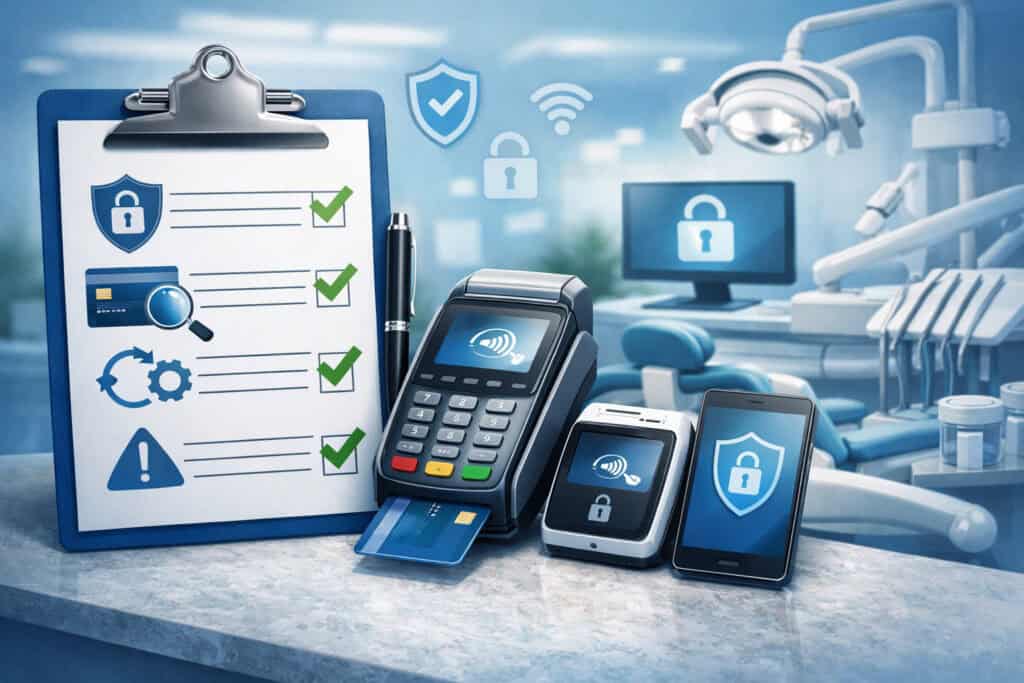
Terminals and devices are the visible part of payment security, but offices often overlook the basics: approved hardware, physical checks, and software updates. In reality, secure terminals do much of the heavy lifting when properly configured—especially when combined with P2PE and tokenization.
Your key objectives for device security are:
- Ensure terminals are approved and managed (not random devices added on the fly).
- Reduce exposure by using P2PE where available.
- Maintain devices with patching and firmware updates.
- Detect issues early with tamper checks and inventory controls.
- Limit device access and prevent “shadow terminals.”
Even if your payment processor handles most of the backend compliance, you still have front-line responsibilities. If a terminal is altered, replaced without verification, or connected to an insecure network, you can still face disruption and investigation.
Also consider other devices that touch payments:
- Workstations used for virtual terminals.
- Tablets used for checkout or remote scheduling.
- Mobile devices used for sending payment links.
- Printers that generate receipts or reports.
Each device should be inventoried, assigned an owner, and checked periodically. A simple label with an asset ID and location is surprisingly effective. When you know what “normal” looks like, you can spot changes quickly.
P2PE, Tokenization, EMV, and Contactless: What to Ask For
Many offices hear terms like PCI DSS, P2PE, and tokenization and assume those are technical details only vendors understand. You don’t need to implement these yourself, but you do need to know what to request and how it affects your workflow.
Here’s the practical meaning:
- PCI DSS is the overarching standard for protecting cardholder data. You don’t “buy” PCI DSS—you align your systems and processes to meet requirements.
- P2PE (point-to-point encryption) encrypts payment data at the terminal and keeps it encrypted until it reaches a secure environment controlled by the provider.
- Tokenization replaces a card number with a token so your office can charge again without storing card details.
- EMV terminals support chip transactions designed to reduce counterfeit fraud.
- Contactless payments use a tap method that can be fast and secure on supported devices.
When speaking to a processor or terminal provider, ask:
- Are terminals EMV and contactless enabled by default?
- Is P2PE available for our terminal model and configuration?
- Do you provide tokenization for recurring payments and stored credentials?
- How are firmware updates handled, and how often?
- What is the process to replace a terminal, and how do we verify authenticity?
- Do we have access to device tamper guidance and inspection steps?
You’re building dental office payment security requirements into procurement. If the provider can’t clearly answer these questions, that’s a sign to slow down and evaluate alternatives.
Device Tamper Checks, Updates, and Approved Hardware Rules
Tamper checks are simple inspections designed to catch obvious signs of device compromise or unauthorized changes. They aren’t about paranoia—they’re about consistent awareness. A tamper check should be part of your daily routine, like opening procedures or confirming the schedule.
A good tamper check process includes:
- Visually inspect the terminal casing for cracks, glue, misalignment, or added overlays.
- Check cables for unexpected splitters, adapters, or loose connections.
- Confirm serial number and asset label match your inventory.
- Verify the terminal boots normally and shows expected branding.
- Report anything unusual immediately and stop using the device until verified.
Updates matter too. Terminals and workstations should be kept current. If your terminal updates automatically, document that. If it requires manual updates or vendor intervention, schedule quarterly checks.
Approved hardware rules prevent chaos:
- Only designated managers can request or install replacement terminals.
- New devices must be verified against an approved list.
- Unverified “replacement shipments” are quarantined until confirmed.
- Terminals must be physically secured when the office is closed.
Dental Payment Security Checklist: Networks and Access Controls
Payment security isn’t only about the payment device—it’s also about the environment the device connects to. A secure payment terminal connected to an insecure network is like locking the front door while leaving a window open.
Networks and access controls sound technical, but the practical goals are straightforward: keep systems segmented, keep access limited, and make it hard for attackers or mistakes to spread.
Your priorities should be:
- Use secure Wi-Fi or avoid Wi-Fi for payment devices when possible.
- Implement network segmentation basics so payment-related devices are separated from guest and general use networks.
- Maintain firewalls and keep them configured and updated.
- Apply patch management on workstations and network devices.
- Use anti-malware and endpoint protection on devices that access the virtual terminal.
- Require MFA for payment platforms and administrative access.
- Enforce least privilege and role-based access so users only have what they need.
- Keep audit logs and review them periodically.
The biggest network mistakes I see in dental offices are outdated routers, shared Wi-Fi passwords, and “everyone is admin.” These problems grow quietly until an incident forces a painful reset. It’s much easier to make incremental improvements now.
Secure Wi-Fi, Segmentation Basics, Firewalls, and Patch Management
Secure Wi-Fi starts with one simple principle: the network that patients and personal devices use must be separate from the network that your business systems use. Even within business systems, payment-related devices should be separated when feasible. This is what segmentation is about—limiting the “blast radius” if something goes wrong.
Practical segmentation basics:
- A dedicated network segment for payment terminals and payment workstations.
- A separate guest network for patients.
- A separate segment for general office devices like printers and tablets if needed.
Firewalls are your gatekeepers. They control what traffic can enter and leave your network. Many offices have a firewall but never update or manage it. A firewall that hasn’t been updated in years is not a reliable control.
Patch management is equally important. Workstations used for virtual terminals should be updated regularly, and network devices like routers should not be allowed to age out. Outdated routers are a common weakness because they stop receiving security updates and may have known vulnerabilities.
Build a simple maintenance cadence:
- Monthly: workstation updates and security patches.
- Quarterly: network device firmware checks and password rotation policies.
- Annually: hardware lifecycle review for routers and critical systems.
MFA, Strong Passwords, Role-Based Access, and Audit Logs
Access controls are the “people side” of security. Most payment issues don’t require a sophisticated attack—they require access. If staff share logins, if passwords are reused, or if MFA is missing, a small mistake can have outsized consequences.
Implement these fundamentals:
- Unique logins for every user who touches payment tools.
- MFA for payment platforms, virtual terminals, and any admin consoles.
- Role-based access so front-desk staff can take payments but can’t change critical settings or export sensitive reports.
- Least privilege so users get the minimum permissions needed.
- Audit logs turned on and reviewed routinely.
Audit logs are especially valuable. They answer questions like:
- Who issued that refund?
- Who changed the recurring plan?
- Who exported transaction data?
- Who logged in after hours?
If your payment platform doesn’t provide meaningful logs, ask for stronger logging or consider an alternative. Logs are not just for incidents—they’re operational clarity.
Dental Payment Security Checklist: Online Payments Done the Safe Way
Online payments should make life easier for patients and staff, not introduce new risks. The safest online payment experiences typically rely on hosted payment pages or portals where sensitive card data is handled by the payment provider, not collected or stored by your office. This approach aligns with the principle of data minimization: you can’t lose what you never store.
To implement online payments securely:
- Use hosted payment pages or approved portal solutions.
- Avoid custom forms that collect card numbers unless the design is specifically built for secure tokenized capture by an approved provider.
- Manage staff permissions carefully so only authorized roles can create links, issue refunds, or change settings.
- Ensure your payment links include clear context: patient name (or reference), amount, description, and receipt.
- Establish a process for disputes and chargebacks related to online payments.
Online payments should also tie into patient communication. If your payment descriptor is confusing or your receipts are vague, patients may dispute charges. Disputes aren’t always fraud—they’re often confusion. Clear communications reduce chargebacks and protect revenue.
Payment Links, Hosted Pages, Virtual Terminals, and Permissions
Payment links are powerful, but only when controlled. A payment link should not feel like a casual URL that can be copied, forwarded, and paid by anyone without context. The best systems generate links tied to a specific invoice or patient reference and provide a clear confirmation screen.
When setting up payment links, aim for:
- Links that are generated from a secure system with authentication.
- Links with meaningful identifiers for staff and patients.
- Expiration windows when appropriate.
- Automatic receipts and confirmation records.
Permissions are critical. Not every team member should be able to:
- Change settlement or payout settings.
- Export transaction lists.
- Issue refunds without oversight.
- Modify recurring billing plans.
For virtual terminals, restrict access further. Keyed payments are higher risk and should be limited to trained staff. Use MFA and ensure logins are not shared.
Also consider where staff send links from. Sending links from personal messaging apps introduces risk and blurs boundaries. Use office-approved channels and templates, and keep the record in your designated communication system.
Avoiding Stored Card Data, CVV Rules, and Secure Patient Experience
One of the clearest dental payment data protection checklist rules is what not to store. Cardholder data can show up in unexpected places: notes, scanned documents, screenshots, chat logs, or “temporary” emails. Your policies should make it explicit and your systems should make it unnecessary.
Key rules to reinforce:
- Never store full card numbers in any office system outside approved tokenized platforms.
- Never store CVV under any circumstance.
- Never ask patients to write card data on paper forms.
- Avoid screenshots of payment screens.
- If card details are received accidentally, follow the deletion and incident procedure immediately.
A secure patient experience also means reducing friction. If online payments are confusing, patients will call and ask staff to “just take it over the phone,” increasing your keyed volume. That’s why usability is security. Provide a simple flow:
- One-click access to the payment page.
- Clear display of amount and description.
- Immediate confirmation and receipt.
- Easy way to call the office for questions without sharing card details through insecure channels.
Dental Payment Security Checklist: Data Handling and Retention
Most dental offices don’t intend to store sensitive payment data—it accumulates accidentally. This happens through habits: saving “just in case,” keeping old reports, scanning documents, or using patient notes as a catch-all. Data handling and retention is where payment security becomes a daily discipline.
Your goal is to control:
- What you collect (only what you need).
- Where you store it (approved systems only).
- How long you keep it (retain only what’s required for operational and compliance reasons).
- How you dispose of it (secure disposal, shredding, deletion, and controlled access).
Payment-related records you may legitimately keep include receipts, transaction references, token references, and last-four digits. You generally do not need full card numbers, CVV, or track data at any point. If a staff member can retrieve a full card number from your systems, that’s a major red flag.
Logging also matters. Logs and reports should be protected because they can reveal patterns, patient names, amounts, and sometimes partial identifiers. Limit who can export reports, and store exports in controlled, access-limited locations.
What Not to Store: Cardholder Data Rules That Protect You
A simple “do not store” list prevents 80% of avoidable payment security issues. The list should be visible and reinforced. Your team doesn’t need to memorize standards—they need clear boundaries.
Do not store:
- Full card numbers (PAN) in notes, spreadsheets, emails, texts, scanned forms, or documents.
- CVV in any format, anywhere.
- Magnetic stripe data or track data.
- Photos of cards or screenshots of payment screens.
- “Temporary” handwritten card info for later entry.
Allowed in many workflows (when appropriate and needed):
- Token references (from the processor).
- Last four digits (for patient identification).
- Authorization records and consent documentation for recurring billing.
- Transaction IDs and receipts without sensitive data.
Create a rule for accidental receipt:
- If card details arrive via email/text, do not copy/paste.
- Follow your deletion process.
- Redirect the patient to secure payment methods.
- Document that the secure method was used.
Secure Disposal, Data Retention, and Controlled Logging
Secure disposal is not glamorous, but it’s one of the easiest risk reducers. Paper with sensitive content should be shredded. Electronic exports should be deleted when no longer needed. Old devices should be wiped before disposal or redeployment.
Implement practical disposal controls:
- Shred bins in areas where financial paperwork is handled.
- A rule that no payment-related paper is placed in regular trash.
- A secure process for disposing of old terminals, tablets, and workstations.
- A designated manager to oversee device retirement.
Retention should be defined, not accidental. Your office should know:
- What records you retain for accounting and dispute resolution.
- Where those records live.
- Who can access them.
- When they are purged.
Logging should be controlled too. Audit logs are valuable, but exported logs should be protected. Avoid saving transaction exports on desktops or shared drives without access control.
Dental Payment Security Checklist: Vendor Management and Responsibility Matrix
Dental offices rely on vendors: payment processors, practice software providers, portal tools, terminals, IT support, and more. Vendor management is often overlooked until a problem happens. Then it becomes a blame game. A strong vendor approach clarifies responsibilities upfront and ensures you can validate security controls.
Vendor management includes:
- Knowing which vendors touch payment data or payment systems.
- Validating their security posture and compliance claims.
- Establishing who is responsible for what in your environment.
- Ensuring contracts and documentation align with your requirements.
Ask vendors for clear, practical documentation:
- Proof of PCI DSS alignment or relevant attestations.
- P2PE status if applicable.
- Tokenization approach for recurring billing.
- Data flow diagrams or descriptions: what data they receive, store, and transmit.
- Security features: MFA, audit logs, access controls, encryption.
- Support procedures for suspected compromise or device replacement.
Where applicable, you may also need a business associate agreement (BAA) for vendors that handle protected health information in a way that triggers that obligation.
Payment vendors may or may not fall into this category depending on their role and data access. The key is to assess whether the vendor has access to sensitive patient information beyond payment processing and to document your decision.
A responsibility matrix is essential. It answers:
- Who manages terminal updates?
- Who manages firewall settings?
- Who controls user permissions in the payment portal?
- Who monitors for fraud?
- Who handles incident response?
What to Request From Processors and Software Vendors
When evaluating vendors, focus on answers that translate into operational reality. Marketing language isn’t enough. You want specifics that affect your daily workflows and your risk exposure.
Request:
- A written outline of their PCI DSS responsibilities vs your responsibilities.
- Details on how cardholder data is protected end-to-end.
- Whether P2PE is used, and under what conditions.
- How tokenization is handled for stored credentials and recurring billing.
- How staff access is protected (MFA, role-based access).
- What audit logs are available and how long they are retained.
- How device replacement works and how authenticity is verified.
- How quickly they notify you of incidents that could affect your environment.
- Support escalation contacts and response timelines.
Also request training materials for your staff. The best vendors support secure workflows by providing documentation that front-desk teams can understand.
Vendor Risk Management and Integration Oversight
Vendor risk management doesn’t mean distrusting every vendor. It means acknowledging that vendors are part of your environment and managing that reality with structure. Your office should maintain a vendor list that includes:
- Vendor name and service type.
- Systems accessed (payments, portal, accounting, terminals).
- Data touched (payment tokens, transaction data, patient identifiers).
- Access method (API integration, direct login, remote support).
- Account owner and backup owner in your office.
- Last review date and next review date.
For integrations, verify:
- Permissions: are they scoped appropriately?
- Authentication: is MFA supported and enabled where possible?
- Logs: do you get enough visibility to investigate issues?
- Change management: who can enable/disable integrations?
Avoid untracked vendor access. “Our IT person has access” is not sufficient. Access should be tied to named accounts, documented, and periodically reviewed.
Monitoring, Fraud Prevention, and Incident Response
Monitoring is about noticing problems early and responding consistently. Most dental offices don’t need a security operations center. They need clear indicators, routine checks, and an incident response plan that removes decision fatigue.
Fraud prevention should be tuned to your payment mix:
- Use EMV/contactless whenever possible for card-present payments.
- Use AVS and CVV rules for keyed transactions.
- Limit manual keying and require training for staff who do it.
- Watch for chargeback patterns and adjust communication and descriptors.
- Use alerts from payment platforms when possible.
Monitoring includes:
- Reviewing transaction exceptions (unusual refunds, voids, after-hours activity).
- Checking device inventory and terminal tamper routines.
- Reviewing user access changes.
- Watching for phishing emails, strange calls, or vendor impersonation.
Incident response should not be improvised. It should define:
- Who is the incident lead.
- Who contacts the payment provider first.
- How devices are isolated or removed from use.
- How evidence is preserved (without over-handling).
- How communication is managed internally.
Warning Signs and First Response Steps
Warning signs aren’t always dramatic. Often they’re subtle operational anomalies that staff brush off. Train your team to treat these signs seriously and to report quickly.
Common warning signs:
- A terminal behaves strangely, reboots frequently, or looks physically altered.
- Unexpected refund activity or voids.
- Login alerts from unfamiliar locations or times.
- Patients reporting charges they don’t recognize with your descriptor.
- Staff receiving urgent messages requesting password resets or MFA codes.
- Vendor “support” calls that pressure staff to act quickly.
First response steps should be specific and documented:
- Stop using the suspicious terminal or account.
- Notify the designated incident lead immediately.
- Contact your payment provider using verified contact information.
- Preserve relevant information: timestamps, screenshots of alerts (not card data), user activity logs.
- Do not “test” transactions on suspicious devices.
- Do not allow anyone to remote in unless verified through your established process.
Your goal is to prevent further exposure and to get expert guidance quickly. Your payment provider will typically have an incident procedure, and following it promptly is critical.
Breach Response, Documentation, and Who to Call First
A breach response plan should be written in plain language and fit on a page or two. It should not require a manager to remember complex steps while stressed. The plan should define a chain of communication and decision-making.
Your breach response plan should include:
- Immediate containment steps (stop using affected systems).
- Notification list (internal leadership, payment provider, IT support, legal/compliance advisors as needed).
- Documentation steps (what happened, when, who discovered it, what actions were taken).
- Communication rules (who can speak with vendors, staff, or patients).
- Recovery steps (device replacement, password resets, MFA resets, system scans, verification before resuming).
Who to call first depends on what you suspect, but often it starts with the payment provider if payment systems are involved. They can advise on device quarantine, forensic steps, and compliance reporting needs. In parallel, contact your IT support to assess network and workstation exposure.
Common Mistakes and Myths That Undermine Dental Payment Security
Payment security failures in dental offices are usually not caused by a lack of care—they’re caused by myths and shortcuts. When people believe something is “probably fine,” they repeat it until it becomes normal. This section highlights common pitfalls so you can eliminate them systematically.
Frequent mistakes:
- Shared logins for payment portals and virtual terminals.
- Saving card details in patient notes “so we can run it later.”
- Texting payment and sensitive patient information because it’s fast.
- Using personal devices to log into payment tools or to send payment requests.
- Outdated routers that no longer receive updates.
- Unreviewed integrations that have broad access and no clear owner.
- Leaving terminals unattended or allowing unverified device swaps.
- Printing or storing unnecessary reports that expose transaction data.
- No consistent process for patient disputes, refunds, or chargebacks.
Common myths:
- “We’re too small to be targeted.”
Smaller offices are often targeted because they assume they won’t be. - “Our processor handles everything.”
Processors handle a lot, but your workflow and devices still matter. - “We need to keep the card number for payment plans.”
Tokenization exists specifically so you don’t have to store card numbers. - “It’s okay if the card number is in email as long as we delete it later.”
If it entered the system, it may be backed up or logged. Prevent it from entering in the first place.
High-Risk Habits to Fix First
If you want the fastest risk reduction, focus on the habits that create the most exposure. These are usually behavior-driven issues that don’t require major technology changes.
Fix these first:
- Eliminate shared payment logins and require unique user accounts.
- Enforce MFA for payment platforms and admin access.
- Prohibit card details in email, texts, and notes—and train staff on how to redirect patients.
- Replace paper card collection with tokenized recurring billing tools.
- Standardize device tamper checks and terminal inventory.
- Retire outdated network equipment and enforce secure Wi-Fi separation.
- Lock down permissions so only specific roles can issue refunds or export transaction data.
Each fix should be paired with a clear workflow alternative. If you remove a bad habit without giving a convenient replacement, staff will invent a new workaround.
30-Day Security Baseline Plan
A 30-day baseline plan focuses on high-impact actions you can realistically implement quickly. This is not about becoming “perfect.” It’s about stopping the most common failure modes and creating structure. Most offices can complete this plan without major disruption if they assign ownership and do one small sprint each week.
In the first 30 days, your objectives are:
- Reduce exposure by eliminating dangerous data handling.
- Lock down access with MFA and role-based permissions.
- Stabilize devices with inventory, tamper checks, and updates.
- Establish a basic incident response plan and escalation chain.
Week 1: Lock down access and remove the worst risks
- Turn on MFA for payment portal and virtual terminal accounts.
- Create unique user accounts; eliminate shared logins.
- Implement role-based access: restrict refunds, exports, and admin settings.
- Publish a “no card data in email/text/notes” policy and script.
Week 2: Secure terminals and workstations
- Inventory every terminal and workstation used for payments.
- Add asset labels and record serial numbers and locations.
- Implement daily terminal tamper checks and a reporting path.
- Confirm terminal update process and apply updates where needed.
- Ensure workstations have anti-malware and active patching.
Week 3: Network hygiene
- Separate guest Wi-Fi from business systems.
- Confirm the firewall is active and updated.
- Update router firmware; replace outdated network devices if they can’t be updated.
- Set strong admin passwords and limit who has them.
Week 4: Incident response and monitoring basics
- Create a one-page incident response plan.
- Document vendor contacts and escalation steps.
- Turn on alerts in your payment platform if available.
- Set a monthly review meeting for access, refunds, and exception reports.
90-Day Security Maturity Plan
After the baseline, maturity is about consistency, visibility, and resilience. In 90 days, you can build a program that stays strong even when staff changes or the office gets busy. This is where you move from “we did a few fixes” to “this is how we operate.”
Your maturity objectives:
- Formalize policies into repeatable workflows.
- Strengthen vendor oversight and integration governance.
- Improve monitoring and documentation.
- Expand training into a sustainable cadence.
Days 31–60: Standardize and document
- Create a payment security checklist for dental offices tied to job roles.
- Document your payment channels and approved tools.
- Create templates for payment links and patient communications.
- Establish a retention and disposal schedule for payment-related reports.
- Review permissions and adjust based on actual job responsibilities.
Days 61–90: Build oversight and resilience
- Conduct a vendor review: PCI alignment claims, P2PE status, tokenization practices, support procedures.
- Create a responsibility matrix for vendors and internal roles.
- Implement quarterly access reviews and monthly refund/exception reviews.
- Run a tabletop incident exercise and update your plan.
- Formalize onboarding and refresher training.
Practical Checklists You Can Use Immediately
This section provides actionable checklists to turn your dental practice payment security guide into daily habits. Use these as-is, and customize them to your systems. Keep them visible and treat them as operations tools, not compliance paperwork.
Front-Desk Daily and Weekly Payment Security Tasks
These tasks should take minutes, not hours. The purpose is to catch issues early and reinforce consistent habits.
Daily checklist (front desk):
- Confirm terminals are in expected locations and appear unchanged.
- Perform a quick device tamper check:
- Casing intact, no overlays
- Cables normal, no splitters
- Screen and boot behavior normal
- Ensure the terminal is never left unattended in public areas.
- Use only approved methods for payment collection:
- Terminal, virtual terminal, secure link/portal
- If a patient tries to send card data by email/text:
- Stop, redirect, and follow deletion policy
- Lock workstation screens whenever stepping away.
- Report anything unusual immediately.
Weekly checklist (front desk):
- Confirm receipt printers and reports are not storing sensitive details.
- Review any paper financial documents created that week:
- Shred anything that should not be retained
- Confirm no card details were captured in notes or messages.
- Verify staff who used virtual terminal were authorized and trained.
Manager Monthly Audit Tasks
Managers need a slightly deeper view, focused on access, exceptions, and drift. These tasks prevent the slow creep of shared logins, permission sprawl, and forgotten integrations.
Monthly checklist (manager):
- Review payment platform user list:
- Remove inactive users
- Confirm roles align with job duties
- Verify MFA is enabled for all users
- Review refunds and voids for unusual patterns:
- High volume, after-hours, or inconsistent reasons
- Review chargebacks and disputes:
- Identify confusion patterns and adjust descriptors/communications
- Review recurring billing plans:
- Confirm tokenization is used
- Verify consent documentation exists
- Check for unusual modifications
- Review integration list:
- Confirm ownership and necessity
- Verify permissions and access scope
- Confirm workstations and network devices are patched:
- Review update status and anti-malware status
- Test incident response readiness:
- Confirm vendor contacts are current
- Confirm staff know how to escalate
New-Hire Onboarding Security Checklist
Onboarding is where security culture starts. If new hires learn “quick shortcuts” from day one, those habits are hard to undo. This checklist ensures new staff start with secure workflows.
Onboarding checklist (new hire):
- Create unique user accounts for:
- Practice management system
- Payment portal/virtual terminal
- Online payment link tools (if applicable)
- Enable MFA on payment tools before first shift handling payments.
- Assign role-based permissions based on job responsibilities.
- Train on approved payment channels and “no card data storage” policy:
- No card numbers in email/text/notes
- No CVV storage ever
- Train on phone payment scripts:
- How to guide patients, how to avoid repeating details
- Train on terminal use and daily tamper checks.
- Train on phishing prevention:
- Verify vendor calls
- Do not share passwords/MFA codes
- Train on incident escalation:
- Who to notify, how to pause a suspicious device or account
- Confirm understanding with a short scenario walkthrough:
- Patient emails card info
- Terminal looks altered
- “Processor support” calls urgently
FAQ
Q1) What is the main goal of a dental payment security checklist?
Answer: The goal is to protect cardholder data, reduce fraud and chargebacks, and ensure payments happen through approved secure channels. A good checklist also protects your staff by removing guesswork and standardizing workflows.
Q2) Do we need to be experts in PCI DSS to run payments securely?
Answer: No. You need to understand the basics and implement practical controls: use secure terminals, avoid storing card data, enable MFA, limit access, and follow your provider’s compliance guidance. Your vendors should support you with clear responsibilities.
Q3) Are EMV and contactless payments safer than keyed payments?
Answer: They are generally lower risk for counterfeit fraud because the chip or contactless method adds protections that keyed transactions don’t have. Keyed payments are card-not-present and typically require stronger controls like AVS, strict access rules, and careful monitoring.
Q4) Can our office store card numbers for payment plans?
Answer: You should not store full card numbers. Use tokenization through an approved payment provider or platform. Tokenization supports recurring charges without keeping cardholder data in your systems.
Q5) What should we do if a patient emails their card number?
Answer: Do not process the card from the email. Follow your office policy: escalate to the designated lead, remove the data through your secure deletion process, and send the patient a secure payment link or collect payment through approved methods. Train staff to respond consistently and politely.
Q6) Is it okay to write card details on paper during a phone call?
Answer: No. Paper notes create a high-risk “shadow record.” Staff should enter card details directly into the virtual terminal when ready, and never record CVV or full card numbers anywhere else.
Q7) What is P2PE and why does it matter for terminals?
Answer: Point-to-point encryption (P2PE) encrypts card data at the terminal and keeps it encrypted until it reaches the provider’s secure environment. It reduces the chance that sensitive cardholder data passes through your internal network or workstations.
Q8) How do we reduce chargebacks related to dental payments?
Answer: Use clear descriptors and receipts, communicate amounts and timing, document authorization for recurring charges, and ensure patients understand what they’re paying for. Disputes often come from confusion, not fraud.
Q9) What access controls matter most for payment tools?
Answer: Unique logins, MFA, role-based access, least privilege, and audit logs. These controls prevent unauthorized use and make it easier to investigate refunds, recurring changes, and unusual activity.
Q10) How often should we check terminals for tampering?
Answer: Daily checks are ideal and should be part of opening procedures. Weekly deeper checks can be added for managers. The key is consistency and a clear escalation path if anything looks unusual.
Q11) Do we need secure Wi-Fi if our terminals are “encrypted”?
Answer: Yes. Encryption helps, but network hygiene still matters because other systems—workstations, portals, integrations—may be exposed through insecure networks. Segmentation and updated network equipment reduce risk significantly.
Q12) What’s the simplest way to improve dental office payment security requirements quickly?
Answer: Turn on MFA, eliminate shared logins, stop card data from entering email/text/notes, inventory terminals, and implement daily tamper checks. These changes reduce risk quickly without heavy technical work.
Conclusion
Payment security in a dental office is a trust practice. Patients expect your office to handle their payment information with care, and your team deserves workflows that are clear, efficient, and safe.
The strongest security programs aren’t built on fear or complexity—they’re built on simple, repeatable habits: accept card data only through approved channels, minimize what you store, lock down access, maintain devices and networks, and prepare for the moments when something feels off.
Use this dental payment security checklist as an operations tool. Start with the 30-day baseline to eliminate the most common risks. Then move into the 90-day maturity plan to build consistency, oversight, and resilience.
When security becomes part of daily rhythm, it stops feeling like “extra work” and starts feeling like professional care—because it is.