Running payments in a dental office looks simple from the outside: swipe, tap, approve, print a receipt, done. But anyone who’s lived at the front desk knows the reality is very different.
You’re managing scheduled and unscheduled treatment, insurance estimates, patient anxiety, privacy concerns, chargeback risk, and busy end-of-day routines—often with a small team wearing multiple hats.
That’s why payment terminal requirements for dental offices go well beyond “can it take a card?” Dental practices need a reliable, secure, and workflow-friendly setup that supports deposits, staged payments, refunds, HSA/FSA cards, remote payments, and tight security controls—without slowing the team down or increasing compliance burden.
In this guide, we’ll define what “terminal requirements” really mean for a dental practice (hardware, software, security, connectivity, and workflows), then walk through exactly what to buy, how to set it up, how to run it daily, and how to evaluate vendors without getting trapped by hidden fees or outdated equipment.
If you’re comparing options or rebuilding a shaky payment setup, this is designed to be a practical playbook you can apply immediately.
What “terminal requirements” mean in a dental office (and why dental is different)
When people say “terminal requirements,” they often mean the physical device on the counter. In a dental practice, dental office payment terminal requirements are broader: you’re choosing a payment ecosystem that includes the terminal hardware, the payment software experience, security controls, connectivity reliability, receipt options, and how all of it fits into front-desk and clinical workflows.
Dental also differs from typical retail because payments are rarely a single, final purchase. You might take a small deposit today, run a larger payment after treatment, and then issue a partial refund when insurance pays differently than expected.
You may need to collect in the operatory to reduce no-shows and improve case acceptance. You may need a secure way to take payment over the phone for a prepay plan or same-day add-on.
Then there’s the privacy and trust factor. Patients don’t want their card data repeated aloud at a crowded front desk, and they don’t want staff writing anything down “to run later.”
A dental practice also has staffing realities: rotating front-desk coverage, temps, and new hires. That makes roles, permissions, audit logs, and “no shared logins” more important than many offices realize.
So when evaluating credit card terminal requirements for dental practices, think in five buckets:
- Acceptance requirements: EMV chip, contactless/NFC, PIN debit, and flexible tender types
- Workflow requirements: fast checkout, clean refunds/voids, deposits, split/staged payments
- Remote options: virtual terminal, QR pay links, and secure phone payments
- Security and compliance: PCI compliance, tokenization, P2PE, device encryption, tamper detection
- Reliability: Wi-Fi vs Ethernet decisions, cellular backup, offline mode/store-and-forward, support SLAs
Must-have terminal capabilities for dental offices
Dental payments fail when the terminal is “technically capable” but operationally messy. The must-haves below are what keep collections smooth, reduce errors, and protect your practice.
EMV chip + contactless/NFC acceptance (and why it matters operationally)
EMV chip and contactless/NFC acceptance are non-negotiable requirements for modern dental payments. From a practical standpoint, tap-to-pay is faster, reduces line buildup, and lowers the chance of staff handling cards unnecessarily.
From a risk standpoint, EMV transactions are generally more secure than magnetic stripe transactions and help reduce certain types of fraud exposure.
For dental offices, contactless is particularly useful at the front desk when you want quick, low-friction checkout. It also helps in operatory collections when a wireless device is used—patients can tap with a phone or card without awkward handoffs. Make sure your terminal supports:
- Contactless/NFC for wallets (Apple Pay/Google Pay) and contactless cards
- EMV chip with clear prompts and fast authorization
- Fallback rules that don’t encourage repeated swipes (a common source of duplicates)
- PIN debit if you plan to accept debit with PIN entry (often preferred by some patients)
Also consider the hardware usability details that determine real-life success:
- A responsive touchscreen terminal with readable prompts
- A stable chip reader that doesn’t require “wiggling the card”
- A consistent beep/vibration feedback for contactless confirmation
- A screen angle that protects privacy at the counter
Fast checkout, clean void/refund flow, and fewer front-desk mistakes
Speed matters, but clarity matters more. The front desk shouldn’t have to guess which button to press to refund a deposit, void a mistaken charge, or reprint a receipt for a patient who needs documentation.
One of the most overlooked dental payment processing terminal setup requirements is a streamlined, mistake-resistant user interface.
Your terminal flow should support:
- One-screen sale entry with minimal taps
- Clear confirmation screens before finalizing amounts
- Simple voids for same-day correction (before settlement)
- Straightforward refunds for post-settlement adjustments
- Partial refunds (common with insurance estimate changes)
- Receipt reprints and electronic receipt options
Where offices struggle is “refund chaos” after the day has settled. If your terminal makes post-settlement refunds confusing, staff will delay refunds, issue the wrong amount, or process a new charge instead of correcting the original transaction. That increases disputes and damages trust.
Build rules into your workflow:
- Voids are used only when correcting same-day mistakes
- Refunds require manager permission and a reason code or note
- Refunds must reference the original sale whenever possible
- Every adjustment is reconciled during end-of-day close
Secure phone/remote payment options via virtual terminal or pay links
Dental offices frequently need remote payment methods: collecting a pre-treatment deposit, taking payment after a tele-consult, or letting a patient pay from home without reading card data aloud. A terminal alone doesn’t solve this. You need a secure virtual terminal and/or QR pay links that keep sensitive card data out of email and away from handwritten notes.
The core requirement is a remote payment option that supports:
- A browser-based virtual terminal for phone payments
- Tokenization so returning patients can pay without re-keying card data (when permitted by your workflow and policy)
- Payment links sent by text/email where the patient enters card details directly
- Audit logs showing who sent the link and when it was paid
- Optional partial authorization support (sometimes useful for deposits)
When a patient is on the phone, you should never have staff write card details down. With a virtual terminal, staff can key in the payment in real time, and the system should immediately return approval/decline results and store only tokenized references—not raw card numbers.
Pay links are even better for privacy. The patient pays on their own device; you only get confirmation. For many practices, pay links also reduce input errors and lower chargeback risk because the payer is actively completing the transaction.
Support for deposits, staged payments, and split tenders
Dental payments often happen in stages. You might collect a diagnostic visit fee, then a deposit for a planned procedure, then the remainder at delivery. Or a patient might want to split across two cards, use HSA/FSA for part, and another card for the rest. These are everyday scenarios—and your terminal and processor must handle them cleanly.
Key requirements include:
- Deposits as a distinct workflow (not just a generic sale)
- The ability to capture partial payments against a total balance
- Split tender support (two cards, card + cash, etc.)
- Staged payments without creating confusion in receipts and reporting
- Clear labeling for deposit vs final payment on receipts and transaction histories
If your payment environment supports a tokenized card-on-file workflow, you may also want the option to take a deposit today and charge the remaining approved balance later—only if your patient authorization policies are extremely clear and documented. Many offices choose pay links instead to avoid misunderstandings.
From an operational standpoint, staged payment support should reduce staff work—not create a spreadsheet mess. The best systems make it easy to see:
- What’s been paid
- What’s still due
- Which transactions were deposits
- Which were refunds/adjustments
- Who processed each action
HSA/FSA acceptance that “just works” at the point of care
Many patients use HSA/FSA funds for eligible dental expenses. While eligibility can vary by expense type and plan rules, your terminal needs to accept these cards reliably as standard card-present transactions. The requirement is less about special hardware and more about compatibility and clean processing behavior.
Make sure your setup supports:
- Standard EMV + contactless transactions for HSA/FSA cards
- A predictable approval/decline response without forcing staff into workarounds
- The ability to provide receipts suitable for substantiation
- Split payments when part of the treatment is paid using other funds
Operationally, the office should avoid giving “coverage guarantees.” If a patient’s HSA/FSA card declines, staff should have a simple backup path:
- Offer another card
- Offer a pay link
- Offer to split the amount
- Offer to reschedule non-urgent treatment if needed
Terminal types for dental offices and when to use each
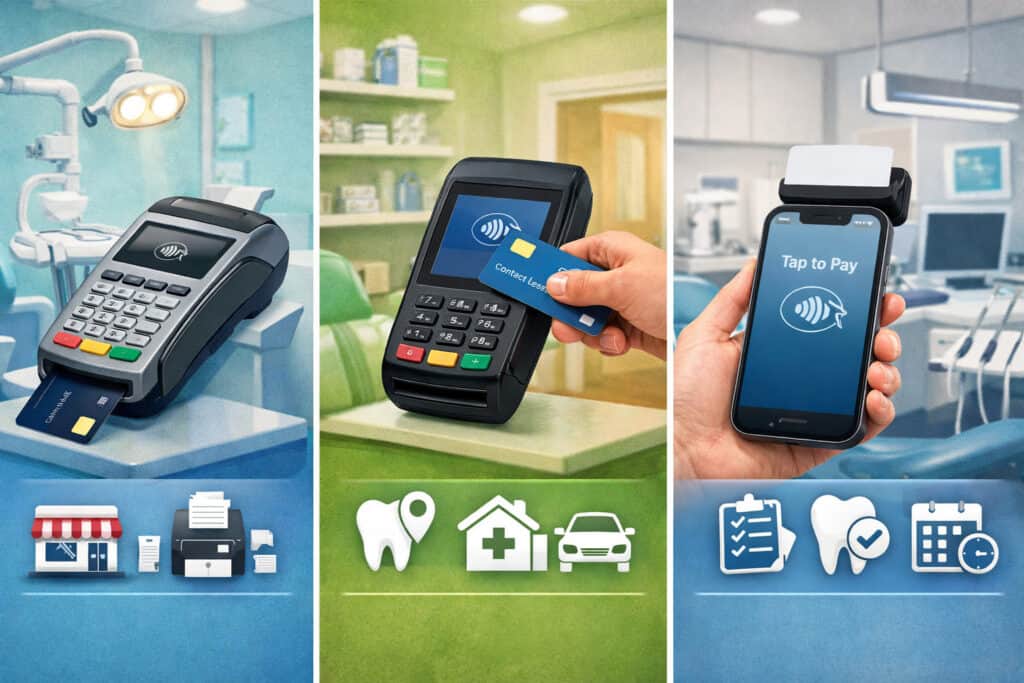
Not every terminal belongs at the counter. The best setups are intentionally matched to how the practice collects payments, where patients are physically located, and how staff rotate duties.
Countertop terminals at the front desk
Countertop terminals are still the most common device in dental offices because the front desk remains the default checkout point. A countertop terminal should be chosen for stability, speed, and security—not just price.
If this device is your “primary lane,” it needs to work every time, handle peak traffic, and support clean reconciliation.
Core countertop requirements:
- Ethernet connectivity option (preferred for stability)
- Reliable EMV chip reader and fast contactless/NFC performance
- Receipt options: printed receipts plus SMS/email receipts if desired
- A clear touchscreen with intuitive prompts
- A locked-down configuration with limited admin access
- Strong tamper detection and device encryption features
From a workflow standpoint, countertop terminals work best when:
- Most payments happen at checkout
- The practice wants one consistent end-of-day batch close
- Staff prefer a fixed station for cash drawer and receipt printer integration
Countertop terminals can also support a “privacy-first” checkout if placed correctly. Angle the device so other patients can’t see the screen, and use a signature capture method that doesn’t require the patient to lean into staff space.
Wireless terminals for operatory or room-side collections
Wireless terminals are the biggest game-changer for many practices because they enable room-side collections—often improving case acceptance and reducing “I’ll call you later with my card” moments. But wireless devices must meet higher requirements for connectivity, battery health, and staff accountability.
Wireless terminal requirements include:
- Strong Wi-Fi performance with roaming stability
- Optional cellular backup if Wi-Fi drops or coverage is spotty
- Durable hardware built for frequent carrying and disinfecting routines
- Clear on-screen prompts and fast authorization
- A practical battery management plan (charging dock, spare device strategy)
Room-side collections are best when:
- Treatment plans are presented chairside and payment is collected immediately
- The practice wants to reduce front desk congestion
- There is frequent same-day treatment add-on where final amounts change
Wireless devices also require stronger role controls. If the device is moving around, you need:
- Individual staff logins (no shared codes)
- Permission limits (who can refund, who can void)
- Audit logs you can review when something looks off
Mobile card readers for events, pop-ups, or curbside scenarios
Mobile readers are lightweight devices that pair with a phone or tablet. They can be useful if your practice does community events, screening days, or needs occasional curbside collection. But they also introduce risks if not managed carefully—especially around personal devices and uncontrolled apps.
If you use a mobile card reader, requirements include:
- A reader that supports EMV chip + contactless (not just swipe)
- Secure pairing with an approved device and payment app
- Strong authentication, role control, and audit logging
- A documented policy about which devices are allowed
- A plan for connectivity (cellular data availability)
Mobile readers are best treated as “special use” devices, not primary terminals. They’re excellent for flexibility, but they can expand your operational complexity if multiple staff members use personal phones or if receipts aren’t consistently captured.
Your office policies should clarify:
- Who is authorized to use the reader
- How receipts are delivered
- How transactions are reconciled back to the practice’s reporting system
- How the reader is stored and inventoried when not in use
Integrated terminals connected to practice systems vs standalone terminals
This is often the most important decision in payment terminal requirements for dental offices: do you want integrated payments tied to your practice management workflows, or a standalone terminal that runs payments separately?
Integrated terminals (connected to practice systems) can streamline operations by:
- Passing amounts automatically (reducing keying errors)
- Linking transactions to patient accounts
- Simplifying reporting and reconciliation
- Supporting tokenization for repeat payments in a controlled way
However, integration also introduces dependencies. If the system is down or the integration breaks after an update, payments can stall unless you have a fallback method.
Standalone terminals are simpler and often more resilient because they don’t rely on software integration to take a payment. But they require manual entry of amounts and manual posting to patient accounts, increasing the chance of mismatches and time spent reconciling.
Choosing between the two depends on:
- Practice volume and front desk staffing
- How often you take staged payments or repeat payments
- How much you value automatic posting and reduced errors
- Your tolerance for integration complexity and vendor coordination
Dental payment processing terminal setup: a step-by-step playbook
A good terminal can still fail if setup is sloppy. Proper dental payment processing terminal setup protects uptime, keeps staff consistent, and reduces security risk.
Network setup: Wi-Fi vs Ethernet, segmentation basics, and password hygiene
Connectivity is the foundation. If your terminal can’t reliably reach the processor, you’ll see declines, timeouts, duplicates, and staff panic. For dental offices, the most stable setup typically prioritizes Ethernet for fixed terminals and Wi-Fi for wireless devices—with a plan for backup.
Key network requirements and best practices:
- Use Ethernet for countertop terminals whenever feasible
- Reserve Wi-Fi for wireless terminals and mobile devices
- Avoid “guest Wi-Fi” for payment devices
- Use strong Wi-Fi security and avoid shared, weak passwords
- Keep terminal network settings locked from general users
Segmentation basics matter because payment devices should not share a flat network with everything else. Even without getting overly technical, your goal is to reduce exposure by limiting what can “talk” to the terminal.
Your network partner can help implement a separated or restricted network path that reduces risk and can contribute to PCI scope reduction.
Password hygiene is also part of setup:
- Change default router and admin passwords
- Don’t store network passwords on sticky notes near the terminal
- Use unique credentials for payment dashboards and virtual terminals
- Require lock screens where possible
Also consider redundancy:
- Add cellular backup for internet if your office is connectivity-sensitive
- Ensure terminals can fail over smoothly if the primary path drops
- If supported, enable offline mode/store-and-forward only with strict controls, because it carries risk if transactions later fail
User roles, permissions, receipts, batching/settlement, and staff training
Front-desk consistency is built on roles and training. The ideal setup creates a clean separation between everyday staff actions and high-risk actions like refunds, voids, and settings changes.
Role and permission requirements:
- Individual staff logins (no shared logins)
- A “standard user” role for taking payments and reprinting receipts
- A “manager” role for refunds/voids and report access
- Optional “admin” role limited to the owner/administrator or trusted lead
Receipts should be configured intentionally. Many offices want both printed and electronic receipt options:
- Printed receipts for patients who prefer paper
- Email/SMS receipts for patients who want documentation without paper
- Receipt customization fields for practice name and contact info
- Clear labeling of deposit vs payment when applicable
Batching/settlement is where many offices fall apart. You need a standardized end-of-day workflow that answers:
- Who is responsible for batch close?
- What time does settlement occur?
- What happens if the batch is not closed?
- How do you handle late-day refunds or voids?
- How do you reconcile the daily totals with internal posting?
Training should include short, repeatable steps:
- Take a payment (chip, tap, keyed)
- Void a same-day error (with manager approval)
- Refund a prior transaction (with manager approval)
- Reprint or resend receipts
- End-of-day batch close and report capture
- What to do when something declines or times out
Testing transactions, refunds, and end-of-day reconciliation before going live
Before you go live, you should run controlled tests that mirror real dental scenarios. A single successful $1.00 authorization is not enough. Test the full lifecycle: sale → receipt → posting → settlement → refund/void → reconciliation.
Your test plan should include:
- EMV chip transaction
- Contactless/NFC transaction (phone wallet if possible)
- Keyed transaction (if allowed and necessary for phone payments)
- Deposit scenario (partial payment)
- Split payment scenario (two tenders)
- Same-day void
- Next-day refund
- Receipt reprint and electronic receipt delivery
- End-of-day batch close and report export or capture
Reconciliation testing should verify:
- The daily terminal report matches your internal posted totals
- Refunds and voids are reflected correctly
- No duplicated transactions exist due to “retry” behavior
- Funding timelines align with your expectations
If your office will use integrated payments, confirm that:
- Amounts pass correctly from the practice system to the terminal
- The transaction posts to the correct patient ledger entry
- Reversals and refunds sync properly (or you have a documented manual method)
Security and compliance: keeping card data safe without slowing the office down

Security doesn’t need to be complicated, but it must be consistent. Dental offices handle sensitive patient interactions and should treat payment data with the same seriousness: reduce exposure, lock down access, and eliminate risky habits.
PCI basics, PCI scope reduction, tokenization, P2PE, and device security
PCI compliance is a set of requirements designed to protect card data. As a practical matter, your goal is to reduce the amount of sensitive data you touch and the number of systems involved. The less you handle, the lower your risk.
Two important technologies for PCI scope reduction are:
- Tokenization: replaces sensitive card details with a token that can be used for future transactions without storing the actual card number
- P2PE (point-to-point encryption): encrypts card data from the moment it’s captured in the device through the secure processing path, reducing exposure to other network components
When evaluating dental office payment terminal requirements, ask whether the solution supports:
- Device encryption and secure key management
- P2PE options (if you want to reduce scope and strengthen security posture)
- Tokenization for repeat payments and payment links
- Strong device-level protections, including tamper detection
You should also maintain an inventory of devices:
- List every terminal by model and serial number
- Track which location/desk/room it belongs to
- Track who is responsible for daily inspection
- Document replacement and decommission procedures
This helps prevent “mystery devices” appearing on your network and supports faster response if a device is lost or compromised.
Device inspection, tamper checks, terminal injection risk, and firmware updates
Payment terminals are designed to be secure, but they still require basic physical controls. Staff should know what “normal” looks like and how to spot suspicious changes.
Daily or weekly device inspection includes:
- Look for broken seals, unusual stickers, or added attachments
- Check for loose parts or altered card slots
- Verify cables are intact and not swapped
- Confirm the device hasn’t been moved to a different location without authorization
“Terminal injection” is a risk where malicious code or altered settings are inserted into the payment path. You don’t need to be technical to protect against it—you need process control:
- Only approved staff can change terminal settings
- Terminals are not left unattended in public spaces
- Any repairs or swaps are logged and verified
- Devices are sourced only through trusted channels
Firmware updates matter because terminals are essentially small computers. Updates can patch vulnerabilities and improve reliability, but they can also break workflows if deployed carelessly. Your vendor should provide:
- A clear policy for firmware updates
- Guidance on scheduling updates outside peak hours
- Release notes or basic explanation of changes
- Support if an update causes issues
What not to do: common mistakes that increase risk and disputes
Most dental payment security issues come from habits, not hackers. The “don’ts” below should be non-negotiable policies in your office.
Do not:
- Store card numbers in notes, spreadsheets, or patient charts
- Email card data or ask patients to email card details
- Take card numbers over voicemail
- Use shared logins for terminals or virtual terminals
- Let staff take photos of cards “for convenience”
- Leave terminals unlocked with admin access
- Re-run a transaction multiple times after a timeout without checking reports first
These behaviors increase risk, expand compliance burden, and invite disputes. The safer alternatives are:
- Use a virtual terminal for phone payments
- Use payment links for remote payments
- Use tokenization when repeat payments are needed
- Use role-based access with audit logs
Pricing and contracts: buy vs lease, support, replacement policies, and hidden fees
Terminal pricing is where many practices get burned. Hardware cost is only one part of the financial equation. The bigger risks are long-term leases, hidden fees, and weak replacement policies that leave your office stuck when devices fail.
Terminal purchase vs lease: what usually makes sense for dental offices
Leasing can sound attractive: “low monthly cost” and “free replacements.” But leases often lock you into long terms, high total cost, and cancellation headaches. Purchasing is usually simpler and gives you control—especially if you choose modern devices with warranty options.
When comparing buy vs lease, evaluate:
- Total cost over the full term (not just the monthly number)
- Whether the lease is cancellable and under what terms
- Who owns the terminal at the end
- Replacement and upgrade policies
- Whether the lease is separate from your processing agreement
Many terminal leases are structured in a way that makes early exit expensive, even if service quality is poor. Buying can reduce risk and makes it easier to change providers if needed.
However, purchasing doesn’t mean you should ignore support. You want:
- A real warranty
- Rapid replacement options
- Clear support SLAs (response times and escalation)
Warranty/support, replacement policies, and support SLAs
Dental offices can’t “wait a week” for a replacement terminal. If payments are down, collections slow and staff time gets consumed with manual workarounds.
Your vendor’s support offering should answer:
- What are support hours?
- How quickly do they respond to critical issues?
- Do they provide overnight replacement devices?
- Who pays shipping on replacements?
- Is there a loaner device option?
- What’s the process for device swaps and reconfiguration?
Support SLAs are particularly important if you run integrated payments. If the practice system and terminal stop communicating, you need coordination—fast.
Ask about:
- A dedicated support channel for payment device outages
- Escalation paths when first-line support isn’t resolving the issue
- Whether support can access logs to diagnose network drops and duplicate charges
Hidden fees and contract red flags to watch for
You can have the best payment terminals for dental practices and still end up with a bad deal if the contract is loaded with fees. Common red flags include:
- Non-cancellable lease terms tied to third parties
- “Free terminal” offers that require expensive long-term commitments
- High monthly compliance or non-compliance fees without clear support
- Excessive “program fees” or vague line items that are hard to explain
- High chargeback fees without preventative tools
- Auto-renewal terms that extend the agreement without notice
Also look for practical fee triggers:
- Fees for paper statements or reporting access
- Fees for replacing a terminal outside warranty
- Fees for additional terminals that seem disproportionate
- Fees for payment links or virtual terminal access
The cleanest agreements are transparent: clear hardware cost, clear monthly service fees (if any), clear support levels, and a defined cancellation policy.
Operational best practices: keep terminals reliable and the team consistent
Terminals are operational equipment. Treat them like you treat handpieces or imaging systems: maintain them, standardize procedures, and troubleshoot systematically.
Daily/weekly/monthly maintenance checklist for terminal health
A maintenance routine reduces downtime and prevents the small issues that snowball into front desk chaos. These checklists also help with compliance and device integrity.
Daily (opening/closing):
- Inspect terminals for tampering or unusual attachments
- Confirm the device is powered and responsive
- Verify paper levels (if using printed receipts)
- Confirm Wi-Fi signal strength for wireless devices
- Ensure wireless devices return to charging docks at close
Weekly:
- Clean terminals according to device-safe procedures
- Verify the device time/date is correct (important for receipts and reports)
- Review any error patterns (timeouts, repeated declines)
- Confirm that staff logins are current and no shared logins exist
Monthly:
- Review user roles and remove access for departed staff
- Reconcile device inventory list and physical devices
- Review refund/void activity for anomalies
- Confirm firmware update status and schedule maintenance windows if needed
These routines are especially important if you have multiple devices—countertop plus wireless plus mobile readers. Inventory control prevents devices from disappearing into drawers and ensures each terminal is where it should be.
Troubleshooting common issues: declines, network drops, duplicates, delayed funding
When something fails, staff often jump straight to “run it again.” That’s how duplicates happen. A better approach is to troubleshoot in a predictable order and document what happened.
Declines:
- Confirm the amount entered is correct
- Try chip if contactless fails (or vice versa)
- If keyed payments are allowed, confirm address/zip entry rules
- Offer an alternative payment method or pay link
- Don’t argue with the decline—treat it as a bank decision
Network drops/timeouts:
- Check if the internet is down overall or just the terminal
- Confirm Ethernet cable connections and router status
- If Wi-Fi, check signal and whether the device roamed to a weaker access point
- Use cellular backup if available
- Before retrying, check the transaction list to see if it actually approved
Duplicate charges:
- Immediately review the terminal transaction history
- If duplicates exist, void same-day duplicates when possible
- If already settled, process a refund with proper documentation
- Record the incident and train staff to check history before rerunning
Delayed funding:
- Confirm batch close/settlement procedures were followed
- Review whether there were unusually high refunds or reversals
- Verify banking details are correct
- Check if a hold occurred due to risk monitoring
- Contact support with the batch report and timestamps
These issues often point back to setup and training. If you see repeated timeouts at the same time each day, you may have network congestion or device roaming problems. If you see frequent duplicates, you likely need staff retraining and clearer “timeout rules.”
Managing refunds/voids, chargeback prevention, and patient communication
Chargebacks in dental are often avoidable. They usually happen due to confusion: what was charged, what it was for, what the cancellation policy was, or why a deposit wasn’t refunded as expected.
Your terminal and payment environment should support:
- Clear receipts with practice info and transaction details
- The ability to add descriptors or notes (when available)
- Fast refund processing with appropriate controls
- Audit logs that show who processed changes
Chargeback prevention best practices include:
- Use clear, consistent descriptions for deposits and staged payments
- Provide written policies for cancellation and refunds
- Offer payment links where patients initiate payment themselves
- Train staff to confirm the amount and purpose before processing
- Keep records of authorizations and patient communications
Also consider roles and permissions carefully. Refund capability should be limited and tracked. You want the system to require a manager authorization for refunds and to store a reason code or note.
Vendor evaluation framework: choosing the best payment terminals for dental practices
Choosing a terminal vendor isn’t a hardware decision; it’s a service and workflow decision. The vendor you pick impacts uptime, training, compliance, and how fast issues get solved.
Demo checklist: what to test before you commit
A real demo should reflect your office reality—not a generic retail checkout. Use this checklist to keep the demo focused on dental workflows.
During the demo, test:
- EMV chip payment from start to receipt
- Contactless/NFC payment using a phone wallet
- Split payment workflow
- Deposit and staged payment workflow
- Same-day void and post-settlement refund flow
- Receipt options: print, email, SMS, reprint
- End-of-day batch close steps and reporting
- User login flow and role-based permissions
- Audit logs and refund controls
- Remote payments: virtual terminal and pay link creation
Also ask the vendor to show:
- How device updates are handled
- How replacements work if a terminal fails
- What the offline mode/store-and-forward behavior is (if offered)
If the vendor can’t show these live, that’s meaningful. You’re not buying promises—you’re buying a system your team must run daily.
Must-ask questions: security, support, and operational fit
A vendor can have great hardware and still be a bad fit if their service model is weak. These questions expose the practical realities.
Ask about security and compliance:
- Do you support tokenization? How is it used in pay links and virtual terminal flows?
- Do you offer P2PE options? What does that change operationally?
- What device encryption and tamper detection features exist?
- How do you handle user roles, permissions, and audit logs?
Ask about reliability and connectivity:
- Do terminals support Ethernet and Wi-Fi?
- Is cellular backup available for wireless devices?
- How do you handle network drop scenarios and prevent duplicates?
Ask about support and SLAs:
- What are your support hours?
- What is your response time for critical payment outages?
- Do you offer rapid replacement devices?
- How are escalations handled?
Ask about pricing and contract structure:
- Can I purchase terminals instead of leasing?
- What are all potential monthly and per-incident fees?
- What are the cancellation terms and auto-renewal terms?
Red flags that signal a vendor may not be dental-friendly
Some providers are fine for retail but not built for dental. Watch for these red flags:
- No strong refund/void controls or audit logs
- Confusing batch close process or unclear settlement rules
- Weak remote payment options (no pay links, limited virtual terminal)
- Pushy leasing with vague total cost explanations
- Limited ability to handle deposits and staged payments cleanly
- Poor device replacement policies
- Support that feels outsourced or unable to troubleshoot beyond scripts
- A “one-size-fits-all” pitch that ignores dental workflows
Dental-friendly providers talk about workflow, training, security controls, and support processes—not just rates and “free equipment.”
FAQ
Q1) What are the most important payment terminal requirements for dental offices?
Answer: The essentials are EMV chip and contactless/NFC acceptance, fast and clear refunds/voids, support for deposits and staged payments, secure remote payment options (virtual terminal or pay links), role-based permissions with audit logs, and reliable connectivity with backup options.
Q2) Do dental office payment terminal requirements differ from other businesses?
Answer: Yes. Dental offices regularly handle partial payments, deposits, insurance-related adjustments, and post-treatment refunds. You also need privacy-sensitive workflows, strong staff role controls, and secure remote payment options that reduce phone and email risk.
Q3) What should I prioritize: integrated terminals or standalone terminals?
Answer: Integrated terminals reduce keying errors and improve posting and reporting, which can save significant staff time. Standalone terminals can be simpler and resilient. Many practices choose integration plus a fallback standalone or remote payment option for redundancy.
Q4) Are contactless payments like Apple Pay and Google Pay required?
Answer: They aren’t legally required, but they are operationally important. Contactless/NFC speeds checkout, improves patient experience, and can reduce card handling at the front desk or in the operatory.
Q5) Can I take payments over the phone safely?
Answer: Yes—if you use a secure virtual terminal and follow strict rules: never write down card numbers, never accept card data by email, and never store raw card details. A pay link is often even safer because the patient enters details directly.
Q6) How do deposits and staged payments work with a terminal?
Answer: Your system should allow partial payments and clearly label deposits versus final payments in reporting and receipts. Some setups support tokenized follow-up charging, but many practices prefer pay links for the remaining balance to reduce misunderstandings.
Q7) Do I need a wireless terminal for operating collections?
Answer: Not always, but it’s often beneficial. If you want room-side collections to improve case acceptance and reduce front-desk congestion, a wireless terminal with stable Wi-Fi, battery management, and role controls is a strong option.
Q8) Will the terminal automatically accept HSA/FSA cards?
Answer: Most modern terminals can accept them as standard card-present transactions. Approval depends on the patient’s plan and available funds. Your office should provide detailed receipts but avoid guaranteeing eligibility.
Q9) What causes duplicate charges, and how can I prevent them?
Answer: Duplicates often happen after timeouts or unclear approval messages when staff rerun transactions. Prevention comes from training: always check the transaction list and reports before reprocessing. Strong connectivity and a clear “timeout rule” reduce duplicates.
Q10) What is batching/settlement and why does it matter?
Answer: Batching/settlement is the end-of-day process where transactions are finalized for funding. If batches aren’t closed properly, funding can be delayed and reconciliation becomes messy. You need a consistent batch close routine and a backup plan if a close fails.
Q11) Should I lease or purchase payment terminals?
Answer: Purchasing is often simpler and can be cheaper over time, while leasing can create long-term obligations and higher total cost. Regardless of approach, insist on clear replacement policies and support SLAs.
Q12) How often should terminals be updated or inspected?
Answer: Devices should be visually inspected daily or weekly for tampering and condition. Firmware updates should follow a controlled schedule outside peak hours, supported by your vendor, with a rollback/support plan if issues occur.
Conclusion
Payment terminals are not just hardware—they’re a daily operational system. The right choice supports fast checkout, clear deposits and staged payments, secure remote collection, and strong security controls that protect patients and the practice. The wrong choice creates front-desk stress, errors, duplicates, delayed funding, and avoidable disputes.
When you evaluate payment terminal requirements for dental offices, focus on how the system behaves in real dental scenarios: treatment deposits, partial refunds, room-side collections, phone payments, end-of-day batch close, and staff turnover. Then lock it down with role-based permissions, audit logs, reliable networking, and consistent training.
If you do this right, payments become quiet and predictable—which is exactly what you want. The team stays focused on patients, not troubleshooting, and the practice collects what it’s owed with less friction and less risk.