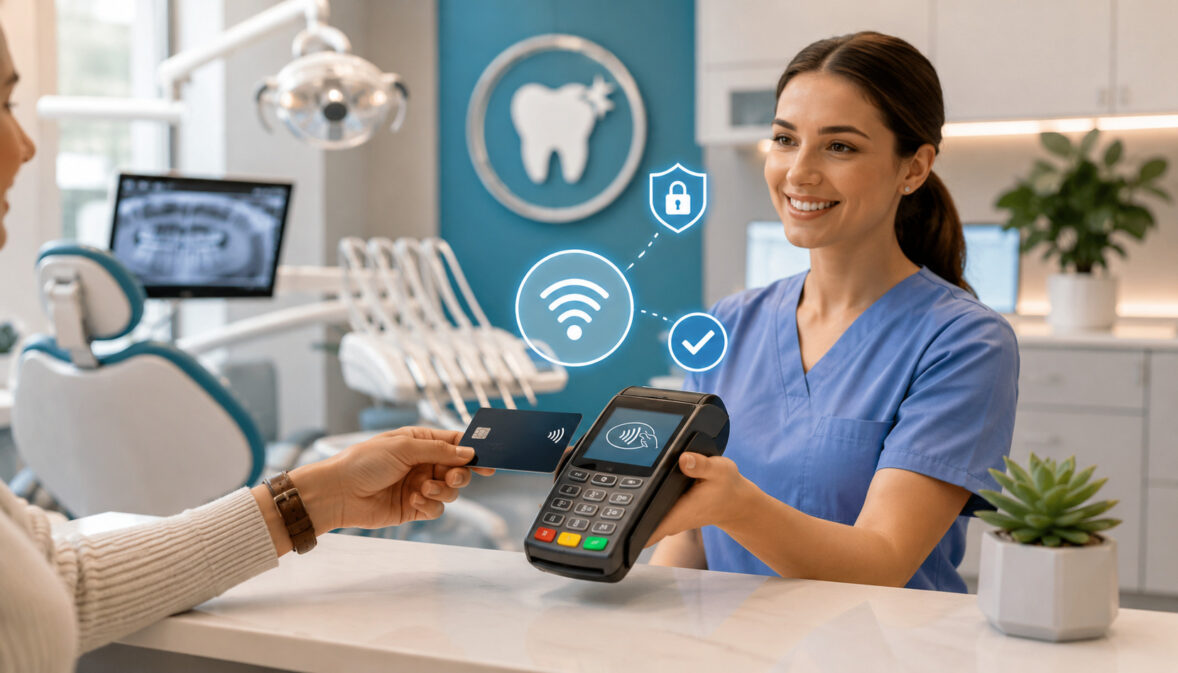
Contactless credit card payments for dental offices are becoming an important part of modern patient checkout. Patients routinely use tap-enabled cards, smartphones, smartwatches, and digital wallets for everyday purchases, and many expect the same convenient experience when paying for dental care.
Dental practices collect many types of patient payments. A general dentistry office may collect co-pays, deductibles, estimated patient responsibility, hygiene visit charges, or balances remaining after insurance processing.
Orthodontic offices may accept deposits and recurring installments, while cosmetic dentistry and oral surgery practices may collect larger deposits, staged treatment payments, or final balances.
When these transactions are handled through a slow or confusing process, checkout can become stressful for patients and front desk employees. Staff may need to locate balances, explain insurance estimates, enter payment information, print receipts, schedule follow-up visits, and answer billing questions—all while other patients are arriving or calling.
Contactless payments can simplify part of this workflow. A patient can tap an NFC-enabled credit card, debit card, smartphone, or smartwatch on a compatible dental payment terminal. The transaction is then sent for authorization, recorded in the payment system, and followed by a printed or digital receipt.
However, accepting tap-to-pay dental payments involves more than purchasing a new card reader. A dental office must also consider software compatibility, transaction fees, privacy, employee permissions, reporting, refunds, chargebacks, payment plans, remote billing, and daily reconciliation.
The following guide explains how contactless payments for dental offices work, what equipment may be needed, how they compare with other payment methods, and how dental teams can build secure and organized payment workflows.
It is intended for general educational purposes. Practices should consult qualified legal, accounting, privacy, security, compliance, or contract professionals when guidance is needed for a specific situation.
What Are Contactless Credit Card Payments for Dental Offices?
Contactless credit card payments for dental offices are in-person electronic transactions completed by holding a compatible card or device near an NFC-enabled payment terminal. Instead of swiping a magnetic stripe or inserting a chip card, the patient taps or briefly holds the payment method near the contactless symbol on the reader.
NFC stands for near-field communication. It is a short-range wireless technology that allows a card, smartphone, smartwatch, or other compatible device to communicate with a payment terminal when the two are placed very close together.
Common contactless payment methods include:
- Tap-enabled credit cards
- Tap-enabled debit cards
- Smartphones with digital wallets
- Smartwatches with mobile wallets
- Compatible health spending cards
- Other NFC-enabled payment devices
Contactless payments are generally categorized as card-present transactions when the patient and payment method are physically present at the dental office. This distinguishes them from card-not-present transactions, such as payment links, online invoices, phone payments, virtual terminal entries, and recurring charges.
Contactless dental payments do not eliminate the need for other payment methods. Some patients may still prefer chip cards, checks, cash, online portals, or phone payments. The goal is usually to add a convenient checkout option while maintaining alternatives for different patient needs.
A well-designed contactless workflow should connect the payment amount, patient account, receipt, transaction report, and accounting process without unnecessarily exposing card information or treatment details.
How Tap-to-Pay Works in a Dental Office
A typical tap-to-pay transaction begins when the front desk confirms the amount the patient needs to pay. This might be a co-pay, deductible, estimated patient portion, treatment deposit, membership charge, or remaining account balance.
The employee enters or selects the payment amount in the practice management system, POS interface, or standalone terminal. If the payment system is integrated with the patient ledger, the amount may transfer automatically to the terminal.
The patient then holds a contactless card, smartphone, or smartwatch near the NFC area of the reader. The terminal detects the payment method and securely sends the transaction information through the payment processing network.
The card issuer reviews the request and either approves or declines it. When approved, the terminal displays a confirmation, and the office can provide a printed, emailed, or texted receipt.
A basic flow may look like this:
- Staff confirm the correct patient balance.
- The payment amount is sent to the terminal.
- The patient selects credit, debit, or a mobile wallet.
- The patient taps the card or device.
- The transaction is authorized.
- The payment is posted to the correct account.
- A receipt is delivered.
- The transaction appears in end-of-day reports.
Contactless Payments vs. Traditional Card Payments
Contactless transactions differ primarily in how payment credentials are presented to the terminal. With a magnetic-stripe payment, the card is swiped. With an EMV chip payment, the card is inserted and remains in the reader until the transaction finishes. With contactless payment, the card or device is held near the terminal.
All three methods may be used at the front desk, but they do not offer identical security or workflow characteristics. Magnetic-stripe data is relatively static, while EMV chip and contactless transactions use more advanced authentication technology.
Contactless transactions are often faster than chip insertion because the patient does not need to insert and remove the card. They can also reduce the need for staff members to handle a patient’s card.
Keyed payments are different because an employee manually enters the card number. These transactions are commonly used for phone payments or when a card cannot be read. Because the physical card is not electronically verified through a tap or chip interaction, keyed transactions may carry different fraud exposure and pricing.
Payment links and online invoices are also card-not-present transactions. They allow patients to pay remotely but require secure delivery, identity verification, and follow-up procedures.
The best method depends on whether the patient is present, how the balance is being collected, the capabilities of the dental payment terminal, and the office’s written payment procedures.
Why Dental Offices Are Adding Contactless Payment Options
Dental practices are adding contactless payments because patient expectations and front desk responsibilities continue to evolve.
A patient may already have completed digital forms, received text reminders, confirmed an appointment online, and reviewed a treatment estimate electronically. A slow, manual payment process at the end of the visit can feel disconnected from the rest of that experience.
Tap-to-pay can shorten the payment portion of checkout. The patient does not need to hand a card to an employee, wait for a magnetic stripe to be swiped, or struggle with an unfamiliar terminal. In many cases, the interaction is simply to confirm the amount and tap.
Contactless payments also support mobile wallet payments for dental offices. Patients who leave their physical wallets at home may still be able to pay with an eligible card stored on a smartphone or smartwatch.
For front desk teams, faster transactions can reduce congestion during busy periods. This is particularly useful when several hygiene appointments finish at once or when the team must simultaneously collect payments, schedule future visits, answer calls, and assist arriving patients.
Contactless technology may also reduce manual card entry. Keying card numbers takes more time, increases the possibility of entry mistakes, and can expose payment details to employees or nearby individuals.
Adding contactless acceptance does not guarantee faster collections or fewer billing problems. The results depend on accurate patient ledgers, reliable equipment, clear policies, staff training, and proper integration with dental billing payments.
Improving the Patient Checkout Experience
Patients often reach the front desk immediately after treatment, when they may be tired, uncomfortable, numb, anxious, or ready to return to work. A complicated payment process can add unnecessary frustration.
Contactless checkout allows the employee to present the amount while the patient uses a familiar card or device. A quick tap can be especially convenient for routine co-pays, hygiene visit balances, small deductibles, fluoride charges, membership fees, or treatment deposits.
The experience becomes smoother when the office also offers clear receipt options. Some patients prefer a printed receipt for reimbursement records, while others want an email or text confirmation.
Patient checkout should still include enough explanation to prevent confusion. A fast transaction should not replace a clear description of whether the amount is an estimate, deposit, partial payment, or final balance.
The front desk can use concise language such as:
“Your estimated portion for today is $85. You can tap, insert, or use a mobile wallet.”
This keeps the interaction efficient without pressuring the patient or making claims about insurance processing.
Reducing Front Desk Payment Friction
The front desk is responsible for more than collecting money. Employees may be checking patients in, confirming insurance details, responding to phone calls, scheduling follow-up care, explaining treatment estimates, and managing account questions.
A slow payment terminal adds friction to an already demanding environment. Contactless payments can reduce the number of steps required for routine transactions and help the team move from payment to scheduling more efficiently.
The benefit is greatest when the dental office POS payments are connected to the patient ledger. If staff must process a tap on one device and manually re-enter the payment in another system, some of the efficiency is lost.
An organized workflow should minimize:
- Manual entry of card numbers
- Duplicate entry of payment amounts
- Searching for transaction records
- Reprinting missing receipts
- Posting payments to the wrong account
- Unmatched deposits during reconciliation
- Repeated explanations of how to use the terminal
The office should also create a backup process for internet outages, terminal failures, and declined payments. Contactless payments improve convenience only when employees know what to do when the tap does not work.
How Dental Office Payment Processing Works
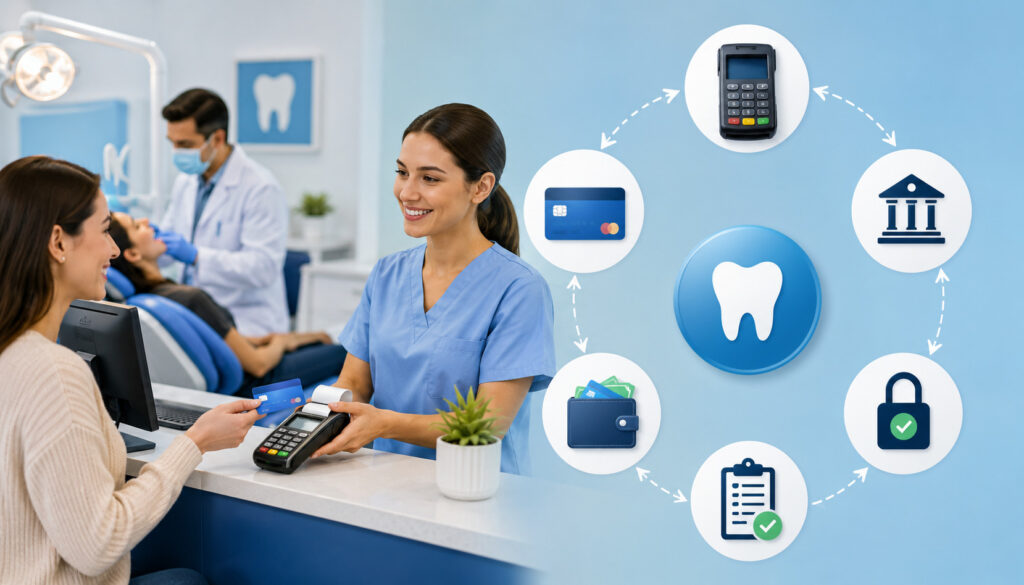
Dental office payment processing involves several connected systems. The visible part is the payment terminal, but the transaction may also involve a merchant account, payment gateway, processor, card network, issuing bank, practice management software, reporting dashboard, and settlement account.
When a patient makes an in-person payment, the terminal securely captures the payment credentials. The request travels through the processing network to the institution that issued the card. The issuer checks factors such as card validity, available funds, authentication information, and possible fraud indicators.
An approval or decline is returned to the terminal. Approved transactions are typically grouped into a batch and later settled to the dental practice’s designated bank account.
The transaction should also be posted to the patient’s ledger. Depending on the setup, this may happen automatically or require staff to record the payment manually.
A complete dental practice payment processing workflow includes:
- Confirming the patient responsibility
- Selecting the correct patient or guarantor account
- Processing the transaction
- Providing a receipt
- Posting the payment
- Reviewing refunds or adjustments
- Closing the daily batch
- Matching deposits with transaction reports
- Recording fees and discrepancies
- Retaining appropriate documentation
Practices evaluating dental office payment processing should examine the complete workflow rather than focusing only on the terminal or advertised transaction rate.
Card-Present Dental Payments
Card-present payments occur when the patient or cardholder presents a payment method at the dental office. These transactions may be completed through a contactless tap, inserted EMV chip, magnetic-stripe swipe, or debit card interaction.
Tap and chip transactions typically allow the terminal to communicate directly with the card’s embedded technology. This provides stronger transaction authentication than manually entering a card number.
Card-present dental credit card processing is commonly used for:
- Co-pays collected at check-in or checkout
- Deductible payments
- Estimated patient portions
- Treatment deposits
- Cosmetic procedure payments
- Emergency visit charges
- Hygiene visit balances
- Orthodontic installments paid in person
- Membership plan enrollment fees
The office should present the terminal so the patient maintains control of the card or mobile device whenever possible. Employees should avoid taking cards out of the patient’s view or writing down card details.
When debit cards are accepted, the transaction may require a personal identification number depending on the card, terminal, and processing configuration. Staff should never ask a patient to reveal a PIN.
Card-Not-Present Dental Payments
Card-not-present transactions occur when the physical card is not electronically read at the terminal. Examples include phone payments, online invoices, payment links, virtual terminal transactions, stored-card charges, and recurring payment plans.
These methods are valuable when a patient needs to pay after leaving the office. They are also useful when a parent, spouse, caregiver, or guarantor is paying remotely.
Common card-not-present channels include:
- Secure online payment pages
- Patient portals
- Email payment links
- Text payment links
- Virtual terminal entries
- Recurring billing
- Approved card-on-file transactions
- Online appointment deposits
Because the card is not physically authenticated through a tap or chip, card-not-present transactions can have different fraud, documentation, and fee considerations. Offices should use secure tools rather than requesting card numbers through ordinary email, unsecured text messages, or handwritten notes.
Recurring charges should be based on clear authorization and cancellation terms. Patients should understand the amount, timing, frequency, and duration of the arrangement.
Contactless Dental Payments Compared With Other Payment Methods
A dental practice usually needs more than one payment channel. Contactless credit card payments are effective for fast front desk checkout, but they do not cover every billing situation.
The following table compares commonly used dental payment methods.
| Payment Method | Best For | Benefits | What to Review |
| Contactless credit card payments | Fast front desk checkout | Quick, secure, and convenient | NFC support, transaction workflow, and staff training |
| Chip card payments | Standard in-office card payments | Strong card-present authentication | EMV terminal setup and fallback procedures |
| Mobile wallet payments | Patients using phones or watches | Familiar and convenient | NFC compatibility and digital receipt settings |
| Payment links | Balances due after a visit | Flexible remote collection | Link security, expiration, and follow-up process |
| Virtual terminal | Approved phone or manual payments | Useful when the cardholder is remote | Card-not-present risk and employee permissions |
| Recurring payment plans | Orthodontics and staged treatment balances | Predictable payment schedule | Authorization, cancellation, failed payments, and updates |
| Cash payments | In-person payments | No card transaction required | Cash storage, change, receipts, and deposit records |
| Checks | Patients who prefer traditional payments | Familiar to some patients | Deposit timing, returned checks, and recordkeeping |
| Online portal | Self-service account payments | Accessible outside office hours | Login security and patient ledger integration |
| Card on file | Future authorized charges | Reduces repeated card collection | Tokenization, authorization, and card update procedures |
No method is automatically best for every patient or treatment type. The dental practice should select a combination that supports patient convenience without creating excessive administrative or security risk.
How to Use the Table When Reviewing Payment Options
The comparison table can be used as a starting point when evaluating how patients currently pay and where problems occur.
The office may first review transaction volume. For example, a practice that collects most patient responsibility at the front desk may benefit significantly from NFC-enabled terminals. A practice that frequently bills balances after insurance processing may place greater emphasis on payment links and online invoices.
The next step is to examine staff workload. If employees spend considerable time entering payments into both a terminal and the dental practice management software, integration may be more important than adding another payment method.
Practices should also compare:
- Patient preferences
- Card-present and card-not-present pricing
- Security controls
- Receipt options
- Refund procedures
- Reporting capabilities
- Settlement timing
- Payment plan features
- Software compatibility
- Staff access controls
- Customer support
- Contract obligations
A low transaction rate may not represent the lowest total cost if the office must pay separately for terminals, gateway access, integration, reporting, or support.
Why Dental Offices May Need More Than One Payment Method
Contactless payments depend on the patient being present with a tap-enabled card or device. Dental billing often continues after the appointment, particularly when insurance estimates differ from final patient responsibility.
A patient may need to pay a remaining balance several weeks after treatment. In this situation, a secure online invoice or payment link may be more practical than asking the patient to return to the office.
Similarly, orthodontic treatment and larger restorative plans may involve recurring installments. Cosmetic or surgical procedures may require deposits, staged charges, or payments from multiple parties.
Keeping several payment options available can support:
- Patients without contactless cards
- Patients who prefer checks or cash
- Remote guarantors
- Family account payments
- Post-insurance balances
- Recurring treatment arrangements
- Split payments
- Online appointment deposits
- Failed or declined payment follow-up
The objective is not to make every method available without limits. It is to create a controlled group of payment channels that staff can manage consistently.
Benefits of Contactless Payments for Dental Offices
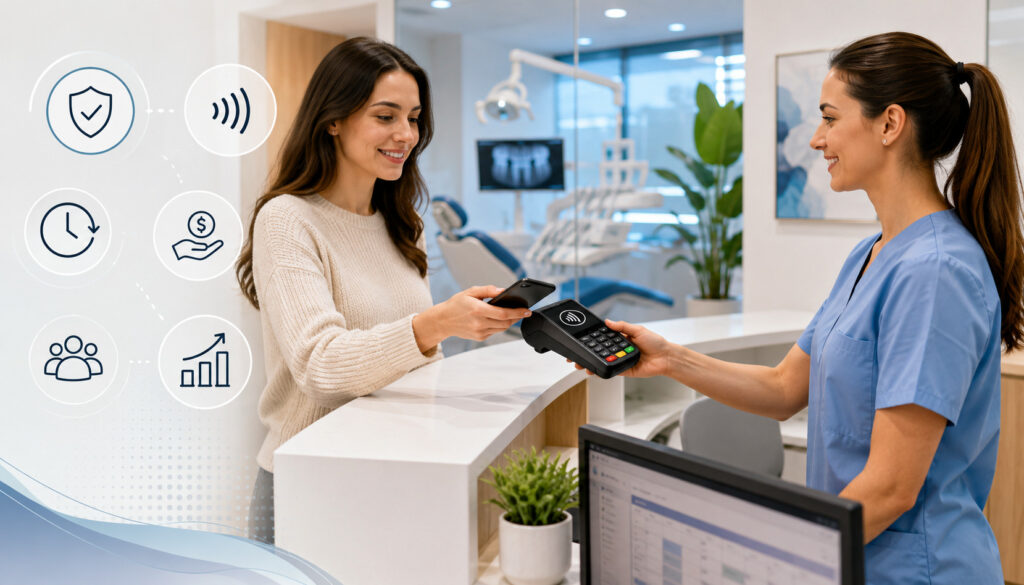
Contactless payments can improve dental checkout in several practical ways. The most visible benefit is speed. A patient can tap a card or device without handing it to an employee or waiting for a chip card to remain in the reader.
They also support modern payment preferences. Some patients carry fewer physical cards and rely on digital wallets. Mobile wallet payments for dental offices give those patients another way to complete payment without delaying checkout.
Contactless technology may reduce manual card handling and data entry. This can lower the chance of mistyped numbers and limit employee exposure to card details.
Operational benefits may include:
- Faster routine transactions
- Shorter checkout lines
- Less handling of physical cards
- Fewer keyed transactions
- Support for smartphones and smartwatches
- Digital receipt options
- Cleaner transaction records
- Easier patient adoption
- Reduced wear on card-reader slots
- Consistent card-present authentication
These advantages depend on reliable implementation. If a terminal frequently disconnects or payments fail to post to patient accounts, contactless acceptance can create more work rather than less.
Dental offices should test the entire process from amount entry through settlement and reconciliation before making contactless checkout the default.
Faster Payments After Appointments
Busy dental practices often have clusters of appointments ending at similar times. Several hygiene patients may arrive at the front desk while another patient is scheduling restorative treatment and a third is discussing an insurance balance.
Tap-to-pay can reduce the time required for routine payment collection. Once the balance is confirmed, the patient can tap and receive approval within seconds under normal conditions.
This is particularly useful during:
- Morning appointment transitions
- Lunch-hour scheduling periods
- After-school pediatric visits
- End-of-day checkout
- Multi-provider appointment blocks
- High-volume hygiene schedules
Faster checkout can also reduce the tendency to postpone small balances. When the process is easy, staff can request payment at the time of service without creating an unnecessarily lengthy interaction.
However, speed should never replace accuracy. Employees should still confirm the patient account, payment amount, and payment type before processing the transaction.
Better Convenience for Patients
Patients have different payment preferences. One may use a contactless debit card, another may use a credit card, and another may prefer a smartphone or smartwatch.
Offering contactless acceptance allows the patient to choose a familiar payment method. It may also help when the patient has a card stored in a mobile wallet but does not have the physical card available.
Mobile wallets can add device-based authentication, such as a passcode, fingerprint, or facial recognition, before the transaction is presented. The patient also keeps control of the phone or watch throughout the process.
Convenience is especially important for parents managing children, caregivers assisting older adults, and patients who are ready to leave after a long procedure.
A respectful dental checkout payment experience should still include alternative methods. Patients should not feel pressured to use a mobile wallet or contactless card when they prefer another accepted option.
Payment Security for Contactless Dental Payments
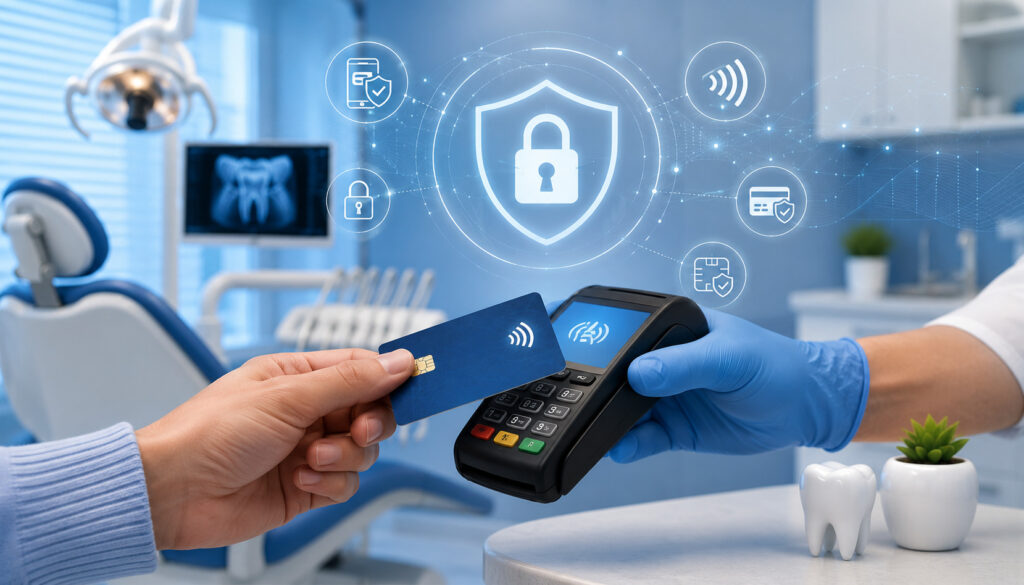
Payment security matters because dental offices handle both financial information and sensitive patient records. Although payment data and health information are governed by different security frameworks, the systems may intersect through patient ledgers, invoices, receipts, portals, and practice management integrations.
Contactless transactions use technologies designed to reduce exposure of reusable card information. EMV and NFC transactions can generate transaction-specific information instead of relying only on static magnetic-stripe data.
Security also depends on how the office manages the terminal and surrounding systems. An advanced card reader cannot compensate for shared passwords, outdated software, unsecured networks, exposed screens, or handwritten card numbers.
Secure dental payment processing should include:
- Approved and supported payment hardware
- Encryption during data transmission
- Tokenization for stored payment methods
- Individual staff credentials
- Limited employee permissions
- Device updates
- Physical terminal inspections
- Secure network configuration
- Documented incident procedures
- Regular staff training
- Controlled refunds and adjustments
- Daily transaction review
The PCI Security Standards Council’s merchant resources emphasize that payment security depends on people, processes, and technology—not on a single device alone.
Tokenization and Encryption Basics
Encryption protects information by converting it into a form that cannot be read without the appropriate key. During a payment transaction, encryption can help protect data as it moves between the card reader, payment system, and processing network.
Tokenization replaces sensitive payment information with a substitute value called a token. The dental office can use that token for an authorized future transaction without storing the original card number in its local system.
For example, an orthodontic patient may authorize recurring monthly payments. Rather than storing the full card number in a spreadsheet or paper file, a suitable payment platform can store the payment credential in a protected environment and provide the office with a token.
Tokenization can reduce exposure, but it does not eliminate every responsibility. The office must still manage account access, authorizations, refunds, password security, and vendor relationships.
Staff should understand that a tokenized card-on-file feature is different from manually saving card information in notes or documents.
PCI-Aware Payment Handling
PCI DSS is an industry security standard that applies to organizations accepting payment cards. The exact validation and reporting responsibilities can vary according to how payments are accepted and which systems are involved.
Dental offices should obtain guidance from their payment provider or an appropriate security professional regarding their specific responsibilities. Staff should not assume that purchasing a compliant terminal automatically makes the entire practice compliant.
Everyday PCI-aware practices include:
- Never writing down complete card numbers
- Avoiding card information in ordinary email
- Not saving card data in patient notes
- Using unique employee accounts
- Changing default terminal credentials
- Keeping payment software updated
- Inspecting devices for tampering
- Restricting access to virtual terminals
- Locking workstations when unattended
- Reviewing suspicious refund activity
- Completing required security assessments
- Following written incident procedures
Practices seeking a detailed starting point can review this dental payment security checklist while confirming specific requirements with qualified professionals.
HIPAA, Patient Privacy, and Payment Workflows
Dental practices should think carefully about patient privacy whenever payments connect with treatment balances, appointment information, insurance estimates, or billing records.
Payment processing and health information protection are not identical responsibilities. A card transaction may contain limited financial information, while an invoice, patient portal, receipt, or integrated payment record may reveal details about the patient or services.
The HIPAA Privacy Rule information provided by HHS offers general guidance about the protection and permitted use of health information. Dental offices should seek professional review when determining how a specific payment vendor, integration, communication method, or business associate relationship should be handled.
Privacy-conscious dental payment workflows may include:
- Displaying only necessary information on receipts
- Discussing balances quietly
- Positioning screens away from public view
- Verifying identity before sharing account details
- Limiting billing notes in payment systems
- Securing emailed or texted payment communications
- Separating clinical notes from card information
- Restricting staff access according to job duties
A payment receipt generally does not need detailed treatment descriptions. The office should review receipt templates, text messages, email notifications, and processor descriptors for unnecessary information.
Keeping Payment Data and Health Information Separate
Keeping financial and clinical information appropriately separated can reduce unnecessary exposure. The payment system may need the amount, transaction identifier, and account reference, but it may not need detailed clinical notes.
Dental offices should avoid entering information such as diagnoses, procedure descriptions, or sensitive treatment details into open payment notes unless the information is necessary and the system is approved for that use.
Receipt descriptions should be reviewed carefully. A generic description such as “patient payment” may be more appropriate than a detailed list of procedures, depending on the office’s documentation requirements and professional guidance.
The same principle applies to text and email communications. A payment reminder should include only the information needed to help the patient recognize and pay the balance.
Integration does not mean every system should receive every piece of data. The office should ask vendors what information is transmitted, where it is stored, who can access it, and how long it is retained.
Staff Training for Patient Privacy
Front desk and billing employees regularly discuss balances in areas where other patients may be nearby. Training should help employees communicate clearly without announcing private financial or treatment information.
Useful practices include:
- Lowering the voice when discussing balances
- Avoiding detailed treatment descriptions at an open counter
- Confirming the identity of callers before discussing accounts
- Positioning monitors away from waiting-room visibility
- Using screen locks when stepping away
- Avoiding patient names on unattended receipts
- Shredding unneeded payment documents
- Confirming email addresses before sending receipts
- Verifying mobile numbers before texting payment links
Training should include realistic scenarios. For example, an employee should know how to respond when a relative asks to pay but also requests treatment details the office may not be able to disclose.
The payment process should be courteous, discreet, and consistent regardless of the balance amount.
Equipment Needed for Contactless Credit Card Payments
A dental office generally needs an NFC-enabled terminal and compatible processing service to accept contactless cards and mobile wallets. The terminal should also support EMV chip payments so patients have a reliable fallback when tapping is unavailable.
Depending on the workflow, the office may use:
- A countertop payment terminal
- A wireless handheld terminal
- A tablet-based POS device
- A mobile card reader
- An integrated terminal connected to practice software
- A standalone terminal
- A receipt printer
- A cash drawer
- A secure payment gateway
- A virtual terminal
- A reliable internet connection
- Backup connectivity
- Individual staff login credentials
The right equipment depends on the office layout and payment volume. A single-provider practice may need one countertop terminal, while a multi-provider or multi-location practice may need several devices and centralized reporting.
Before selecting hardware, review payment terminal requirements for dental offices and confirm that the device supports the office’s preferred transaction types, debit configuration, digital wallets, receipts, refunds, and software connection.
NFC-Enabled Payment Terminals
An NFC-enabled terminal contains a contactless reader that communicates with compatible cards and devices at short range. The contactless symbol is usually displayed on the screen or near the tap area.
Countertop terminals are appropriate for fixed front desk locations. Wireless terminals may be useful when payments are collected in consultation rooms, treatment coordination offices, or other private areas.
Mobile readers may provide flexibility, but the office should confirm that the device and application support appropriate security controls, user permissions, receipts, refunds, and reporting.
Important terminal features may include:
- NFC contactless acceptance
- EMV chip support
- Debit card acceptance
- Mobile wallet compatibility
- Clear amount display
- Printed or digital receipts
- Refund controls
- Tip prompts that can be disabled
- Accessible interface options
- Remote software updates
- Tamper-resistant design
- Reliable technical support
A dental office should not assume that every modern-looking terminal includes NFC. The capability should be confirmed in writing before purchase, rental, or activation.
Software and Integration Considerations
Hardware is only one part of the payment environment. The dental office should also determine whether the terminal communicates with its dental practice management software.
An integrated payment workflow may automatically transfer the balance from the patient ledger to the terminal and return the approved payment to the correct account. This can reduce duplicate entry and posting errors.
Questions to review include:
- Does the software support the exact terminal model?
- Are contactless and chip transactions both integrated?
- Can payments be divided among family members?
- Can staff accept deposits and partial payments?
- How are refunds posted?
- Can receipts be emailed or texted?
- How are recurring plans managed?
- Does the system support payment links?
- Can reports separate locations or providers?
- What happens during an internet outage?
- Are updates included?
- Is technical support available during office hours?
The practice should test the integration using several common scenarios before relying on it during patient checkout.
Contactless Payments and Dental Practice Management Software
Dental practice management software often contains the patient ledger, insurance estimates, payment history, treatment plan, appointment schedule, and account notes. Connecting the payment system to this software can simplify dental practice credit card processing.
When the integration works correctly, employees can select the patient account and amount without retyping the transaction in multiple places. After approval, the payment is posted to the ledger and included in reporting.
Useful integrated functions may include:
- Collecting a co-pay during check-in
- Accepting a treatment deposit
- Posting a payment to a family account
- Applying funds to a specific provider
- Sending a remote invoice
- Scheduling authorized recurring payments
- Processing a refund
- Generating a receipt
- Reviewing settlement totals
- Reconciling daily transactions
Integration should be configured carefully. Incorrect mappings, duplicate posting, or unclear permissions can create accounting and patient service problems.
The dental office should document which system is considered the primary record for patient balances and how corrections are handled when payment and ledger information do not match.
Posting Payments to Patient Accounts
Accurate payment posting ensures that balances, statements, and treatment plan records remain reliable. A payment should be connected to the correct patient, guarantor, date, and account.
Family accounts require particular attention. A parent may pay for multiple children, or one payment may need to be allocated across several balances.
Staff should confirm:
- Patient or guarantor name
- Account number
- Payment amount
- Payment date
- Payment method
- Treatment plan or invoice reference
- Provider or location, when applicable
- Whether the amount is a deposit or final payment
- Receipt delivery method
Insurance estimates should also be described appropriately. A collected amount may be based on an estimate and may not represent the final patient responsibility.
Clear posting notes can help billing coordinators understand why a payment was collected without adding unnecessary clinical detail to the payment record.
Avoiding Double Entry and Manual Errors
Double entry occurs when staff process a transaction in one system and then manually enter it into another. This creates several opportunities for mistakes.
An employee might enter a different amount, choose the wrong patient account, forget to post the payment, or record the same transaction twice. These errors can lead to incorrect statements, refund requests, and difficult end-of-day reconciliation.
Integrated dental payment processing may reduce these risks by transferring the amount and approval result automatically. However, automation should still be reviewed.
Practices should compare the transaction report with the patient ledger and settlement report regularly. The system should also make it easy to identify voids, refunds, failed payments, and duplicate charges.
Contactless Payments for Different Dental Office Use Cases
Contactless payments can support a wide range of dental environments, but each practice type may use them differently.
A general dentistry office may primarily collect routine co-pays and estimated patient portions. Pediatric practices may use contactless checkout to help parents pay quickly while managing children and scheduling future appointments.
Orthodontic practices often combine in-person payments with recurring payment plans. Cosmetic dentistry offices may collect consultation fees, deposits, and larger staged balances. Oral surgery practices may need to process deposits, estimated patient responsibility, and payments from family members or caregivers.
Emergency dental visits may involve same-day payment before insurance information is fully reviewed. Hygiene appointments may generate smaller, frequent transactions that benefit from fast tap-to-pay checkout.
The office should map payment methods to its most common use cases rather than adopting technology without a specific operational plan.
Co-Pays, Deductibles, and Balances
Co-pays and estimated patient portions are common candidates for contactless payment. The amount is usually known or estimated before checkout, and the patient is physically present.
The front desk can confirm the balance, present the terminal, and allow the patient to tap a card or mobile wallet. The payment can then be posted to the ledger and included in the daily batch.
When collecting deductibles or estimated responsibility, staff should avoid presenting an estimate as a final insurance determination. The patient may later owe an additional amount or receive a credit depending on claim processing.
Contactless payments can also be used for balances remaining from previous visits. The employee should explain which account or invoice the payment will be applied to.
For family accounts, the office should confirm whether the payment is intended for one patient or several related accounts.
Treatment Plans and Larger Balances
Larger treatment plans often require more than a single tap-to-pay transaction. Patients may use deposits, staged payments, recurring plans, third-party financing, or multiple payment methods.
Contactless payment can still be useful for:
- Consultation fees
- Reservation deposits
- Initial treatment deposits
- Partial payments
- Installments paid in person
- Final treatment balances
- Split tender transactions
The office should clearly document whether a payment is refundable, when it will be applied, and what happens if treatment is delayed, modified, or canceled.
For recurring arrangements, the patient should receive clear information about the schedule, authorization, failed payment process, cancellation procedure, and card update requirements.
Larger transactions may also trigger card issuer verification or decline controls. Staff should know how to respond respectfully without suggesting that the patient lacks funds.
Fees and Costs to Review Before Accepting Contactless Payments
The cost of dental office credit card processing includes more than the percentage shown in an advertisement. A dental practice should review the complete pricing schedule and calculate the total cost across all transaction types.
Potential costs include:
- Percentage-based transaction fees
- Per-transaction charges
- Monthly account fees
- Payment gateway fees
- Virtual terminal fees
- Terminal purchase or rental costs
- Software integration fees
- PCI-related fees
- Statement fees
- Batch fees
- Chargeback fees
- Retrieval fees
- Refund processing costs
- Early termination fees
- Minimum processing requirements
- Support or replacement fees
Card-present tap and chip payments may be priced differently from keyed, online, recurring, or payment-link transactions. The type of card can also affect cost.
A useful review should examine actual transaction patterns rather than comparing one quoted rate. Practices can learn more about the fee categories involved through this guide to dental payment processing fees.
Contactless Payment Fees vs. Other Card Payments
A contactless transaction completed at an NFC-enabled terminal is generally treated as a card-present transaction when properly processed. Card-present transactions often have a different risk profile from manually keyed or remote payments.
However, the final cost can depend on:
- Card type
- Debit or credit selection
- Rewards category
- Transaction amount
- Pricing model
- Processor markup
- Network assessment
- Terminal configuration
- Industry classification
- Whether the transaction qualifies as card-present
- Additional gateway or software fees
Dental offices should ask for written pricing examples covering tap, chip, keyed, online, recurring, and refund transactions.
An effective rate can be calculated by dividing total processing costs by total card volume for a given period. This provides a broader view than focusing on one advertised percentage.
Terminal, Software, and Support Costs
A low transaction markup may be offset by expensive hardware, software subscriptions, integration fees, or contract obligations.
The office should determine whether equipment is purchased, rented, loaned, or provided under conditions tied to the processing agreement. “Free” equipment may involve return requirements, replacement costs, or long-term commitments.
Software costs may include:
- Monthly platform access
- Per-location charges
- Per-provider charges
- Payment link features
- Recurring billing tools
- Patient portal integration
- Text messaging fees
- Reporting modules
- Accounting exports
- Support plans
Technical support should also be evaluated. A terminal failure during a busy day can be more costly than a small difference in processing rates.
The practice should understand who supports the terminal, gateway, integration, and practice management software when a payment does not post correctly.
Fraud Prevention and Chargeback Management
Contactless technology can improve transaction authentication, but it does not eliminate disputes, unauthorized payments, or billing misunderstandings.
Dental chargebacks may arise when a cardholder challenges a transaction through the card issuer. The dispute may involve alleged fraud, duplicate billing, refund delays, treatment dissatisfaction, unclear estimates, family account confusion, or an unfamiliar statement descriptor.
Practices can reduce preventable disputes through:
- Clear financial policies
- Written treatment estimates
- Itemized patient statements
- Recognizable billing descriptors
- Prompt receipts
- Documented refund procedures
- Accurate payment posting
- Clear recurring payment authorizations
- Patient communication
- Organized transaction records
Chargeback management is not about proving the quality of clinical care through payment records. It is about documenting the transaction, authorization, terms, communications, and relevant account history.
The office should respond within required deadlines and follow the instructions provided by its payment processor or acquiring institution.
Common Payment Disputes in Dental Offices
Common dispute scenarios may include:
- The patient does not recognize the billing descriptor.
- A parent disputes a charge made for a child.
- A patient believes insurance should have covered the amount.
- A deposit is disputed after treatment is canceled.
- The patient expected a refund sooner.
- A recurring charge continued after a misunderstanding about cancellation.
- The same amount was accidentally charged twice.
- A card was used without the cardholder’s permission.
- A payment was applied to the wrong family member.
- The patient disputes the amount after an estimate changes.
Clear communication can prevent some of these problems. Patients should understand what they are paying, whether the amount is estimated, and how refunds or adjustments are handled.
A guide to common chargeback reasons for dental offices can help teams identify recurring documentation and communication gaps.
Records That Support Dispute Responses
Relevant records may include:
- Transaction receipts
- EMV or contactless authorization data
- Signed treatment estimates
- Payment plan agreements
- Deposit terms
- Refund policies
- Patient account statements
- Appointment records
- Written communications
- Recurring billing authorizations
- Refund confirmation
- Notes explaining payment allocation
Records should be retained securely and according to applicable professional guidance, contractual obligations, and office policies.
The office should avoid adding unnecessary health information to a chargeback response. Only relevant documentation should be shared through approved channels.
Front Desk Workflow for Contactless Payments
A consistent front desk workflow helps employees process contactless payments accurately and protect patient privacy.
A basic checkout process can include:
- Open the correct patient or guarantor account.
- Confirm the balance and whether it is estimated or final.
- Explain the accepted payment options.
- Send the correct amount to the terminal.
- Allow the patient to tap, insert, or select another method.
- Confirm approval.
- Post the payment to the correct ledger.
- Offer a receipt.
- Schedule the next appointment.
- Include the transaction in daily reconciliation.
Employees should know how to handle exceptions, including declined cards, partial approvals, split payments, duplicate transactions, terminal errors, refund requests, and balance disagreements.
The process should also protect privacy. Detailed financial discussions may need to be moved away from a crowded front desk.
Creating a Simple Checkout Script
A checkout script gives employees a consistent way to explain balances and payment options without sounding mechanical or confrontational.
Examples include:
“Your estimated portion for today is $120. You can tap, insert, or use a mobile wallet.”
“The remaining balance is $65. Would you prefer to pay here or receive a secure payment link?”
“This payment will be applied as a deposit toward your treatment plan. You can review the amount on the terminal before tapping.”
“Your card was not approved. We can try it once more, use another payment method, or send a secure invoice.”
Scripts should not include assumptions about a patient’s ability to pay. They should present options respectfully and allow time for questions.
Staff should also know when a billing coordinator or manager should take over the conversation.
Handling Declined Payments or Payment Questions
A declined payment can be embarrassing for the patient. Staff should respond calmly and avoid announcing the issue where others can hear.
The terminal may provide a generic decline message, but employees usually should not speculate about the cause. The card issuer may have declined the transaction because of fraud controls, spending limits, card settings, or other reasons.
A suitable response might be:
“The payment was not approved. You may try another card, contact the card issuer, or we can discuss another available payment option.”
For balance questions, employees should review the patient ledger and determine whether the issue involves insurance estimates, prior payments, family account allocation, or posting errors.
When the answer is not immediately available, the office should document the question and provide a clear follow-up process rather than pressuring the patient to pay an amount that is still under review.
Best Practices for Contactless Credit Card Payments in Dental Offices
Contactless payment technology works best when supported by written procedures, reliable equipment, and consistent staff training.
Recommended practices include:
- Use NFC-enabled EMV terminals.
- Keep terminals and payment applications updated.
- Train staff to process tap, chip, and fallback transactions.
- Confirm the amount before requesting payment.
- Protect patient privacy at checkout.
- Avoid insecure storage of card data.
- Use secure payment links for remote balances.
- Use tokenization for approved stored payment methods.
- Keep receipts and authorization records.
- Reconcile payments every business day.
- Review transaction fees and contract terms.
- Maintain clear refund and deposit policies.
- Confirm practice management software compatibility.
- Limit staff permissions.
- Monitor chargebacks and unusual refunds.
- Keep devices physically secure.
- Maintain backup payment procedures.
- Review workflows regularly.
These practices should be adapted to the size, software, services, and staffing model of the dental office.
Creating a Written Dental Payment Procedure
A written payment procedure gives employees a common reference for routine transactions and exceptions.
The document may cover:
- In-person tap and chip payments
- Debit card transactions
- Payment links
- Phone payments
- Virtual terminal access
- Recurring billing
- Card-on-file authorization
- Deposits
- Refunds
- Voids
- Declined payments
- Split payments
- Family accounts
- Receipt delivery
- Privacy expectations
- End-of-day reconciliation
- Chargeback documentation
- Device inspection
- Incident reporting
The procedure should identify which employees can issue refunds, access stored payment tokens, change recurring plans, or view full transaction reports.
It should also include escalation contacts for billing questions, terminal problems, suspected fraud, privacy concerns, and settlement discrepancies.
Written procedures should be reviewed whenever equipment, software, providers, policies, or staffing responsibilities change.
Training Staff Before Launch
Employees who collect payments should practice using the terminal before it is introduced to patients.
Training should include:
- Locating the NFC tap area
- Explaining contactless payment
- Processing chip fallback
- Handling debit prompts
- Sending digital receipts
- Reprinting receipts
- Voiding transactions
- Requesting authorized refunds
- Using payment links
- Responding to declines
- Protecting login credentials
- Inspecting devices
- Reporting suspicious activity
- Posting transactions correctly
- Reconciling daily totals
Role-playing can help employees become comfortable with patient questions. Staff should understand that mobile wallets and contactless cards are payment methods, not separate balances or financing products.
Refresher training is useful after system updates or when error patterns appear in reconciliation reports.
Common Mistakes to Avoid With Contactless Dental Payments
A dental office can purchase capable technology and still experience problems if implementation is incomplete.
Common mistakes include:
- Choosing a terminal without confirmed NFC support
- Assuming mobile wallets work automatically
- Ignoring practice software compatibility
- Failing to train all payment-handling staff
- Using shared employee logins
- Storing card data in notes or spreadsheets
- Sending card details through unsecured communication
- Skipping daily reconciliation
- Failing to inspect physical devices
- Overlooking payment link security
- Using unclear refund or deposit policies
- Focusing only on advertised rates
- Not testing refunds and failed transactions
- Allowing excessive staff permissions
- Failing to maintain backup procedures
A careful rollout should include equipment verification, workflow testing, written procedures, employee training, and post-launch review.
Assuming Every Terminal Supports Contactless Payments
Some card terminals support chip and swipe transactions but not NFC. Others contain NFC hardware that has not been activated by the processor or software configuration.
Before selecting a terminal, confirm:
- NFC capability
- EMV certification
- Supported credit card types
- Debit card functionality
- Mobile wallet acceptance
- Smartwatch acceptance
- Receipt options
- Refund capability
- Practice software compatibility
- Connectivity requirements
- Update process
- Replacement support
The office should also confirm where the tap area is located. Some devices require the card or phone to be held above the screen, while others use the side or top of the terminal.
Testing should include several contactless cards and mobile wallets before the device is placed into regular use.
Not Updating Payment and Refund Policies
New payment methods can affect existing financial policies. For example, a practice that begins collecting treatment deposits or recurring payments should review how cancellations, rescheduling, refunds, and failed charges are handled.
Policies should explain:
- When payment is due
- Whether amounts are estimates
- How deposits are applied
- Whether deposits are refundable
- How payment plans work
- How recurring payments can be changed
- When refunds are issued
- How long refunds may take to appear
- What happens after a failed payment
- How disputed balances are reviewed
Policies should be accessible and communicated before the transaction whenever possible.
The office should obtain professional review where policy language may involve legal, contractual, accounting, healthcare privacy, or consumer protection considerations.
Contactless Payment Setup Checklist for Dental Offices
A checklist can help dental practices compare tools and identify missing parts of the payment workflow before launch.
| Checklist Area | What to Review | Why It Matters |
| Payment terminal | NFC and EMV support | Enables tap-to-pay and chip checkout |
| Software connection | Practice management compatibility | Reduces manual entry |
| Payment methods | Credit, debit, and mobile wallets | Supports patient preferences |
| Security | Encryption, tokenization, and PCI-aware tools | Protects payment information |
| Privacy | Discreet checkout and receipt settings | Supports patient trust |
| Staff training | Terminal use and payment procedures | Reduces errors |
| Receipts | Printed, emailed, and text options | Supports patient and office records |
| Refund process | Clear refund and adjustment steps | Prevents confusion |
| Reporting | Daily settlement and reconciliation | Supports accurate accounting |
| Fees | Rates, monthly costs, and terminal charges | Reveals total cost |
| Remote payments | Secure links and virtual terminal controls | Supports post-visit collection |
| Recurring billing | Authorization and cancellation workflow | Supports ongoing treatment payments |
| Device management | Inventory and physical inspections | Reduces tampering risk |
| Support | Hours, escalation, and replacement process | Limits disruption |
| Backup process | Alternative method during outages | Maintains checkout continuity |
A completed checklist should be supported by written answers, demonstrations, pricing documents, and testing—not only verbal assurances.
How to Use the Checklist Before Choosing Tools
Begin by documenting how the office currently collects payments. Identify the percentage of transactions that occur in person, online, over the phone, through recurring plans, or after insurance processing.
Next, identify the most common problems. These may include long checkout times, manual posting, missing receipts, frequent keyed transactions, difficult reconciliation, or limited remote payment options.
Use the checklist to compare each proposed system against those problems. A demonstration should follow the office’s real workflow rather than a generic retail transaction.
Ask the vendor to demonstrate:
- Selecting a patient balance
- Processing a contactless payment
- Posting the transaction
- Sending a receipt
- Issuing a partial refund
- Sending a payment link
- Setting up a recurring plan
- Reviewing the daily batch
- Exporting a report
- Managing employee permissions
The office should also review pricing and contract documents before activation.
Records to Keep After Setup
Organized documentation makes it easier to manage support issues, security reviews, fees, refunds, and disputes.
Useful records may include:
- Merchant processing agreement
- Pricing schedule
- Terminal model and serial numbers
- Device locations
- Support contact information
- Software integration documents
- Employee permission list
- Staff training records
- Written payment procedures
- Refund records
- Chargeback files
- Monthly statements
- Settlement reports
- Payment link templates
- Recurring authorization forms
- Vendor communications
- Security assessment records
- Incident documentation
Access to these records should be limited according to job responsibilities and privacy needs.
The practice should also establish a schedule for reviewing active users, devices, fees, policies, and recurring payment arrangements.
How to Choose Dental Office Payment Processing for Contactless Payments
Choosing payment processing for dentists involves balancing reliability, security, workflow, patient convenience, reporting, and cost.
The system should support NFC contactless cards, EMV chip cards, debit cards, and mobile wallets. It should also provide appropriate options for remote balances, such as payment links, online invoices, or a controlled virtual terminal.
Practice management compatibility is especially important. A terminal that processes payments quickly but requires extensive manual posting may increase billing errors and staff workload.
Other factors include:
- Settlement timing
- Transaction reporting
- Refund controls
- Recurring billing
- Card-on-file tokenization
- Payment link security
- User permissions
- Chargeback support
- Technical support hours
- Device replacement
- Contract length
- Termination terms
- Total processing cost
- Data export
- Multi-location reporting
- System uptime
- Backup procedures
The practice should compare written proposals using the same expected transaction volume and payment mix.
Questions to Ask Before Choosing Payment Processing
Dental offices can ask the following questions:
- Does the terminal support NFC contactless cards?
- Does it support EMV chip payments?
- Can patients use debit cards?
- Which mobile wallets are supported?
- Can patients pay with smartphones and smartwatches?
- Does the system integrate with our practice management software?
- Are payments automatically posted to patient ledgers?
- Can we send secure payment links?
- Does the platform support recurring payments?
- How are stored payment methods tokenized?
- What controls are available for employee access?
- Can employees issue refunds without manager approval?
- How are chargebacks reported?
- What card-present and card-not-present fees apply?
- Are there monthly, gateway, PCI, batch, or statement fees?
- Is the equipment purchased, rented, or loaned?
- What happens if a terminal fails?
- How quickly are approved transactions settled?
- What reports are available for reconciliation?
- How are contracts renewed or terminated?
- What support is available during office hours?
- What security documentation can be provided?
- How are software updates delivered?
- What happens during an internet outage?
Answers should be obtained in writing whenever they affect price, security responsibilities, equipment ownership, support, or contract obligations.
Comparing Reliability, Security, and Patient Experience
Price is important, but the lowest quoted rate may not provide the best overall result. A dental practice depends on payment tools during nearly every business day.
An unreliable terminal can delay checkout and create awkward patient interactions. Weak integration can increase posting errors. Limited support can leave the front desk unable to process payments during busy periods.
The practice should consider:
- Transaction speed
- Terminal stability
- Ease of staff training
- Clear patient prompts
- Accessibility
- Receipt delivery
- Reporting accuracy
- Security controls
- Refund workflow
- Remote payment options
- Support responsiveness
- Total cost
A balanced decision prioritizes dependable patient checkout and accurate records while keeping fees and contract terms reasonable.
Frequently Asked Questions
What are contactless credit card payments for dental offices?
Contactless credit card payments for dental offices are in-person transactions completed by tapping an NFC-enabled credit card, debit card, smartphone, or smartwatch near a compatible payment terminal.
The patient does not need to swipe the magnetic stripe or insert the chip when the contactless feature is available and working. The transaction is electronically authorized and can be followed by a printed or digital receipt.
Contactless payment is generally one part of a larger dental payment processing system that may also include chip payments, payment links, recurring billing, virtual terminal access, and online invoices.
How do contactless payments work in a dental office?
The front desk confirms the patient’s balance and enters or selects the amount. The terminal then prompts the patient to tap a compatible card or mobile device.
The payment information is securely transmitted for authorization. If approved, the payment is recorded, posted to the patient account, and included in the office’s transaction and settlement reports.
The office should confirm the amount before the patient taps and provide an appropriate receipt after the transaction.
Can dental offices accept mobile wallet payments?
Dental offices can accept supported mobile wallets when the payment terminal, processing service, and software configuration allow NFC transactions.
Patients may be able to pay with a smartphone or smartwatch after authenticating the wallet with a passcode, fingerprint, facial recognition, or other device control.
The office should confirm compatibility before advertising mobile wallet acceptance. Staff should also be trained to identify the terminal’s tap area and assist without handling the patient’s device.
Are contactless payments secure for dental practices?
Contactless payments use technologies such as EMV authentication, encryption, and transaction-specific payment information. Mobile wallets may also use tokenization and device-level authentication.
Security still depends on the entire payment environment. Dental practices should use supported terminals, control employee access, keep software updated, avoid insecure card storage, inspect devices, and follow applicable payment security responsibilities.
No payment method eliminates all fraud or dispute risk. Clear policies, careful reconciliation, and organized records remain important.
What equipment is needed for contactless dental payments?
A dental office typically needs an NFC-enabled EMV payment terminal and a compatible processing service. The terminal may be countertop, wireless, mobile, or integrated with practice management software.
Additional tools may include a payment gateway, virtual terminal, receipt printer, secure internet connection, patient portal, and software integration.
Before choosing equipment, the office should confirm NFC support, mobile wallet acceptance, debit functionality, receipts, refunds, reporting, and technical support.
How can dental offices protect patient privacy during payment?
Staff can protect privacy by discussing balances discreetly, positioning screens away from public view, confirming patient identity, limiting receipt details, and avoiding unnecessary treatment information in payment communications.
Card information should not be written in patient notes, ordinary email, or unsecured text messages. Secure payment links and tokenized stored-payment tools should be used where appropriate.
Practices should obtain professional guidance when payment systems connect with patient records or health information.
What fees should dental offices review before accepting contactless payments?
Dental practices should review percentage rates, per-transaction charges, monthly fees, terminal costs, gateway fees, software integration charges, PCI-related fees, statement fees, batch fees, refund costs, and chargeback fees.
They should also compare pricing for contactless, chip, keyed, online, recurring, and virtual terminal transactions. The written agreement should be reviewed for contract length, renewal terms, minimum charges, equipment return requirements, and termination fees.
What should dentists look for in dental office payment processing?
Dentists should look for NFC and EMV support, mobile wallet acceptance, reliable terminals, dental software compatibility, secure payment links, recurring billing, tokenization, employee permissions, accurate reporting, and responsive support.
The system should make it easy to post payments, issue receipts, process authorized refunds, reconcile settlements, and manage card-present and card-not-present transactions.
Reliability, security, patient experience, and total cost should be compared together rather than selecting a system based only on the lowest advertised rate.
Conclusion
Contactless credit card payments for dental offices can make patient checkout faster, more convenient, and easier for front desk teams to manage. Patients can tap a contactless credit card, debit card, smartphone, or smartwatch instead of handing over a card or waiting through a longer manual process.
The technology can support routine co-pays, deductibles, treatment deposits, hygiene balances, emergency visit charges, and in-person installments. When combined with secure payment links, online invoices, virtual terminals, and recurring billing, it can form part of a flexible patient payment processing strategy.
Successful implementation requires more than an NFC symbol on a terminal. Dental offices should confirm EMV and mobile wallet support, test software integration, train employees, protect patient privacy, limit system access, avoid insecure card storage, maintain written payment policies, and reconcile transactions consistently.
Fees and contracts should be reviewed across all payment channels, including tap, chip, keyed, online, and recurring transactions. Practices should also maintain organized receipts, authorizations, refund records, and chargeback documentation.
When contactless payments are implemented responsibly, they can reduce front desk friction while supporting modern patient preferences and more organized dental billing workflows. Legal, accounting, privacy, compliance, healthcare, and contract questions should be reviewed with qualified professionals familiar with the practice’s specific systems and circumstances.